SW Version 2.04 30-January-2009 Page 72 of 128
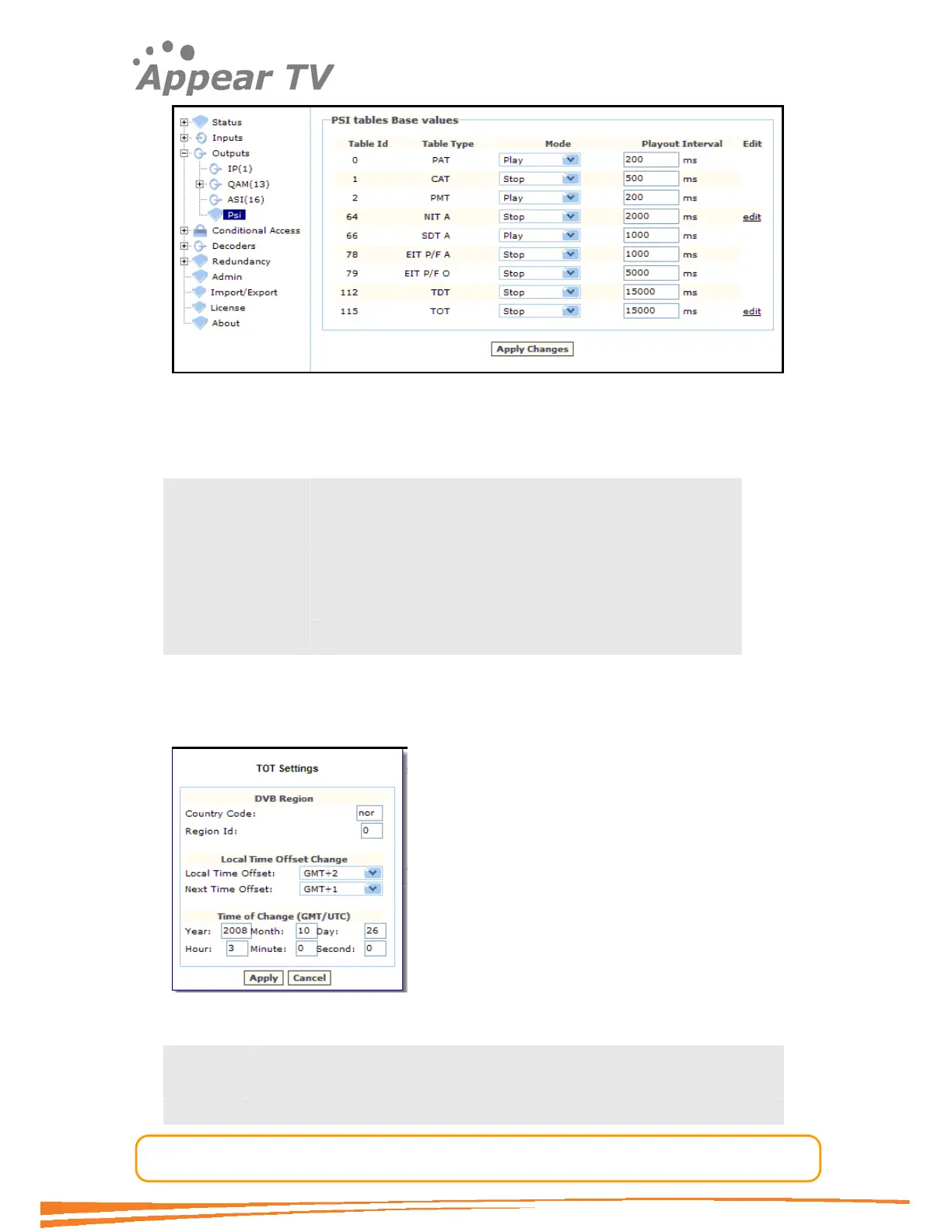
Figure 58 - The PSI dialog
The PSI dialog has several sections. The first, PSI tables base values, displays the
default values for different tables. The following fields are displayed:
Table Id
Table Type
Mode The pull down menu offers two options: Play and Stop.
Playout Interval
Edit Some tables provides editing of the table content.
4.7.1.1 Editing the TOT table
The time offset table configuration is completely detached from the unit time
configuration. Hence both the current and the next time offset needs to be entered.
Press the Edit button to the right of the TOT table to produce the TOT Dialog box.
The following fields are displayed for DVB region settings:
Country
Code
DVB country code. See
http://www.dvb.org/products_registration/dvb_identifiers/index.xml#
Region for the DVB region. See



 To Next Page