SW Version 2.04 30-January-2009 Page 16 of 128
Save the settings by clicking the Apply button.
Note:
Language codes are defined in the ISO 639 specification available at
http://www.loc.gov/standards/iso639-2/php/code_list.php
4.2 Licensing
Some of the features are licensed. You will get a warning when accessing functions
with licensed features. In the future these pages will be completely locked for users
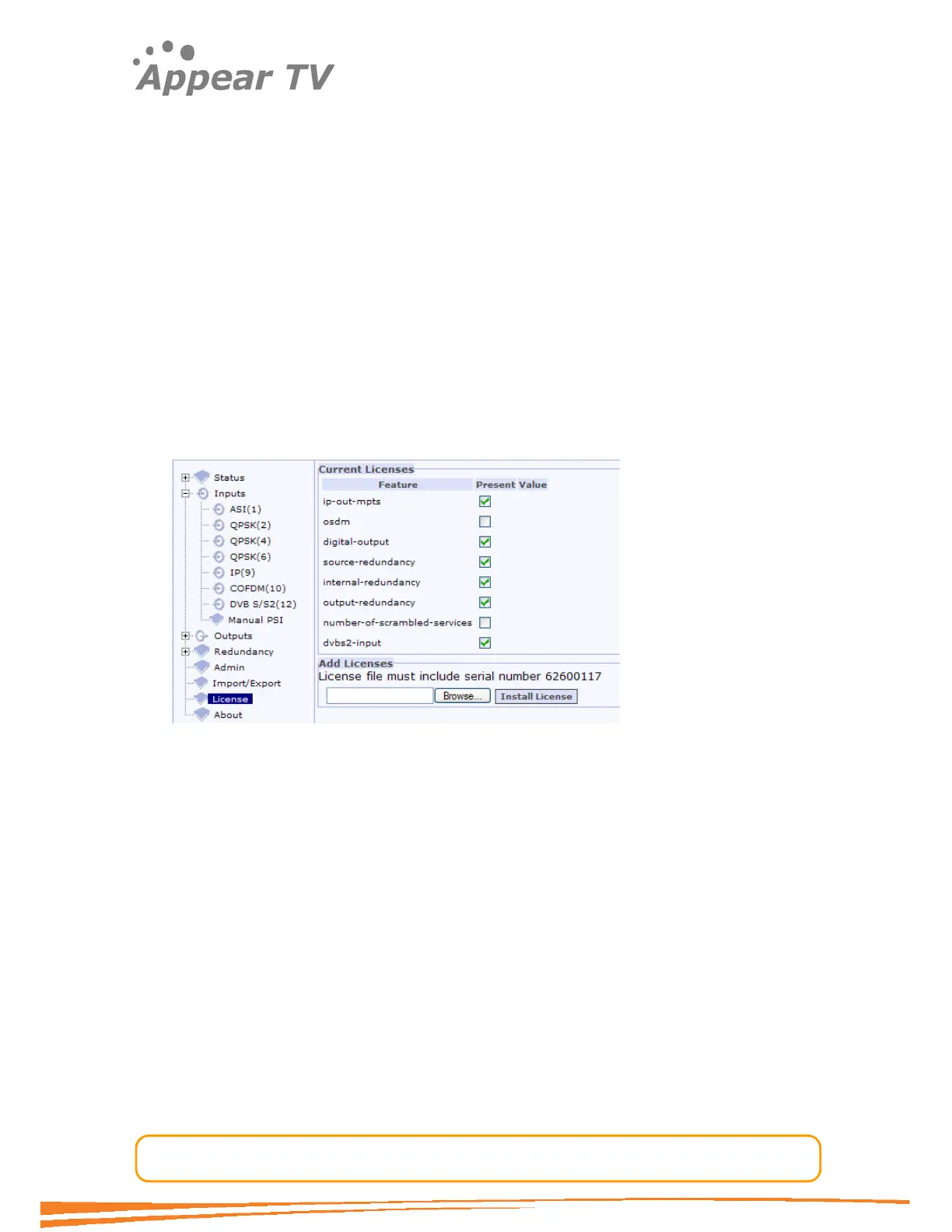
without the proper licenses. Use the ‘License’ tab to find which licenses are acquired
and which are available.
4.2.1 Installation
A license file must be acquired to get a license. It contains one or more serial
numbers. The serial number of the MMI card must be included for the license file to
be valid. The file format is human readable but signed, and it is invalidated by
changing the file. This might happen if the file is transferred with ftp in ASCII mode.
Figure 9 - Licensing
When the file is available from a machine with access to the web GUI, select the file
and ‘Install License’. If no warnings are received, the additional privileges should now
be available.
4.3 Configuring Inputs
The unit can be configured to host a number of different input modules. Open the
Inputs folder from the navigation pane to view all the available input modules. See
Figure 10.



 To Next Page