SW Version 2.04 30-January-2009 Page 27 of 128
CC Err Bit Error Rate is a quality indication of the input signal. No input
signal will display no sync.
Service Filtering of the displayed service information. It shows only the
services available from the selected input port.
PID Packet Identifier. When selected, all available PIDs from the
selected input port are displayed instead of the service list.
Mode Switch between DVB and MPEG mode. Default is DVB. Please use
the MPEG mode if the incoming transport stream is not DVB
compliant.
Enable Enable the corresponding input port
Save the settings by clicking the Apply button
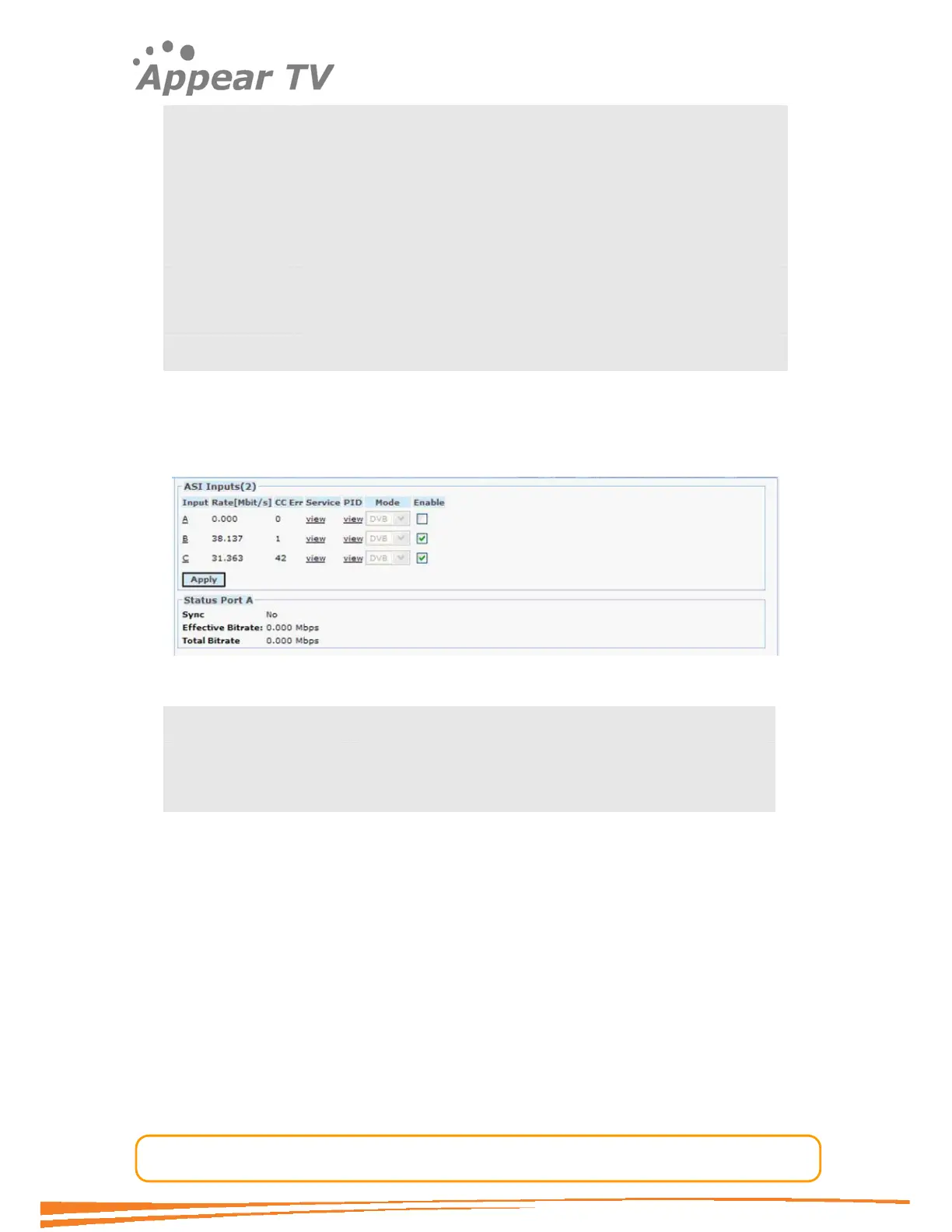
The status parameters for the ASI module are shown in figure below. Click on the
letter representing the Input channel (A, B or C) to display the status parameters for
the specific input port.
Figure 16 - ASI status view
Sync MPEG sync. No, 188 or 204
Effective Bitrate The effective bitrate of the input
Total Bitrate The total bitrate of the input
4.3.6 QAM Input
The QAM input module can receive up to 4 individual QAM frequencies. The number of
QAM frequencies can be increased by adding more modules to the chassis. Please
follow the procedure below to configure the module.
Open the Inputs folder in the navigation pane, click on the QAM module you want to
configure and the window in Figure 17 will be displayed. The services available on all
4 QAM inputs will be listed in the same view by default.



 To Next Page