SW Version 2.04 30-January-2009 Page 82 of 128
Available EMMs A list of the EMMs that is received from a CA system over the
Simulcrypt protocol. Multiple EMMs may be added.
Available ECMs is a list of the predefined ECMs. Use this dialog to select which ECM to
use for the encryption. Multiple ECMs may be selected, but only if the ECMs is defined
with the SAME control word, i.e they are created with the same SCG_ID. When an
ECM is selected all ECMs not containing the same control word will be tagged red, and
will not be possible to select.
It is possible to reconfigure all parameters from the Default Service Properties as well
as adding a monitor port for monitoring the service (requires an available decoder
module to be present in the chassis). It is possible to stream and decode the same
service up to 4 times.
Save and activate the settings by pressing the Apply button at the bottom of the
page.
4.7.4 Generation of MPTS Streams
The streamer is capable of generating MPTS outputs. First step is to set the
Transport related parameters which is done in the Edit Multiplex dialog. The next
step is to add services to the MPTS. Adding services is drag and drop based.
An MPTS stream provides some more PSI options than SPTS, as well as it provides
the option to map through External PIDs which will not be signaled in the PSI.
The next paragraph describes how to create a Multiple Program Transport Stream
(MPTS) for an IP output card. This description is also applicable for the ASI output,
except the port settings dialog. Please refer to paragraph 4.7.4.2 “ASI Output” for a
description of the port settings, for all other parameters refer to the description of the
IP MPTS.
4.7.4.1 IP Output MPTS
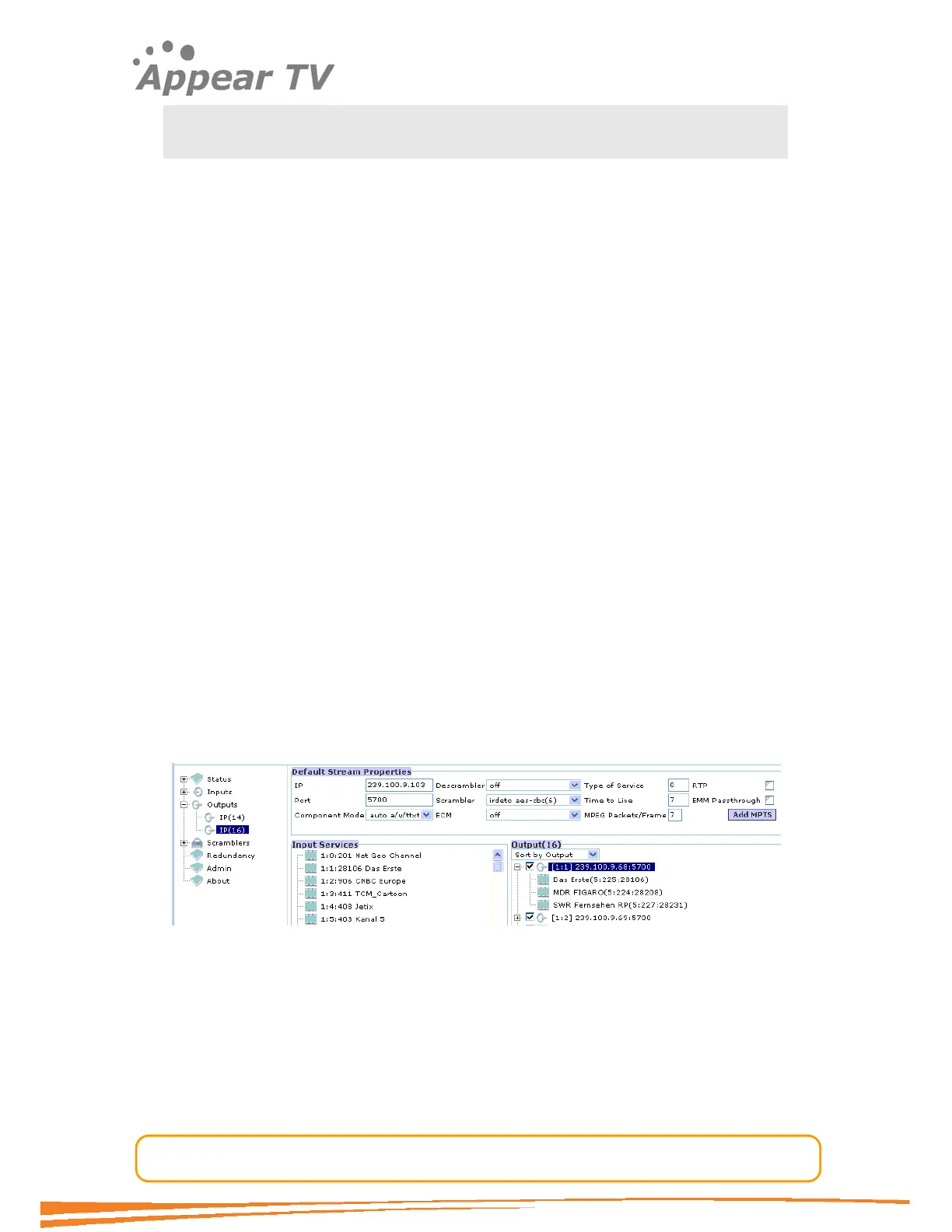
Navigate to the Outputs folder in the navigation pane, click on the output module
you want to configure and a window similar to the one displayed in Figure 42 below
will be displayed.
Figure 62 - IP MPTS output
The check box to the left of the MPTS stream, on the right hand Output pane,
provides an easy way to stop the transmission of the output, without having to delete
the configuration of the MPTS.
Click the Add MPTS button to create a new MPTS stream. A new window will open
where the MPTS parameters can be entered.



 To Next Page