SW Version 2.04 30-January-2009 Page 14 of 128
4.1.3 Internal Time Clock Setting / Network Time Protocol
(NTP) Server
The unit internal time may be configured manually, or it may be configured with a
Network Time Protocol (NTP) server to set and update the system’s date and time.
Open the Admin folder in the navigation pane and select the module hosting the
management interface (MMI). See Figure 6 and section 5.1.2.
To configure the NTP Server settings, enter the following:
IP Address Specify the IP address of the NTP Server (Please make sure
the Gateway address has been correctly configured in the
above Management Port settings)
Local Timezone Enter your local time zone
Man. daylight saving Enabling this setting adds the summertime hour to the
clock.
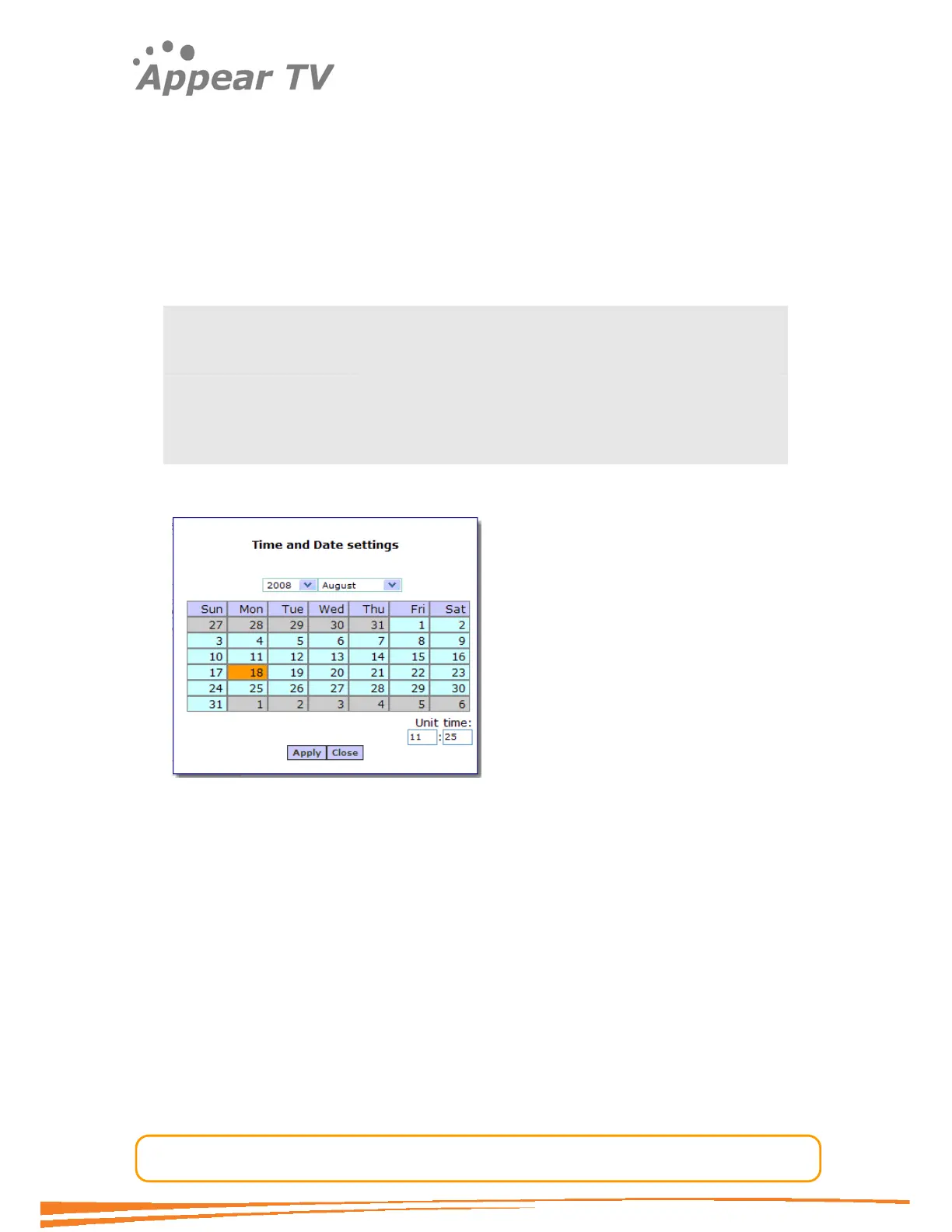
To set the internal time manually: Click the Edit Time & Date button to produce the
following dialog.
Figure 7 - Time and date properties page
Select the data and insert the time; then press apply.
Save the settings by clicking the Apply button.
When the internal time has been configured it is shown in the Current time section
above the Time and Date configuration entries.
4.1.4 Password Protected Login
For Enhanced security the WEB interface support password protected access. The
password protected access is by default disabled and may be enabled easily from the
GUI. Note that the MMI board must be restarted in order for the changes to take
effect.
To activate the password protected access press the enable button in the Login
Management section in the admin page; then reboot the MMI card.



 To Next Page