SW Version 2.04 30-January-2009 Page 19 of 128
Note that this is not a 100% DVB Compliant analysis but it does support the most
interesting tables and descriptors.
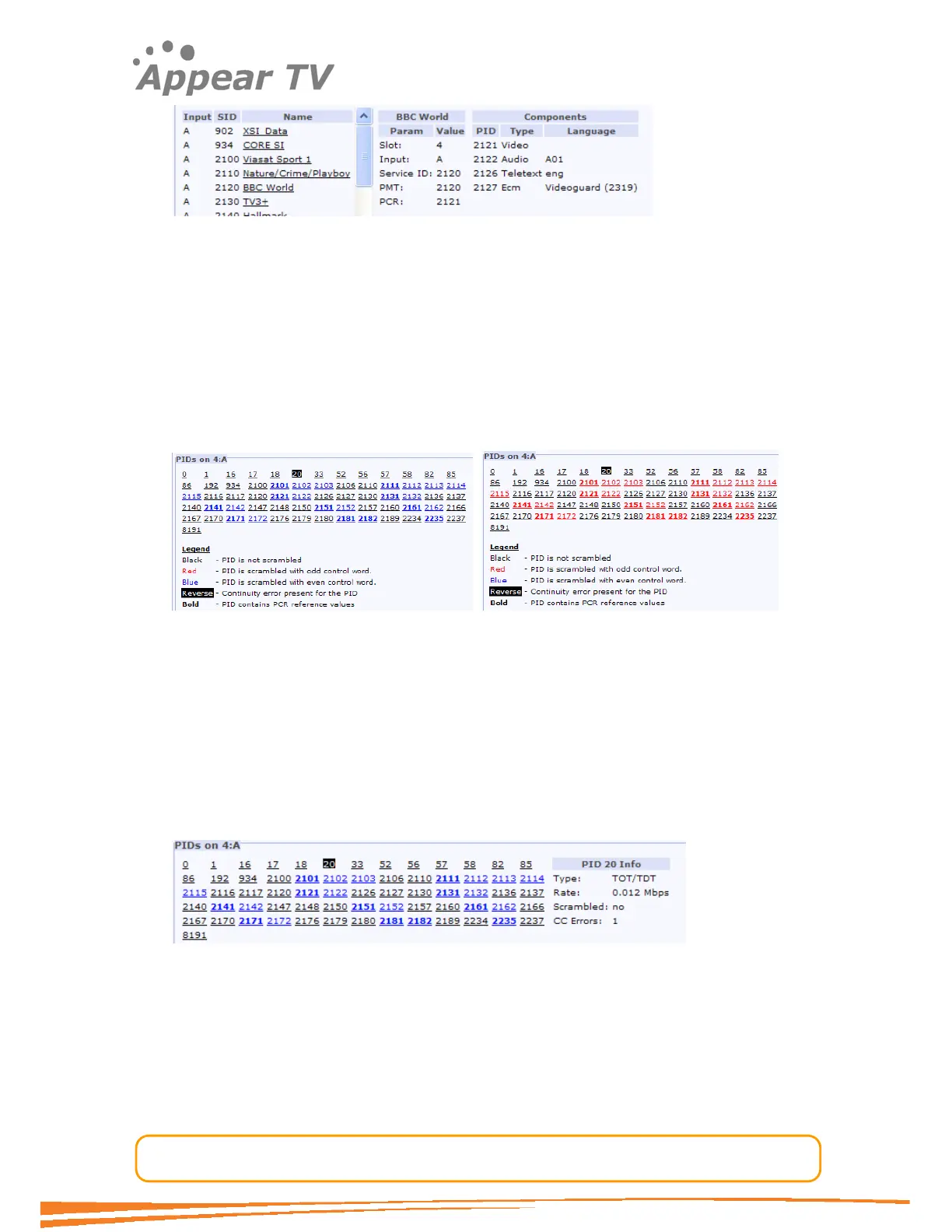
The Audio language descriptor is decoded, but if no language descriptor is present the
unit will auto-generate a descriptor for internal usage; as shown above the audio is
listed as A0. If more audio PIDs had been present without a language descriptor they
would get the named A1, A2 etc.
4.3.1.3 Input PID Analysis
For each port the PID view lists all PIDs detected for the given port. This list is
accessible by pressing the PIDs view column in the top pane.
For an input containing scrambled services the colour of the scrambled PIDs will
toggle between Blue and Read as the ODD / EVEN bit toggles.
In the above view wee can see that PID 2101 is scrambled (it is coloured) and that it
contains PCR (it is in bold), and that one or more CC errors has occurred for PID 20.
It is possible to reset the CC error counters. This reset is a global operation for all
inputs and is done with the “Reset CC” button in Inputs tab view in the navigation
tree. See figure at the start of this chapter.
Further more it is possible to click on a PID in the PID view to get PID specific details.
Selecting PID 20 we see that this is the TDT PID, and that the bitrate and the number
of CC errors are presented.
Selecting PID 2101 gives a slightly different info as this is a video PID:



 To Next Page