SW Version 2.04 30-January-2009 Page 37 of 128
manual switch
There is a delay of 60 seconds before the alarm appears. When both channels are
configured with a service, the decoder card will switch if both Channel A and Channel
B meet switch criteria. If just one channel is configured, then the decoder will switch if
that channel (A or B) meets the switch criteria. There will be only one alarm when
the decoder switches (not from both channels).
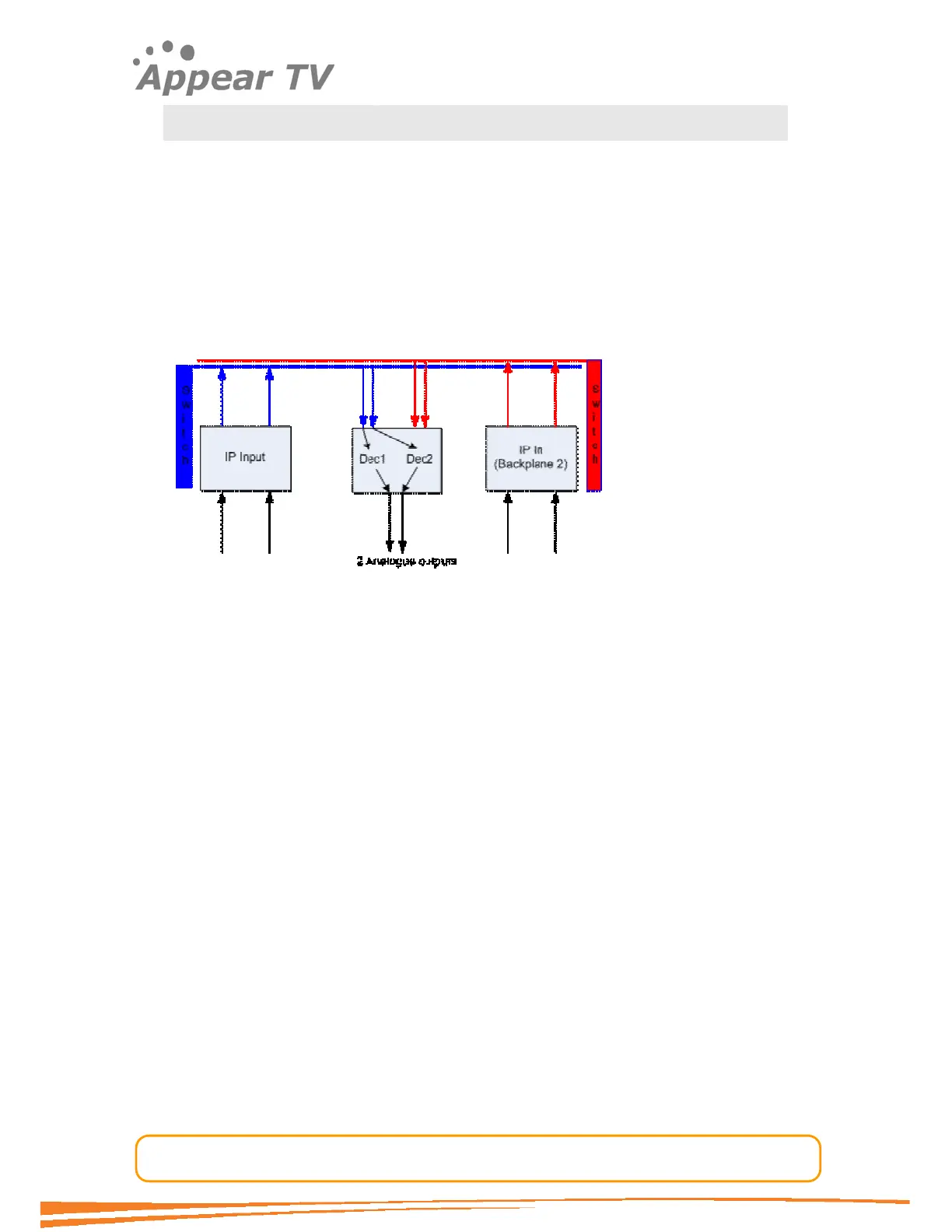
Signal flow within the unit when having two backplanes
The figure below shows the signal flow within the unit when having two backplanes,
one MMI card connected to backplane 1 and second MMI card to backplane 2
respectively.
Decoder switch reasons
If decoder looses link with the switch to which it is currently connected, it will try to
switch. This can be simulated by actually removing the switch for Backplane 1 (The
blue one). The effect will be that the Decoder will stop communicating on the blue link
and connect to the second backplane (the red one)
If a problem is detected in the configured Decoder Channels, i.e. if transport stream is
missing on both the channels when both are configured, then decoders will switch to
the other backplane. This can be simulated by actually removing the data cable for
Input card or by stopping the input signal.
Note 1:
Internal redundancy must be enabled to be able to switch.
Note 2:
If both channels, A and B, are configured with a service in the GUI, it requires
both of them to have a problem. If just one channel is configured, it requires
just the configured channel to have a problem for meeting the criteria for
switching to the other backplane.
Note 3:
Removing inputs from GUI will not cause decoder cards to switch.
Example when switching does not occur
When you remove the inputs, i.e. you remove the configuration of the input streams
you have a system with the following configuration.



 To Next Page