SW Version 2.04 30-January-2009 Page 65 of 128
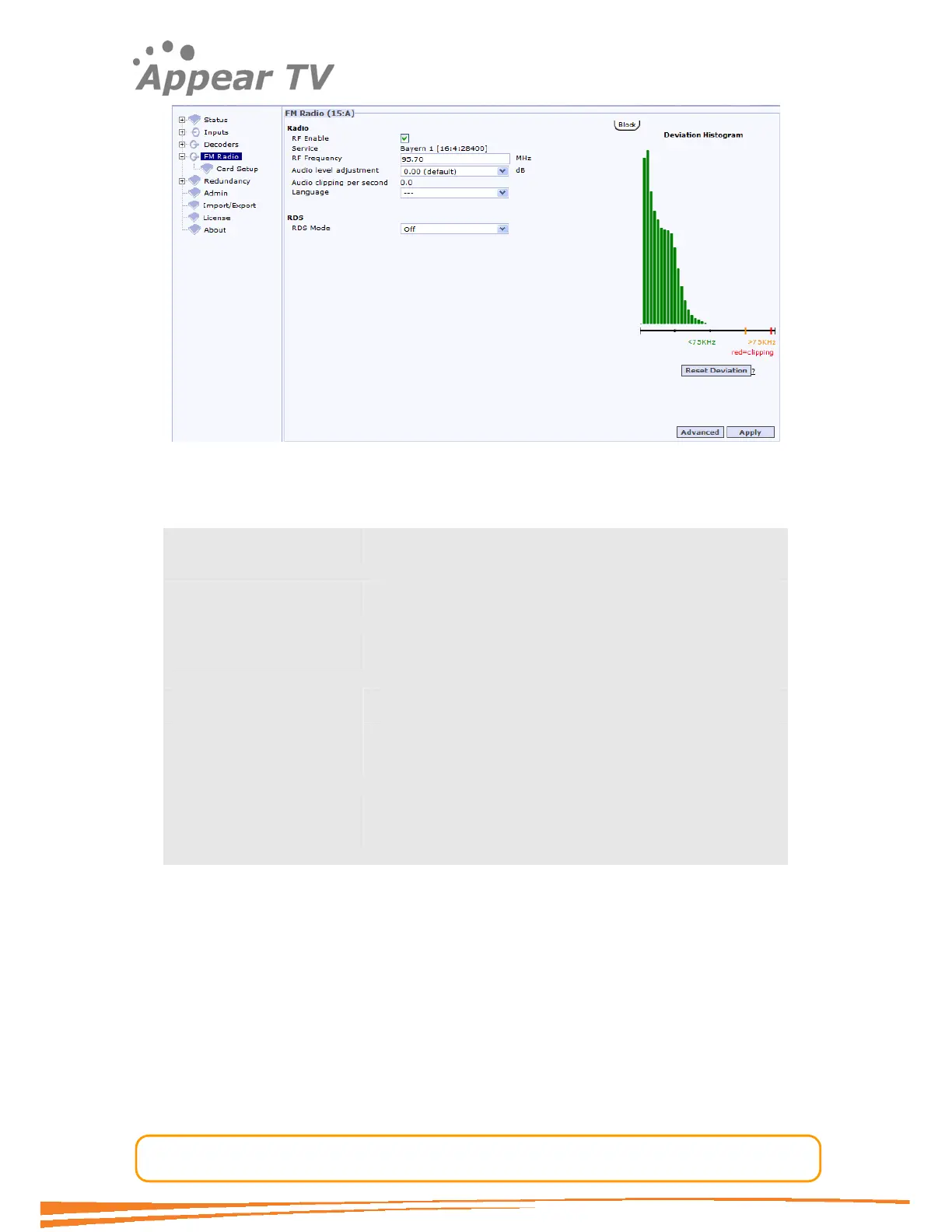
Figure 51 - Editing channel configuration
This user interface offers configuration of the following values:
RF Enable A checkbox for enabling RF modulation. Values can be
checked or unchecked.
Service Displays the service selected. Not configurable in this
screen
Frequency For configuration of the output frequency of the
particular service
Language A pull down menu for language selection
Audio-Level Adjustment
(dB)
The output audio level can be adjusted to achieve the
desired deviation. Adjustments between 12 and -12dB
can be made in 0.5dB steps.
Audio clipping per
second
This is a read-only parameter that gives an indication of
digital clippings per second, this should ideally be 0 if the
audio level is correctly adjusted.
As an aide to audio level adjustment a deviation histogram is provided on the right.
To view this diagram a browser or browser add-on that supports SVG (Scalable Vector
Graphics) is required. Firefox 2.0 and above supports this natively while Microsoft
®
Internet Explorer
®
version 6 and 7 requires a third-party add-on, for example the
downloadable Emia
®
Renesis
®
SVG Player.
A few options that are rarely required are available through the Advanced button
next to the Apply button.



 To Next Page