TD 92675GB
10 January 2011/ Ver. A
Configuration Manual
Ascom i62 VoWiFi Handset
47
Example 4
This example describes the message handling with the following message settings:
• TTP= No prioritization
• TTR= Close manually
Tip: It is recommended to use this settings if messages regardless of priority shall be read in
chronological order, that is, the newest message shall be displayed first.
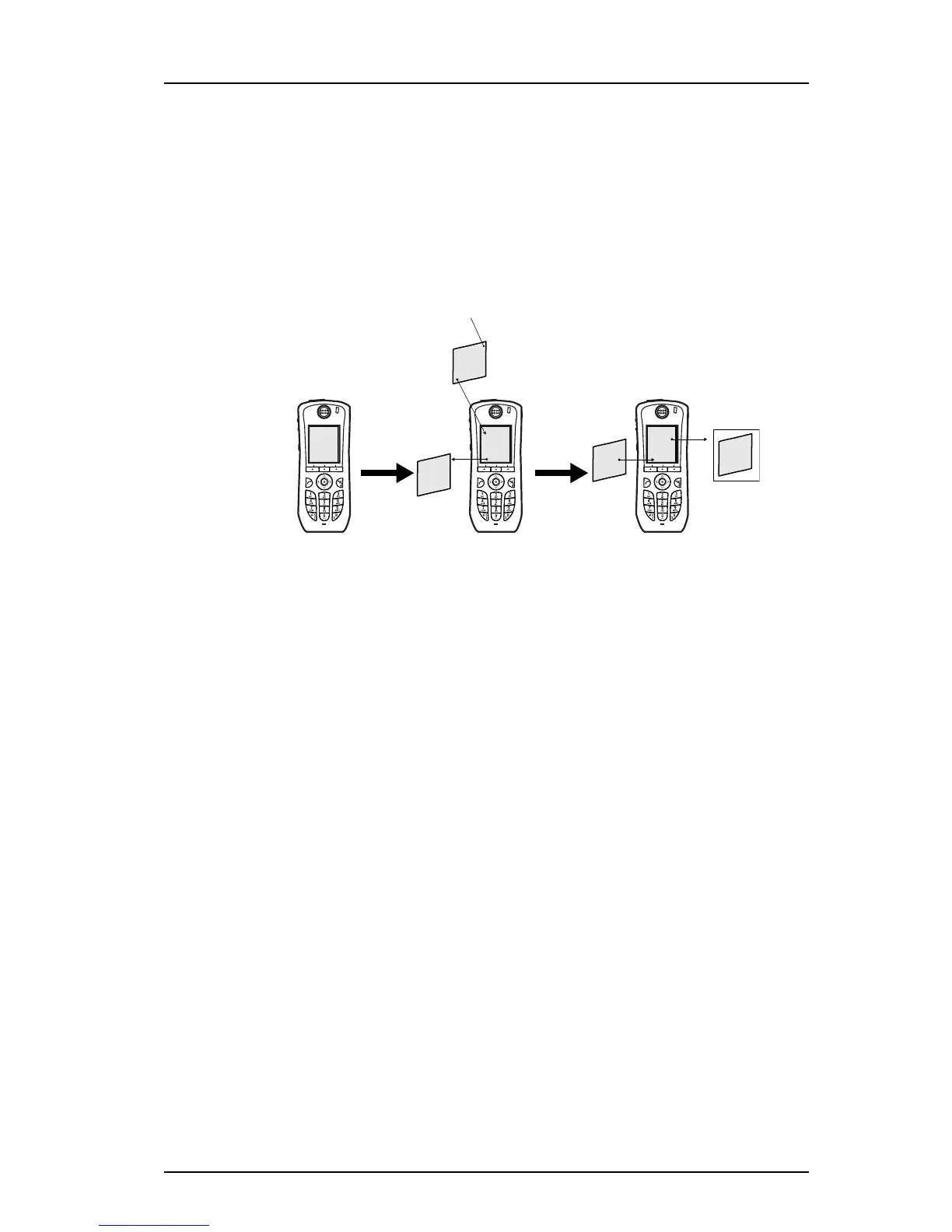
Figure 7. Display messages in chronological order regardless of priority
In figure 7, a message with priority 1 is received at 13:59. Another message with priority 2
is received at 14:02 and will be displayed. The message with priority 1 is put in the message
queue. The user needs to close the current message (priority 2) to show the message
(priority 1) in the queue. When closing the message (priority 2) it will be indicated as a read
message in the Messaging Inbox.
6.8 Alarm Settings
Note: This feature is applicable for i62 Protector only.
The following alarm types can be configured; Push-button alarm, Test alarm, and
Emergency call alarm.
6.8.1 Common Alarm Settings
This settings are common for all alarm sent from the handset.
1 Select Alarm > Common.
2In the Stored alarm data field, enter data to be sent along with an alarm (optional).
3In the Indicate initiated Alarm drop-down list, select one of the following:
• On - The handset will beep and the LED will flash twice when an alarm is initiated.
• Off - The handset will not indicate when an alarm is initiated.
4In the Disable backlight during alarm drop-down list, select one of the following:
• Yes - The display backlight will be left unchanged for 30 seconds after alarm
• No - The display will light up after an alarm.
6.8.2 Alarm Types
This section describes how to configure the alarm types.
Figure 5.
The user closes
the message
Prio 2
14:02
New messages
Prio 1
13:59
Prio 1
13:59
Prio 2
14:02
Messaging Inbox
Prio 2
14:02
Prio 1
13:59
Prio 1
13:59



 To Next Page