Receiver Commands 171
Receiver Commands
Example
To activate the user-defined datum for position computations and measurements,
enter the following command after defining datum parameters with the UDD
command:
$PASHS,DTM,USR
After the user-defined datum is activated, the receiver internally transforms
positions from the reference datum (WGS-84) to the user-defined datum. In
standard text books, however, the datum transformations are given from local
datums to WGS-84. To simplify the entering of the transformation parameters, the
translation, rotation, and scale parameters are defined from the local datum to
WGS-84.
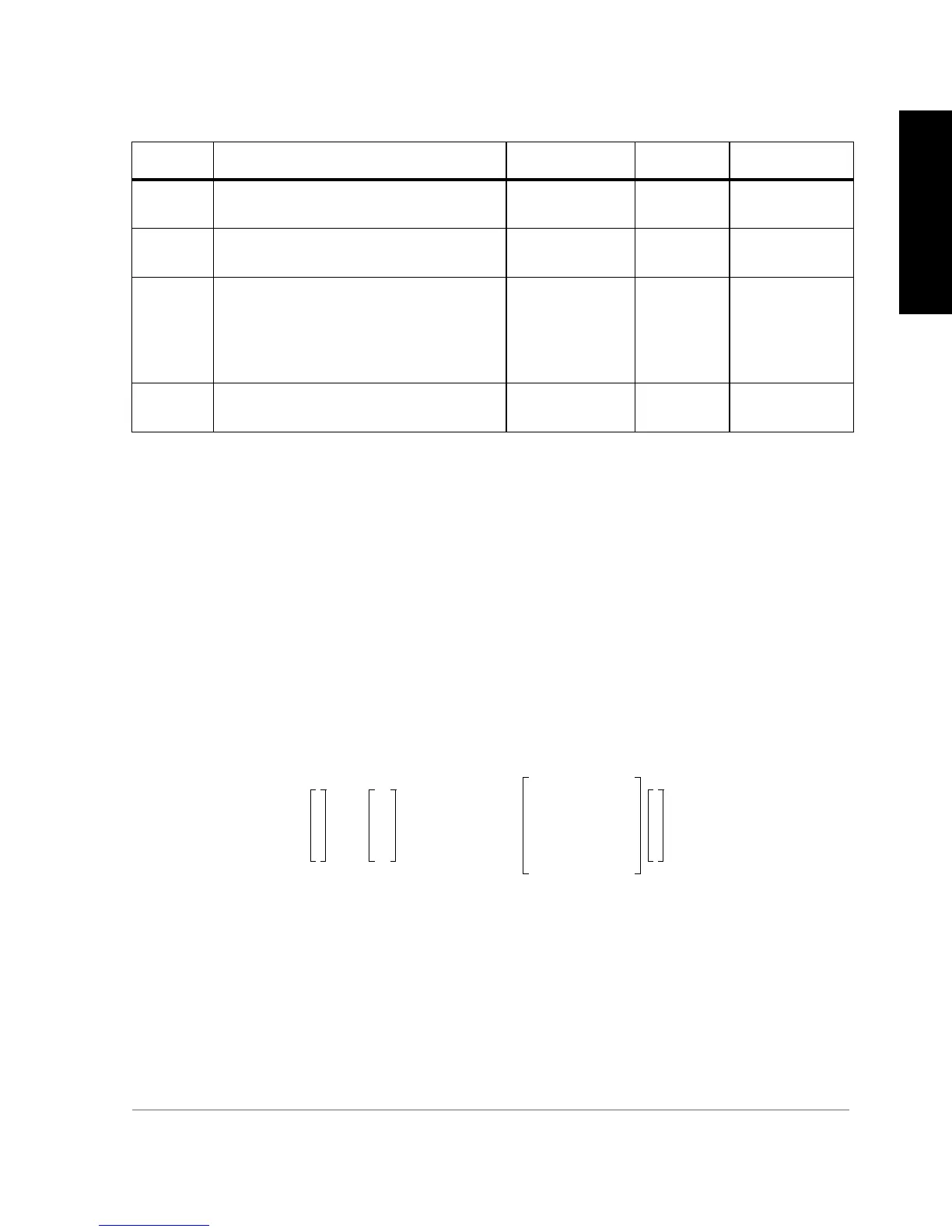
The generic formula used to translate and rotate from coordinate system 1 to
coordinate system 2:
e
rx
=
e
x
expressed in radians (this also applies to e
ry
and e
rz
).
f3 Inverse flattening. 1/f3 = f2/(f2-b), where b
is semi-minor axis
290.00000000 to
301.00000000
meters 298.257223563
Dx,Dy,Dz Translation from the local datum to WGS-
84
-1000.000 to
+1000.000
meters 0.00
e
x,
e
y,
e
z
Rotations from the local datum to WGS-
84. Viewed from the positive end of the
axis about which the rotation takes place,
the positive rotation is counterclockwise;
the negative rotation is clockwise
-10.0000 to
+10.0000
seconds of
arc
0.00
f4 Delta scale factor
(scale factor = 1 + delta scale factor)
-25.000 to
+25.000
ppm 0.00
Table 6.66. User-defined Datum Parameters
Field Description Range Units Default
x
y
z
2
Dx
Dy
Dz
1m
6–
´10+()
1 e
rz
e
ry
–
e
rz
– 1 e
rx
e
ry
e
rx
– 1
x
y
z
1
+=



 To Next Page