104 User’s Manual—SNAP™ 700 Printer
Classification: Avery Dennison - Public
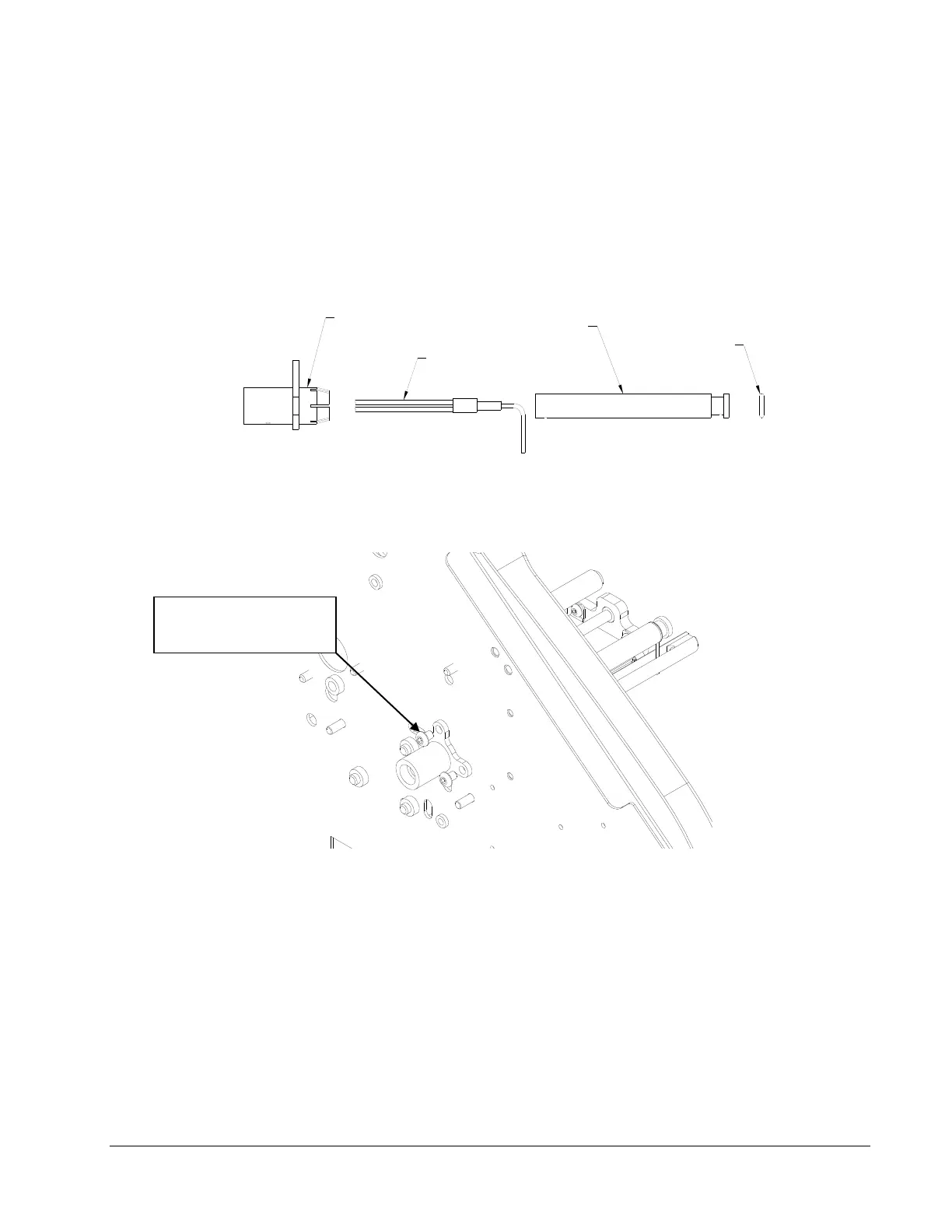
5. Create a sub-assembly of the Plastic Collet, the Fiber Optic Slide Shaft, The Fiber Optic
Cable and the O-Ring.
Slide the two cables at the rear of the Fiber-Optic Assembly through the Collet as
shown. This must be done by sliding one cable through, then sliding cable end
of the other cable through parallel to the first. They will not go through together.
"O" RING
SLIDE SHAFT
COLLETT
FIBER-OPTIC CABLE
6. From the back of the Upright Frame, slide the Collet / Cable Assembly through the ¾
diameter hole and secure with (2) 10-32 x 3/8 Button Head Screws.
10-32 X 3/8 Button
Head Screws














 To Next Page