User’s Manual—SNAP™ 700 Printer 111
Classification: Avery Dennison - Public
11.6 Factory / Field Installation of High Speed
Verifier Assembly
05620008F (Factory) and 05620008 (Field)
11.6.1 Installation Procedure - Mechanical
1. Disconnect Power to Printer.
2. Disconnect Stacker Interface Cable.
3. Remove the Rear Cover (save screws).
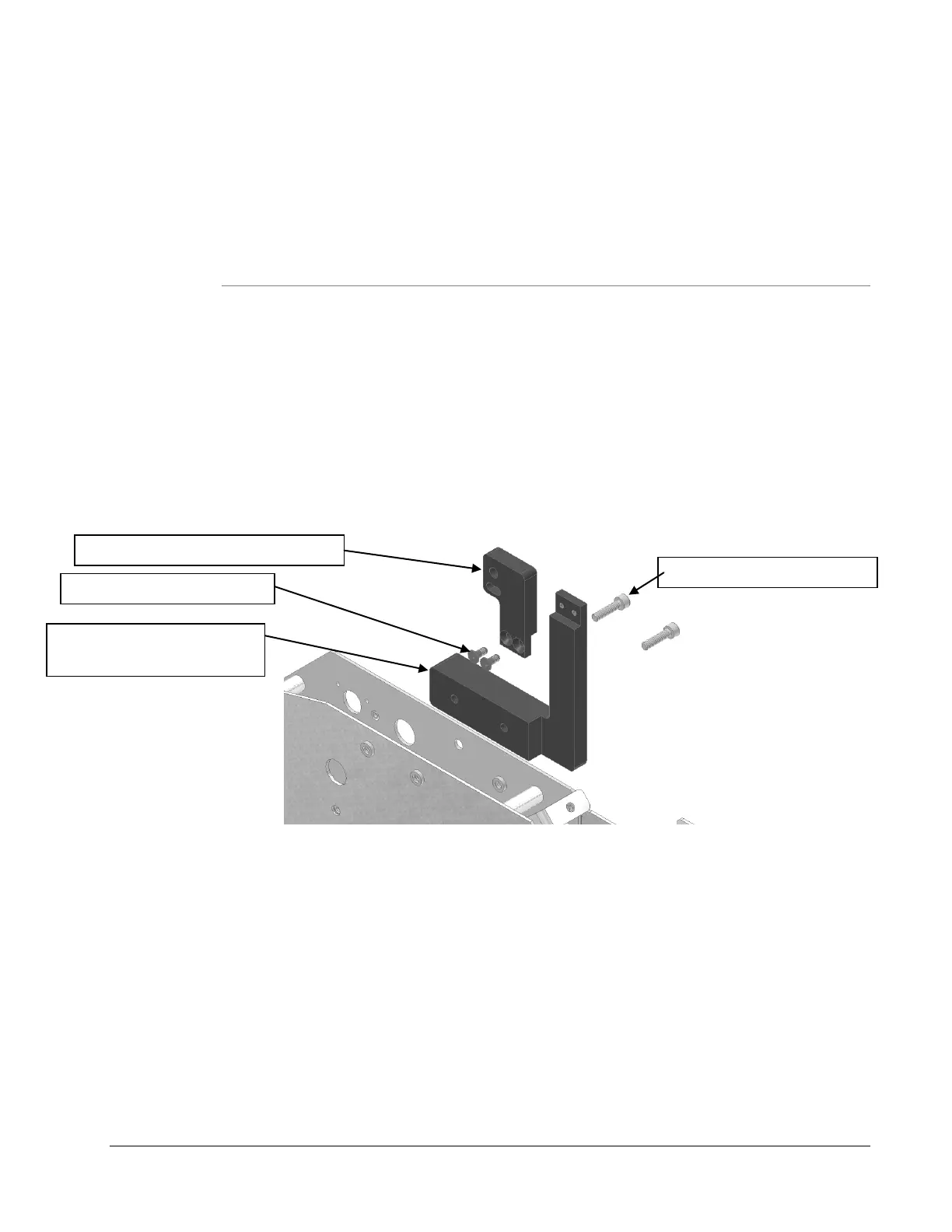
4. Install the Bracket, Verifier, Mount Base (621303) on the back of the Upright Frame in the (2) 10-
32 Pem Nuts in the upper most right side of the Frame. Secure with (2) 10-32 x ¾ Cap Screws.
5. Install the Bracket, Verifier Upright onto the Base Bracket with (2) 8-32 x 3/8 Flat Head Screws.
Tighten securely.
621304 – Bracket, Verifier Upright
621303 – Bracket, Verifier,
Mount Base














 To Next Page