58 User’s Manual—SNAP™ 700 Printer
Classification: Avery Dennison - Public
Clicking the “Go Back” button will return to the previous window without making
any changes.
To change any setting, enter the value in the box or select a value from the drop
down list. Click on Apply Changes to change the printer settings. Values that are
grayed out are not changeable.
5.4.2 Converting the DHCP Address to a Static Address
Once you know the DHCP address, open a browser (Internet Explorer, Firefox,
etc.) on any computer connected to the network. In the address bar, enter the
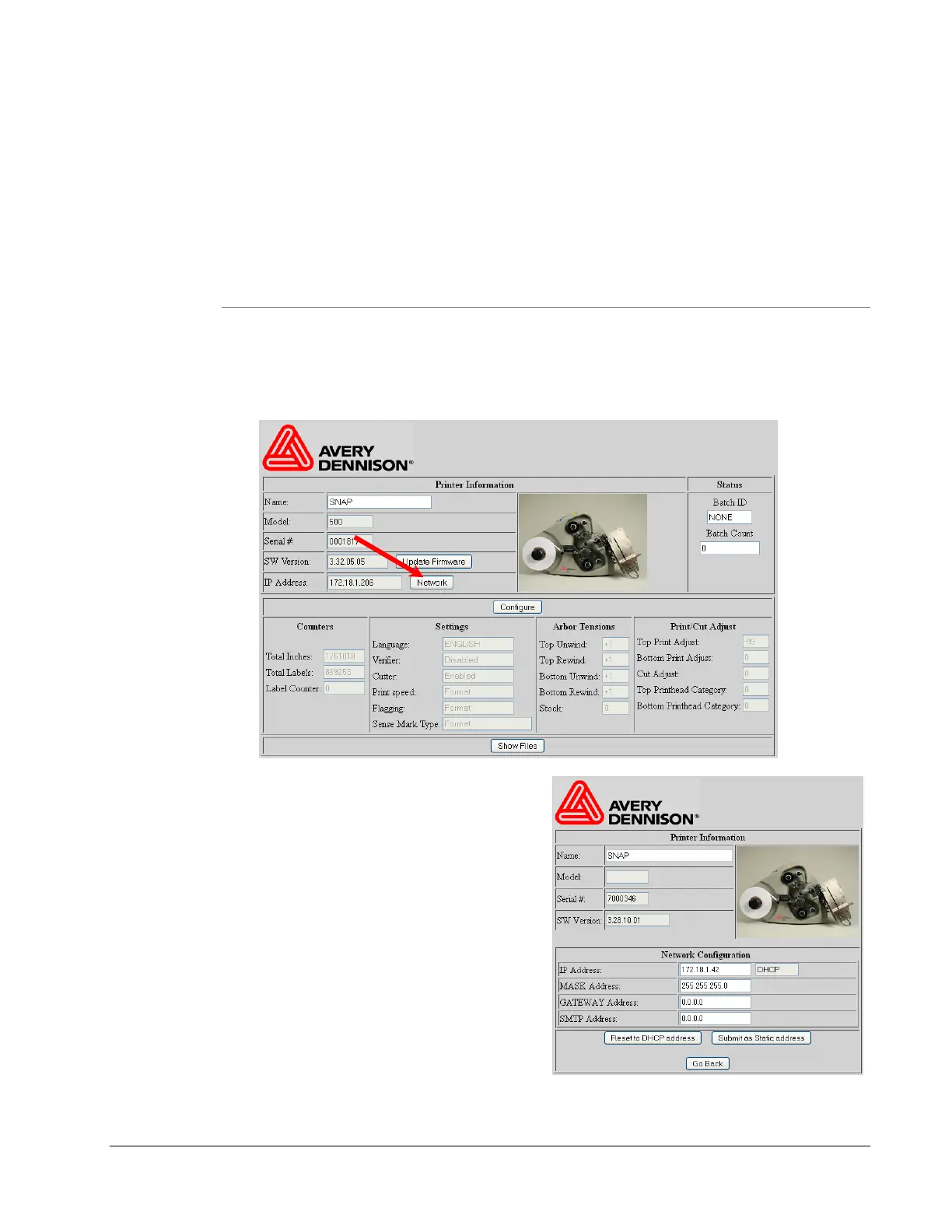
DHCP address and press “Enter”. The following window will appear:
Click on the “Network” button. The
following window will appear.
The DHCP address is shown in the
IP Address box and the mode is
DHCP.
Enter the static IP address in the IP
Address box and click the “Submit
as Static address” button.
At this time, the IP address is set to
the static address and the web
server will no longer be available.
Enter the new IP address in a new browser window.














 To Next Page