14 User’s Manual—SNAP™ 700 Printer
Classification: Avery Dennison - Public
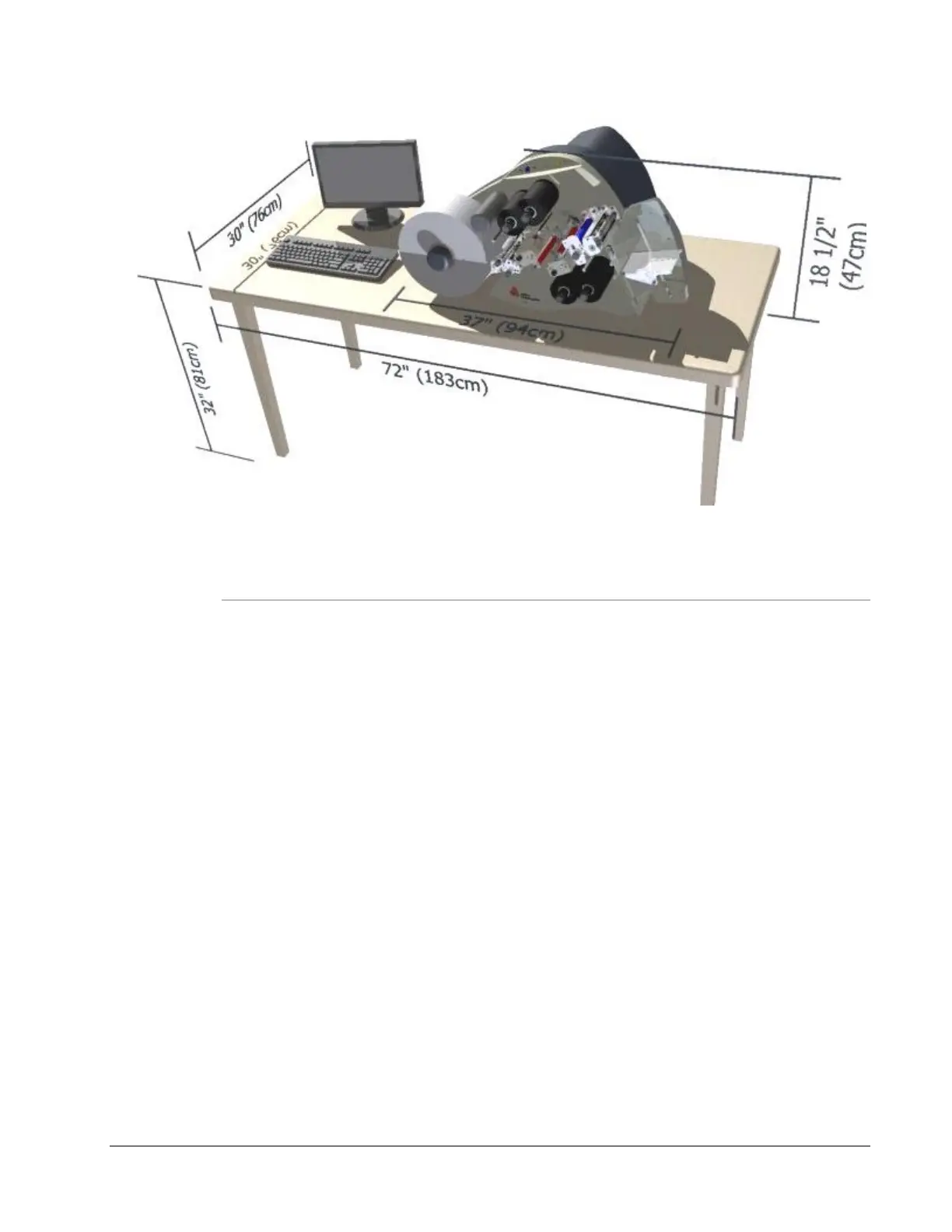
Figure 1. Recommended Workstation Layout
3.1.3 PC Requirements
Most customers use a personal computer to download information to the SNAP
700 printer. The printer can be connected to any type of computer capable of
sending the AVERY DENNISON Command Language, or PCL.
PCMate Platinum tag and label printing software supports the new virtual control
panel feature when using the SNAP 700 printer. PCMate features higher
communication speeds of the SNAP 700. Finally, it can deliver firmware
upgrades from the Internet.
PCMate Platinum requires the following minimum PC system:
IBM
®
PC or Compatible
Microsoft Windows
®
XP, 7 or later (check for latest version of Windows)
At least 2 Gigabytes of RAM
At least 10 Gigabyte of available disk space
Pentium III or later processor, 800Mhz
Monitor with 1024 x 768 resolution
CD ROM drive
Internet Connection to access software upgrades and remote diagnostics
Refer to your PCMate Platinum user’s manual for proper installation procedures.














 To Next Page