User’s Manual—SNAP™ 700 Printer 171
Classification: Avery Dennison - Public
15.0 Addendum II – Short Feed
Machines equipped with short feed option use different parts noted after O-ring replacement instructions.
Machines with short feed option have ability to handle labels as short as .66” long.
O-rings on short feed nip rollers are wear items and require occasional changing. It is recommended to
change all O-rings at same time.
15.1.1 Short Feed O-Ring Replacement
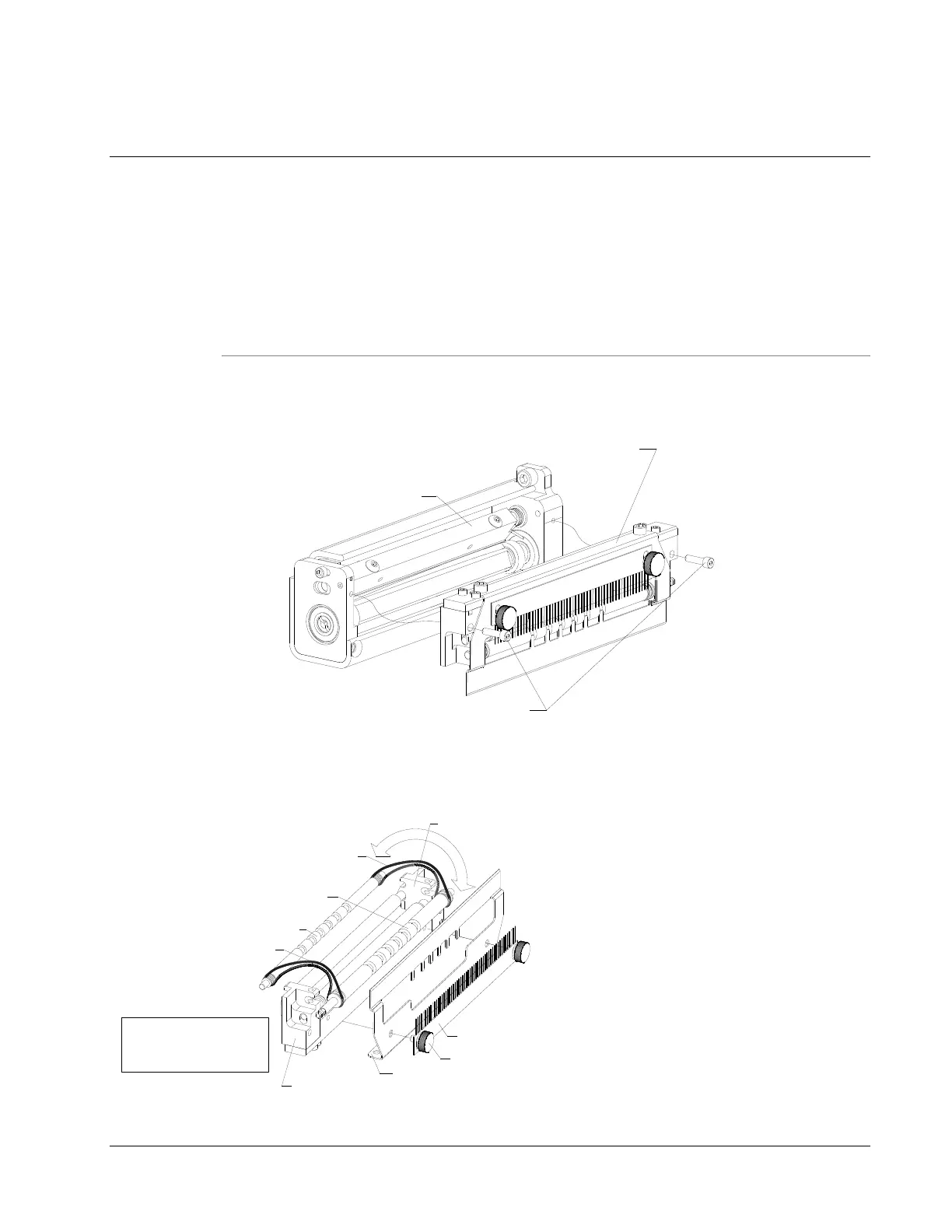
1. Separate knife assembly from nip roller assembly by removing (2) nip assembly mount screws (shown
below.
KNIFE ASSEMBLY
NIP ROLLER ASSEMBLY
NIP ASSEMBLY MOUNT SCREW
2. Remove bridge blade and static brush from nip roller assembly by loosening (2) static brush thumb
screws. Remove any worn or damaged o-rings from rubber rollers and replace with new o-rings. Rubber
rollers are secured to nip roller brackets by tension from o-rings. Stretch o-rings over nip roller brackets,
then direct rubber roller ends to ½ slots on nip roller brackets. See below.
"O" RING BELT
RUBBER ROLLER
RUBBER ROLLER
NIP ROLLER BRACKET
NIP ROLLER BRACKET
BRIDGE BLADE
THUMB SCREW
STATIC BRUSH
"O" RING BELT
NOTE: "O" RING BELTS SHOWN
LOOSE FOR CLARITY. WHEN
INSTALLING BELTS, THEY WILL
BE TIGHT WHEN STRETCHED.














 To Next Page