User’s Manual—SNAP™ 700 Printer 71
Classification: Avery Dennison - Public
7.4 Knife Shear Adjustment
WARNING: Knife adjustments procedure must be followed exactly
or damage will occur.
WARNING: When adjusting, removing, or replacing the knife
assembly, you must turn off the power to the printer to avoid
personal injury.
1. Turn off the power to the printer.
2. Remove the knife assembly from the printer as described in Section 5.4.1.
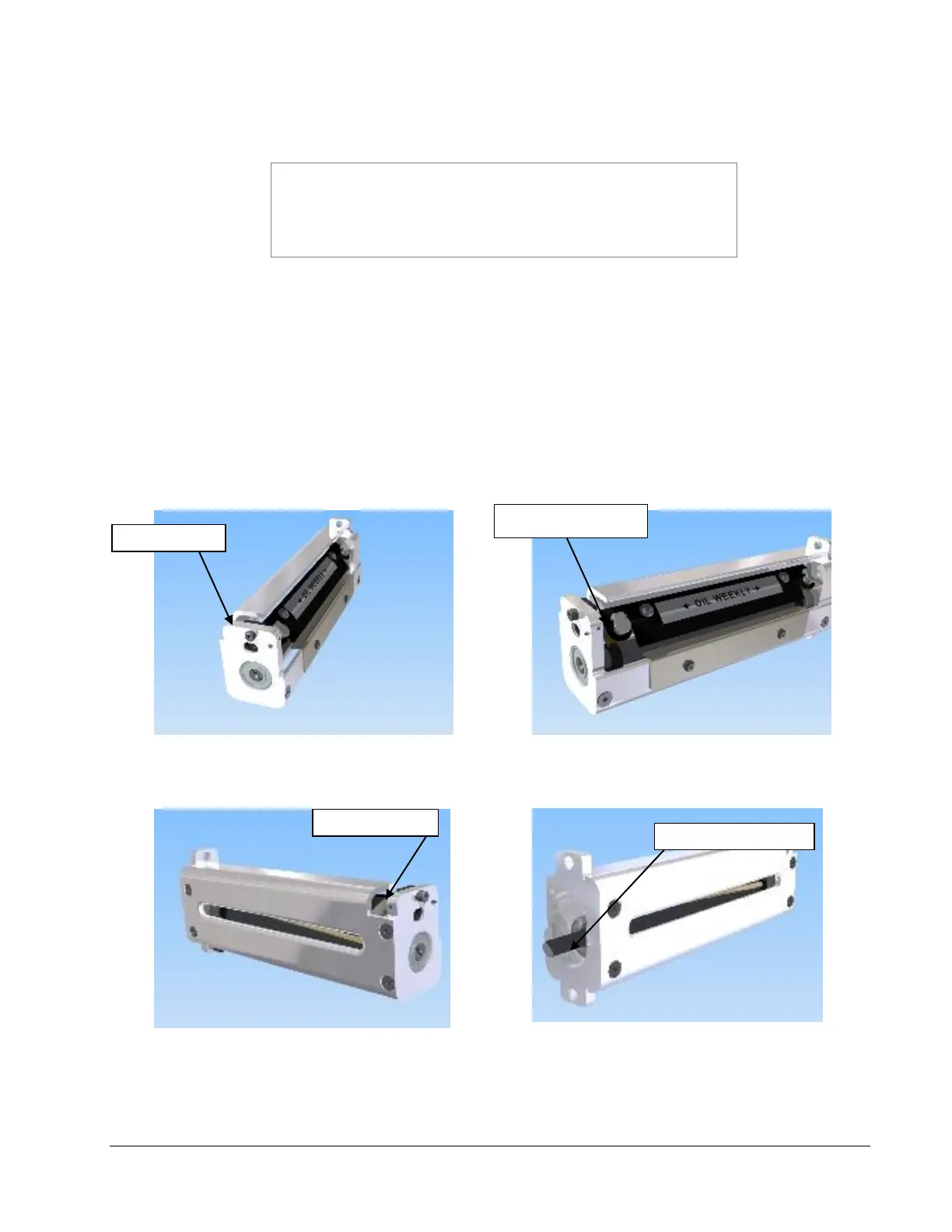
Refer to Figures 19a and 19b.
3. Loosen the outer pivot screw by making one complete turn (see Fig. 19a).
4. The two setscrews move the stationary outboard end of the knife to increase
or decrease the shear.
5. To increase the shear, loosen the right setscrew ¼ turn (see Fig. 19b) and
tighten the left setscrew (see Fig. 19c).
Figure 19a. Loosening Outer Pivot Screw
Figure 19b. Adjusting Right Set Screw
Figure 19c. Adjusting Left Set Screw
Figure 19d. Manual Rotation of Knife Shaft














 To Next Page