44 User’s Manual—SNAP™ 700 Printer
Classification: Avery Dennison - Public
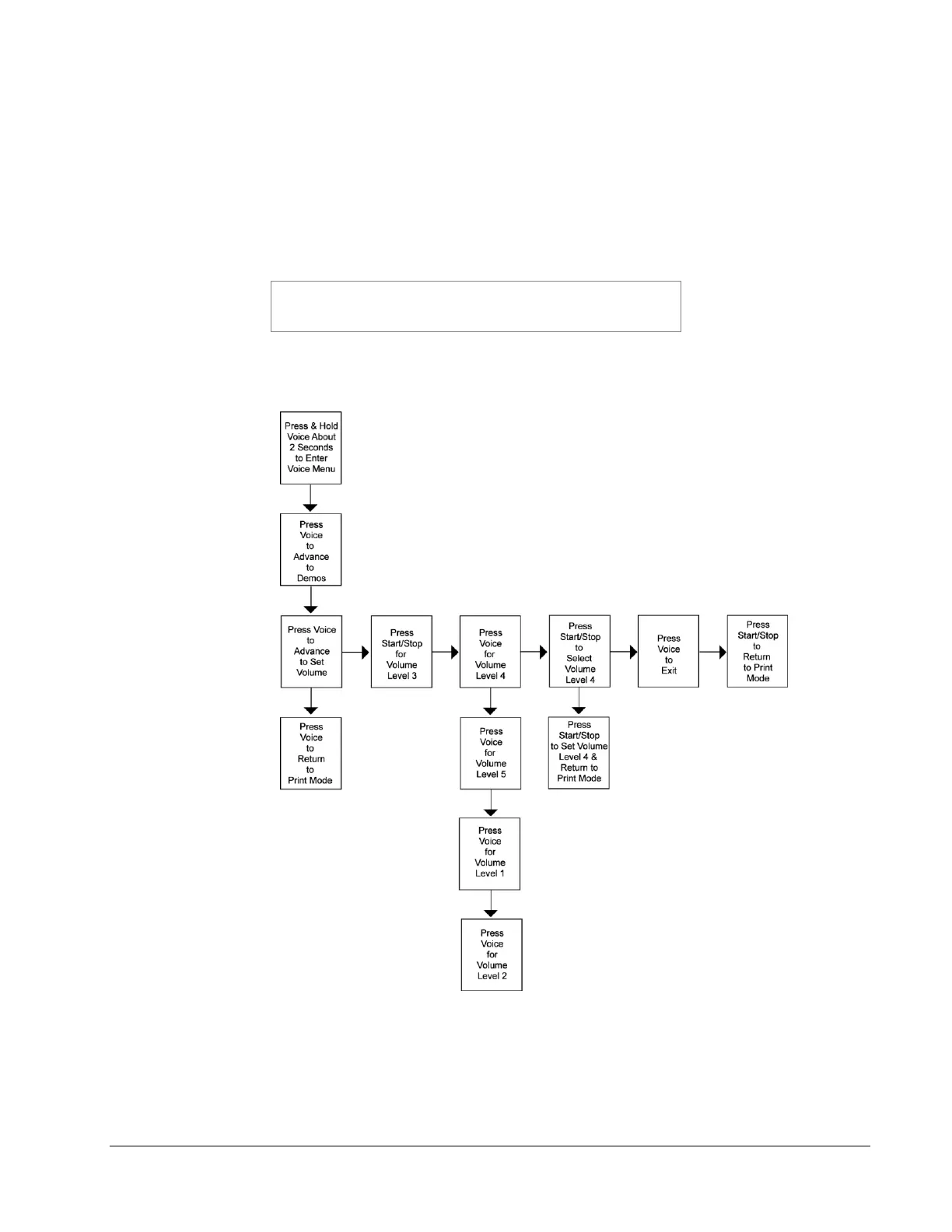
6. Press the Voice button. The voice message says, “Press Start for Volume
Level 4.”
7. Press the Voice button. The voice message says, “Press Start for Volume
Level 5.”
8. Press the Start button. The voice message says, “Volume Set to Level 5.
Returning to Print Mode.”
NOTE: Each time you press the Start button, the volume
level will increase by one increment until the maximum
level is reached.
If you want to decrease the voice volume to Level 1 or 2, follow Steps 1-7 above
and continue to press the Voice button until you reach the desired volume level.
Figure 12c. Adjusting Voice Volume














 To Next Page