48
MENU | AUDIO
PHANTOM 48V:
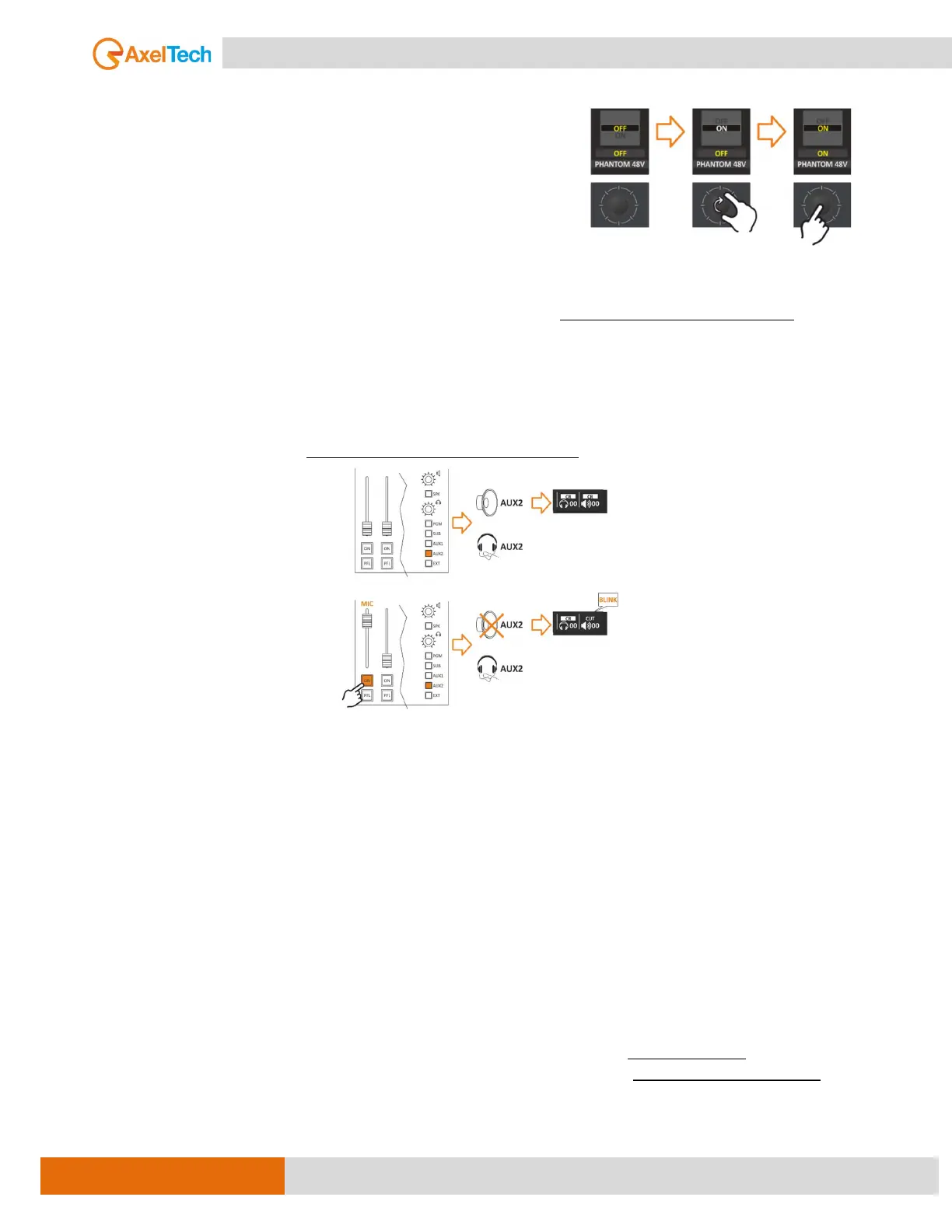
This option allows you to turn the phantom power 48V ON/OFF
for use with microphones (if the microphone requires it, such as
a condenser microphone). The Phantom is shown in the channel
Set Panel.
SPK-CUT:
From this function, you can assign the MIC to the cut source that has to put the SPEAKERS in mute (Control
Room or STUDIO). it is possible to select one source (CR, ST) or both of them together.
The opening of a microphone source (if configured appropriately) can generate the closing command of
the loudspeakers.
That is possible to choose one or more sources to cut the loudspeaker.
When you open the associated source with an SPK-CUT function, you will see its MUTE CR (Control Room)
Loudspeakers output and the SPEAKER icon at LCD will start plinking.
As shown in the MENU this function (SPK-CUT) is associated only with the loudspeakers, to avoid LARSEN
effects “feedback loop” from occurring between the nearby loudspeakers and On-Air microphones.
ONAIR LIGHT:
From here can control the ON AIR light through the GPO command. If you select CR (Control Room ON AIR
LIGHT), once this source fader is open, it will activate the GPO assigned as CR-ON AIR.
To verify if one of 4 GPO is assigned as CR-ON AIR can follow this path: -
MENU / MAIN / GENERAL SET. / GPIO / GPO [MORE INFO ]
PRIVATE MIC:
The private mic is the microphone that can talk to the caller privately and this conversation is not audible in
the loudspeakers and MAIN outputs.
if you press the PFL (Pre-Fader Listen) button on the telephone channel, any microphone that is set as a
private microphone will be able to communicate with the caller in private, even if the fader is closed. This
can be useful in situations where you need to have a private conversation with the caller without it being
heard ON-AIR audio feed.



 To Next Page