44
5.3 Supply voltage
The actually version of DLX contains a wide range power supply, that can-
not be adjusted!
Old Version
The supply voltage of old DLX can be selected using a slide switch inside
the housing. Possible voltages are 100/115VAC and 200/230VAC. Please
pay attention to use the correct setting for your supply voltage.
The supply voltage selection must be done with no external voltage
applied! Work at mains must be performed by trained personnel only!
Selection of supply voltage for DLX
old version
only:
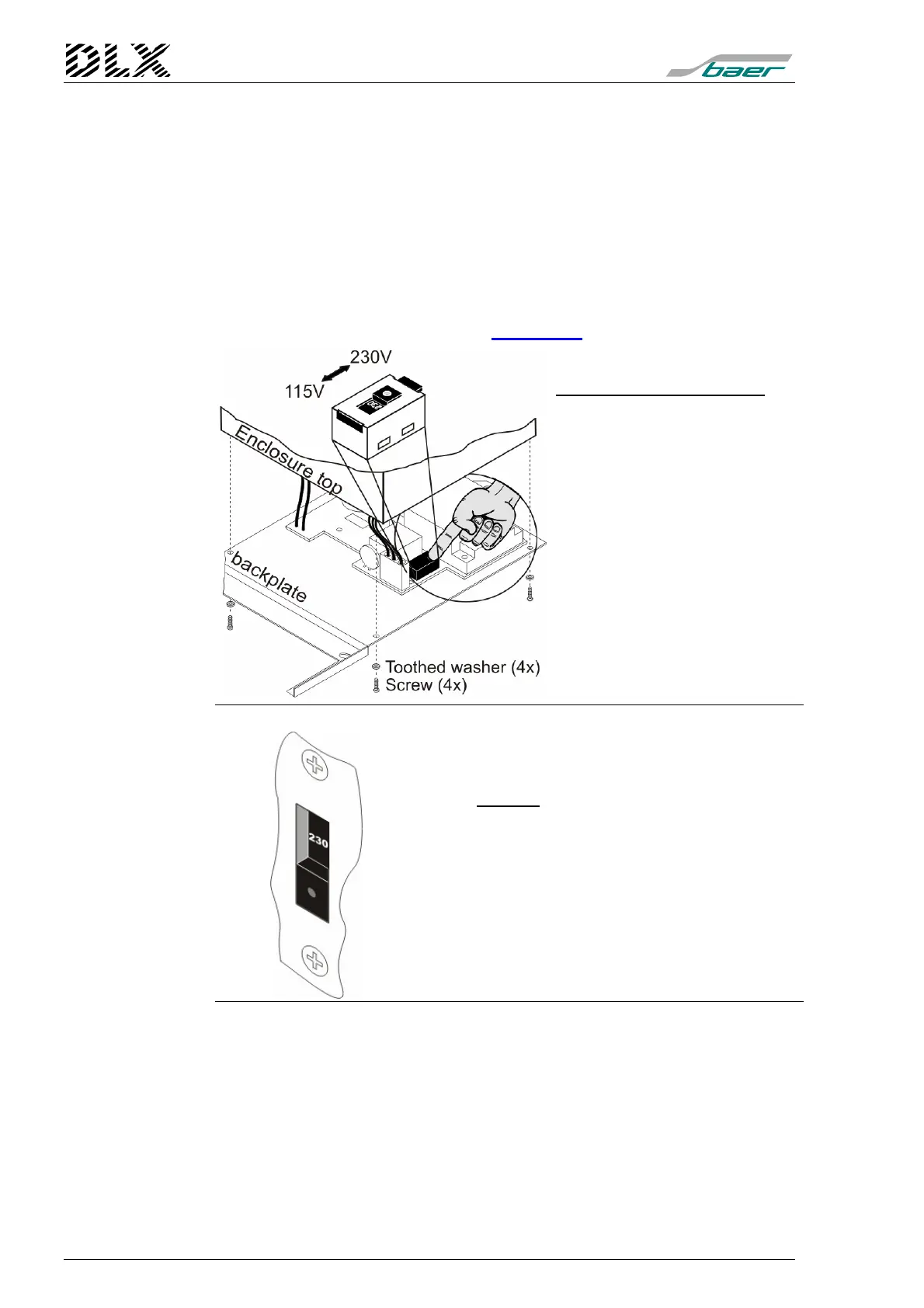
Housing for panel mounting
Remove the four screws at the
backside of the DLX and lift the
back plate off.
The switch for changing the
supply voltage is located on the
PC-board mounted to the back
plate (see diagram to the left).
Figure 14, Location of the switch for
old v
ersion (Housing for panel mounting)
At the 19”-rack the switch is located at the back
plate.
Move the selector switch to the desired position
The selected voltage will be displayed on the
switch.
Figure 15, Location of the switch for
old v
ersion (19"-rack)



 To Next Page