60
Content of the scroll list
Programming of the scroll list can only be done with the programming soft-
ware DLXPARA. An entry into the scroll list consists of the scroll list entry
text, the related value and a physical unit:
•
Line 3 shows the freely programmable text (max. 20 characters)
•
Line 4 shows the related value (selected by address) and the program-
mable unit (5 characters)
Example:
Input in DLXPARA:
Text: "Energy-Trans11-HT"
Unit: "kWh"
Figure 29, Example “Scroll-list”
7.6 Main menu item “Show Alarms”
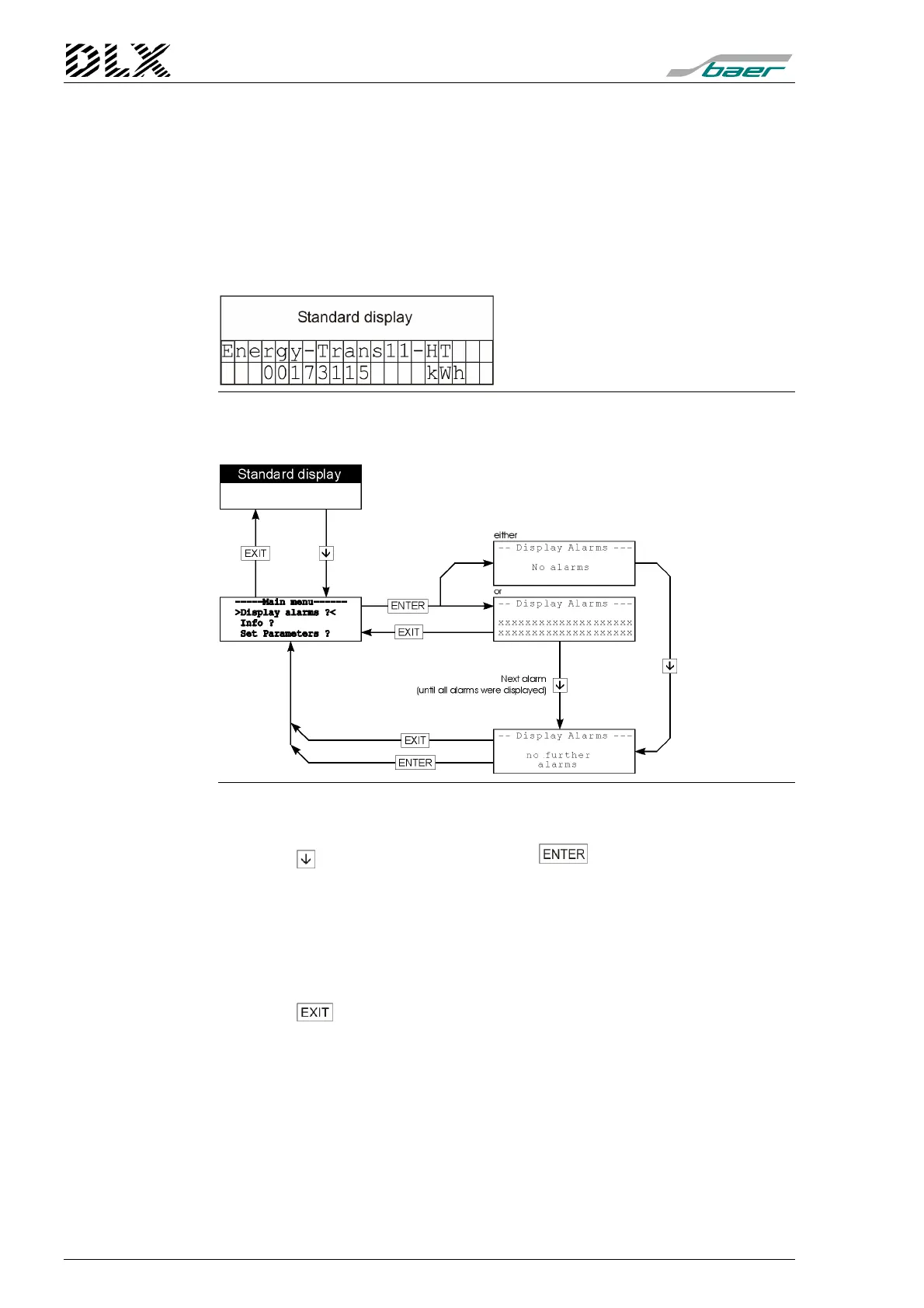
Figure 30, Flow diagram for alarm display
How to get there
Press the key once and then press the key.
Display of alarms
All occurred and undeleted alarms will be displayed.
The displays and their meaning are described in further detail in the section
"
Fault Displays
" (see page 97).
Exit the menu item
Press the key to return to the main menu.



 To Next Page