59
7.5 Scroll list
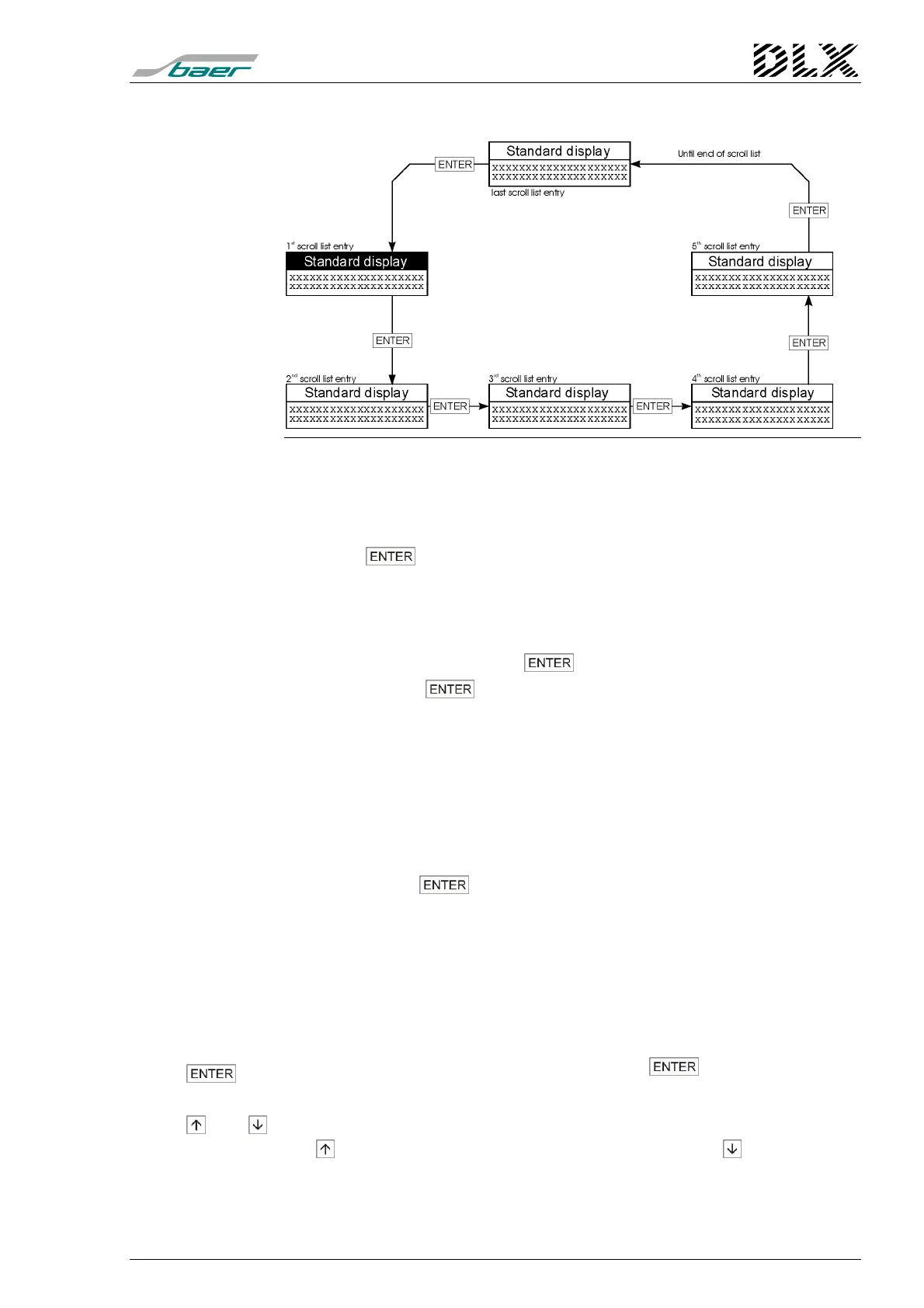
Figure 28, Flow diagram for the scroll list
Selecting the scroll list
(if programmed)
The first entry of the scroll list is always shown in line 3 and 4 of the stan-
dard display.
Press the key to show the second entry of the scroll list in the dis-
play.
Scrolling the list
There are three ways to scroll through the list:
1. Manual scrolling by pressing the key:
Each press on the key shows the next entry of the scroll list in the dis-
play. When there are no further entries in the list, the display returns to the first
entry.
2. Automatic scrolling of the list based on a time delay:
In order to activate automatic scrolling of the scroll list, the delay (in seconds)
determining the time period for which each entry is displayed, must be stipu-
lated in the programming software. Once this time is set, the display will scroll
automatically (from the time the parameters are programmed into the unit).
Each press of the key interrupts (and resets) the time delay and moves
the display to the next entry. After the delay time has elapsed, automatic scroll-
ing will be resumed.
3. Scrolling by means of the ANZ control input:
Each activation of the ANZ control input activates the next entry of the scroll list
in the display. Once the list is exhausted, the display returns to the first entry.
Other key functions:
if no scroll list was programmed, pressing the key has no function
(other than activating the display illumination).
- and
these keys have their usual function during the display of the scroll list (i.e.
the
key displays the Select Language menu and the key enters the
main menu).



 To Next Page