58
7.4 Select language
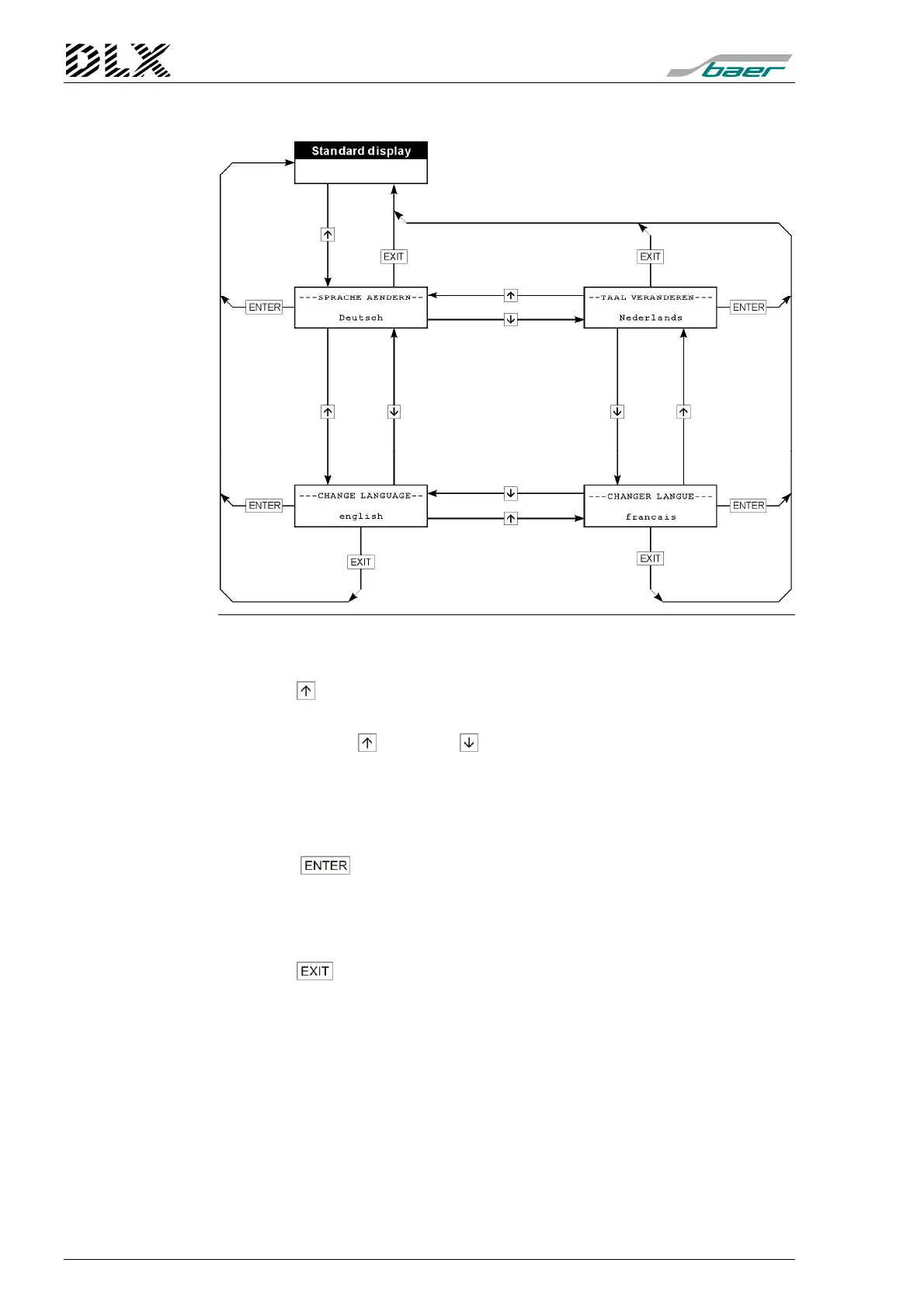
Figure 27, Flow diagram for menu item ” Select Language”
How to get there
Press the key once when in the standard display.
„Scrolling“ the languages
Each press of the key or the
key scrolls to the next language.
Which languages are available ?
The DLX currently supports the languages German, English, French and
Dutch.
Selecting a language
Press the
key to select the language. Afterwards the standard dis-
play is shown in the selected language.
Exit the menu without changing the language (back to standard dis-
play)
Press the key to exit the menu. No new language will be selected. The
standard display will be shown in the original language.



 To Next Page