65
7.7.3 Billing data
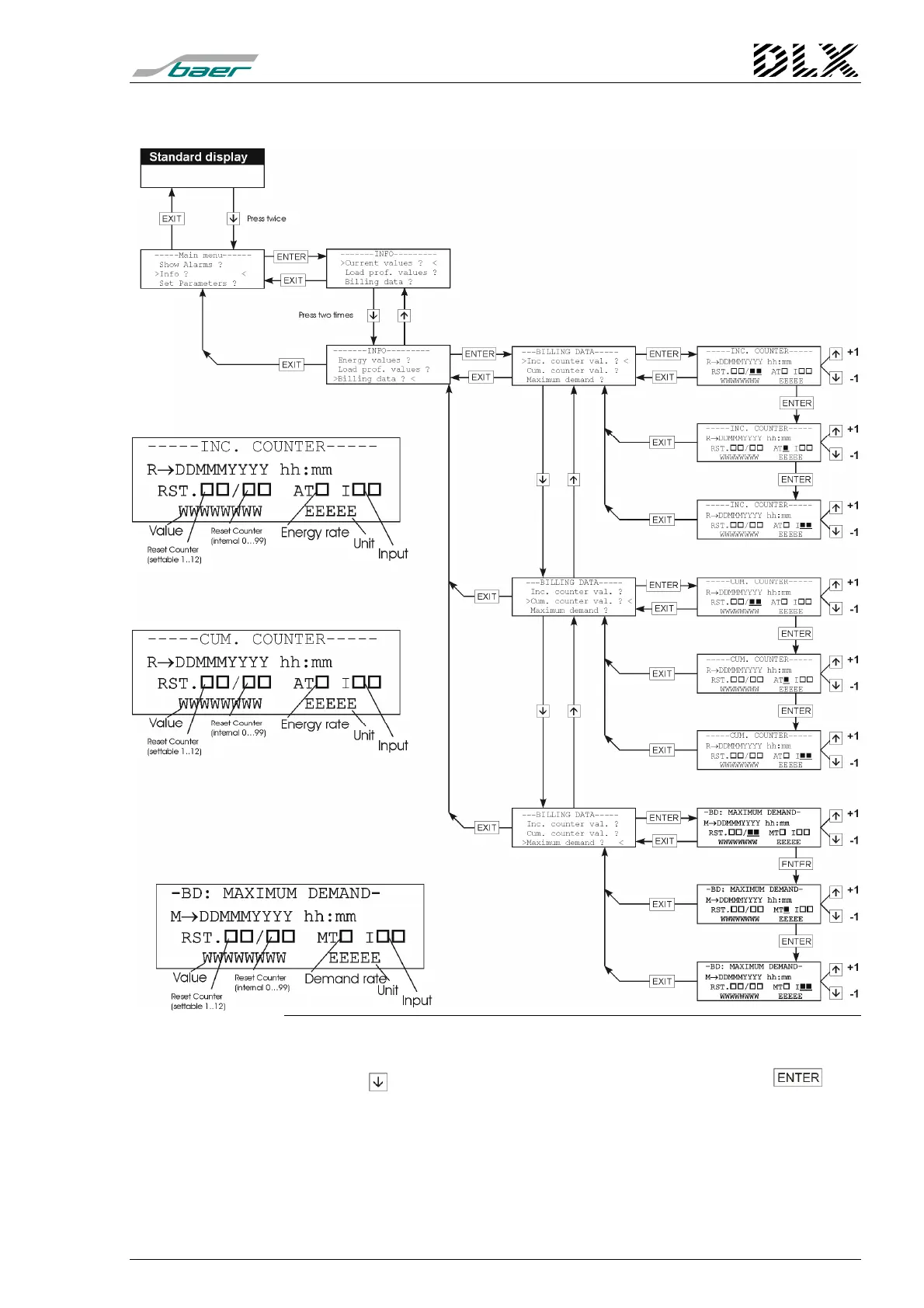
Figure 33, Flow diagram for menu item “Info” (Billing data)
How to get there
Press the key twice when in menu “Info” and then press the key.
The DLX enters the menu item selected (the one surrounded by two ar-
rows). There will be three submenu items:
•
Increment counter value: consumption (energy) at the billing period
•
Cumulative counter value: total energy
•
Maximum demand



 To Next Page