68
7.7.5 Table address
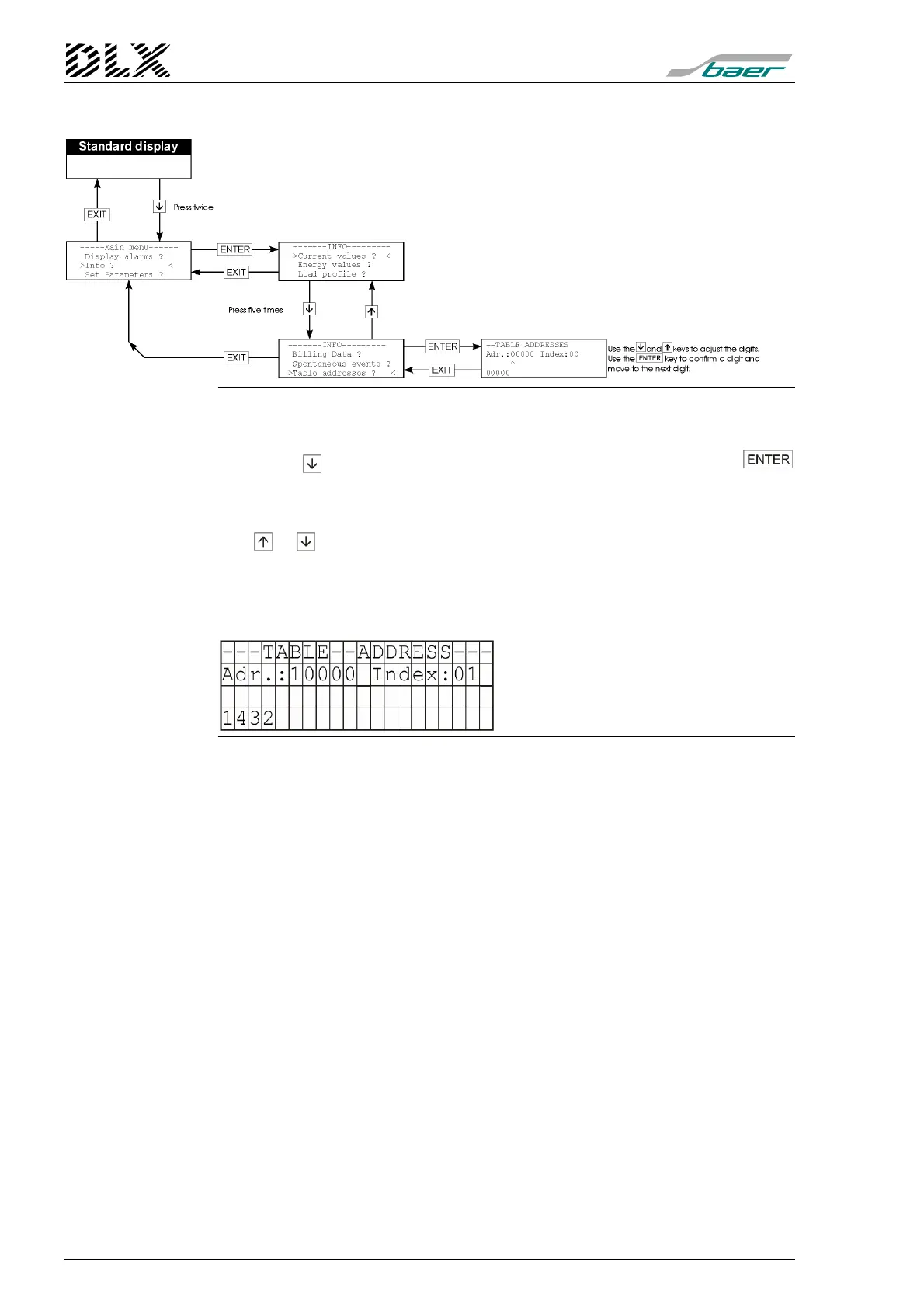
Figure 36, Flow diagram for menu item “Info” (Table addresses)
How to get there
Press the key four times when in menu “Info” and then press the
key. The DLX enters the menu item selected.
Changing the parameters
The or keys can be used to select values for address and the index.
What will be shown ?
DLX will show the selected table addresses on the display. For more infor-
mation see appendix B.
Example:
Explanation:
Adr.: desired table address;
see appendix B
1432: value in DLX memory
Figure 37, Example “Table address”



 To Next Page