67
7.7.4 Spontaneous events
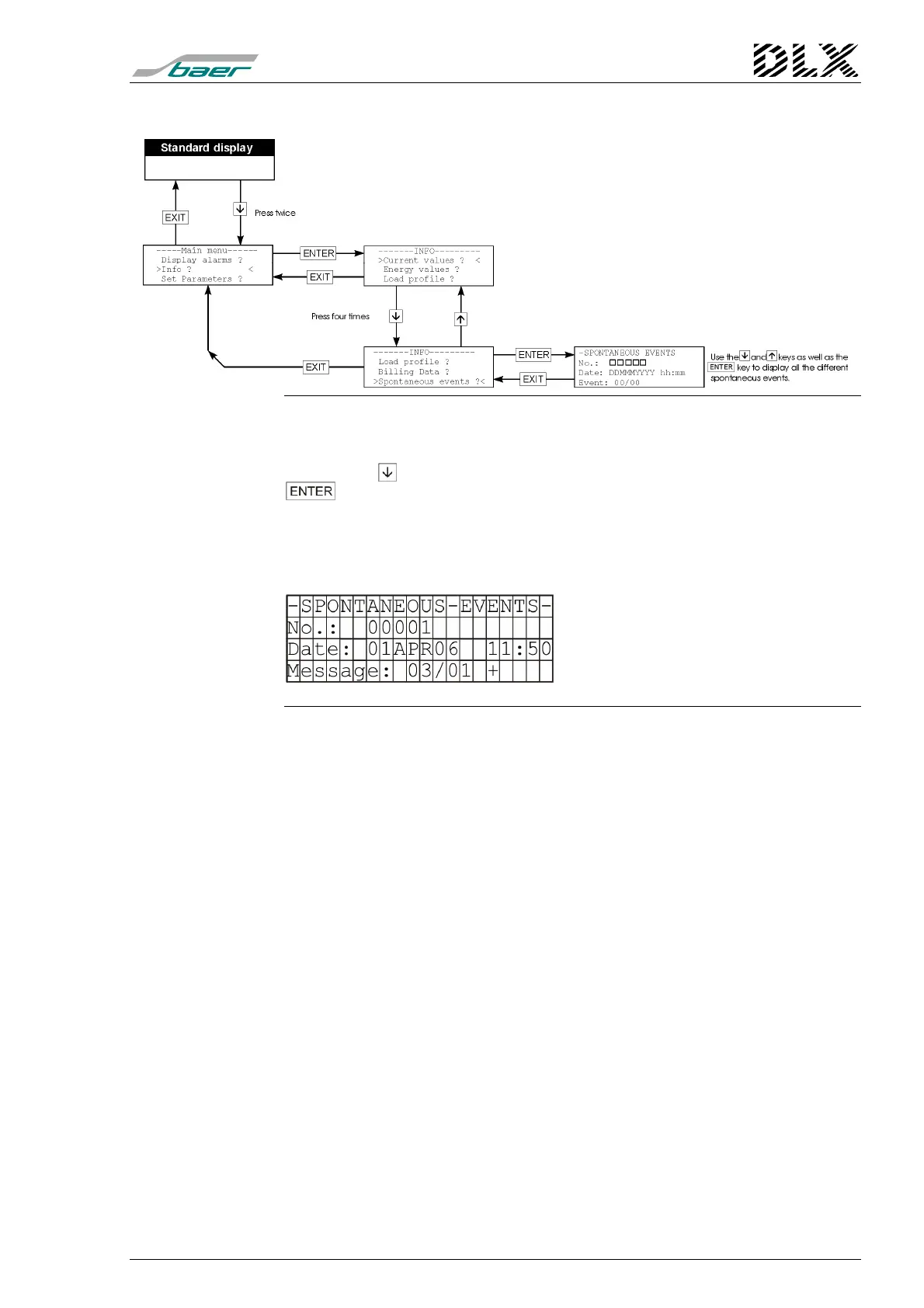
Figure 34, Flow diagram for the menu item “Info” (Spontaneous events)
How to get there
Press the key three times when in menu “Info” and then press the
key. The DLX enters the menu item selected.
What will be shown ?
The DLX will show the spontaneous events on the display. For more infor-
mation see "
Fault Displays
" on page 97.
Example:
Explanation:
No: sequential number
Date: date and time of occurrence
Message: see page 97
e.g.: 03/01: power failure
Figure 35, Example “Spontaneous events”
The sign behind the event identifier shows whether the fault or error has
occurred (“+”: = event occurred/activated) or was erased (“−“: = event was
erased or fault was removed).



 To Next Page