87
9.3 LAN/Ethernet connection
9.3.1 Default settings
After delivery the following settings are active for the Ethernet interface:
•
S0=1 Respond after one ring
•
&D0 Ignore DTR
•
T TCP/IP-Mode
•
#PORT=1234 Port 1234
•
#DTC=60 Data Transmit Control (60 seconds)
•
#GW=0.0.0.0 Gateway 000.000.000.000
•
#NM=255.255.255.0 Net-Mask
•
#IP=0.0.0.0 IP-Address
•
Q1 No feedback messages
•
&W Save user settings in non-volatile memory
The modem will respond after the first detected ring (S0=1). These settings
are fixed by factory programming. Only the IP-address must be altered in
field: via DLXPARA, menu: Communications: Modem init. String (Com2):
AT#IP=a.b.c.d
(click on “Set”-button, turn off DLX and after some seconds
o again).
For more detailed information (e.g. set gateway:
AT#GW=a.b.c.d
) please
consult the manual shipped with the software DLXPARA.
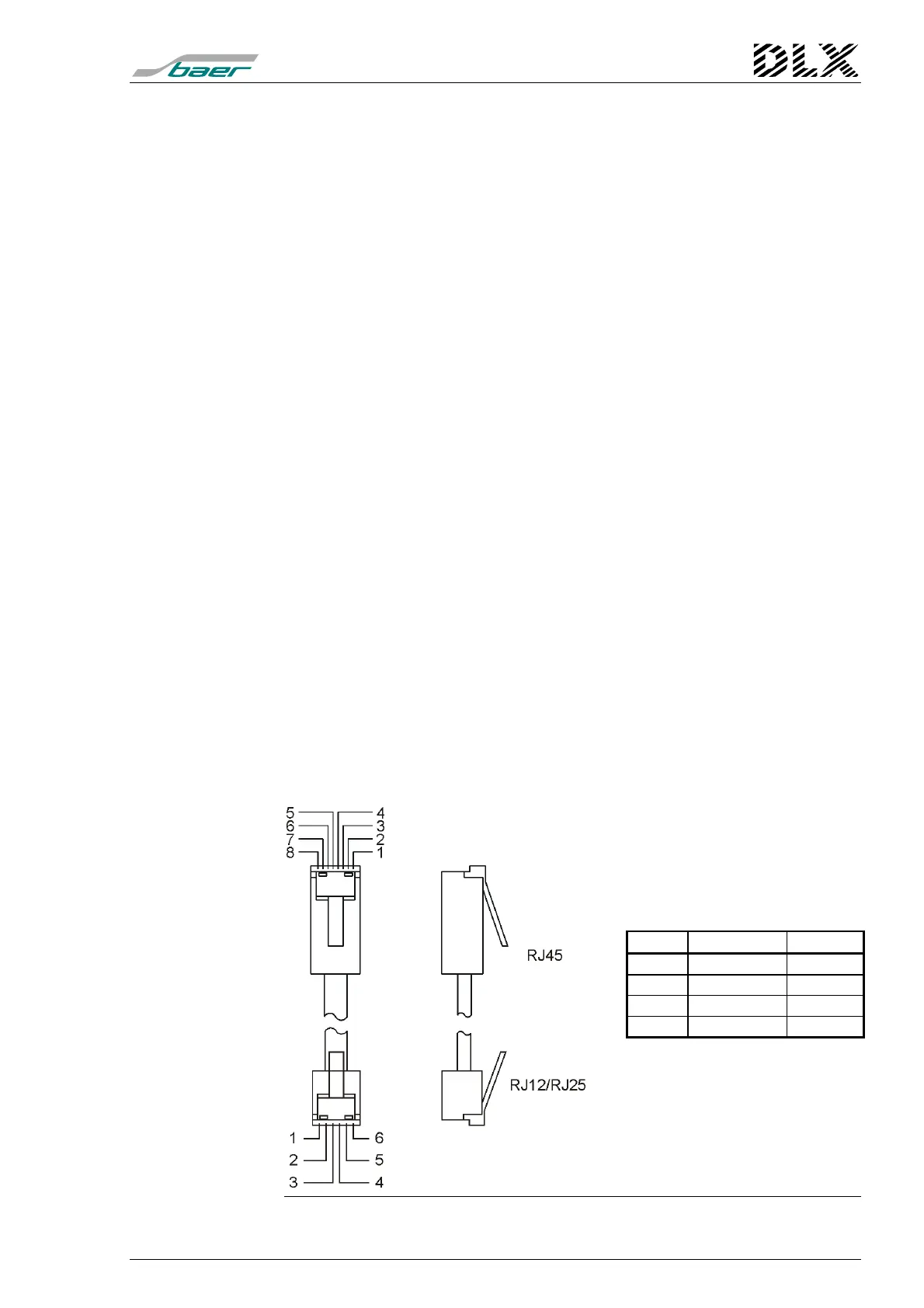
9.3.2 Pin allocation
The connection between the Ethernet-interface (terminal X5) and a LAN-
line for panel mounting uses a network cable (converter) of type RJ45 to
RJ12/RJ25; for 19”-rack uses a standard RJ45 cable (standard LAN).
Figure 46, Pin allocation of the LAN network cable (RJ45) for panel mounting only
RJ45 Code RJ12
1 TX+ 4
2 TX- 5
3 RX+ 3
6 RX- 2



 To Next Page