55
The menus
After powering up, the DLX shows the standard display (see page 53).
Press to go to the menu item „Select language“ (see page 58).
Press to go to the main menu (from page 60).
Press to start the scroll list (if a scroll list has been programmed via
DLXPARA, see page 59).
7.2 Legend of flow diagrams
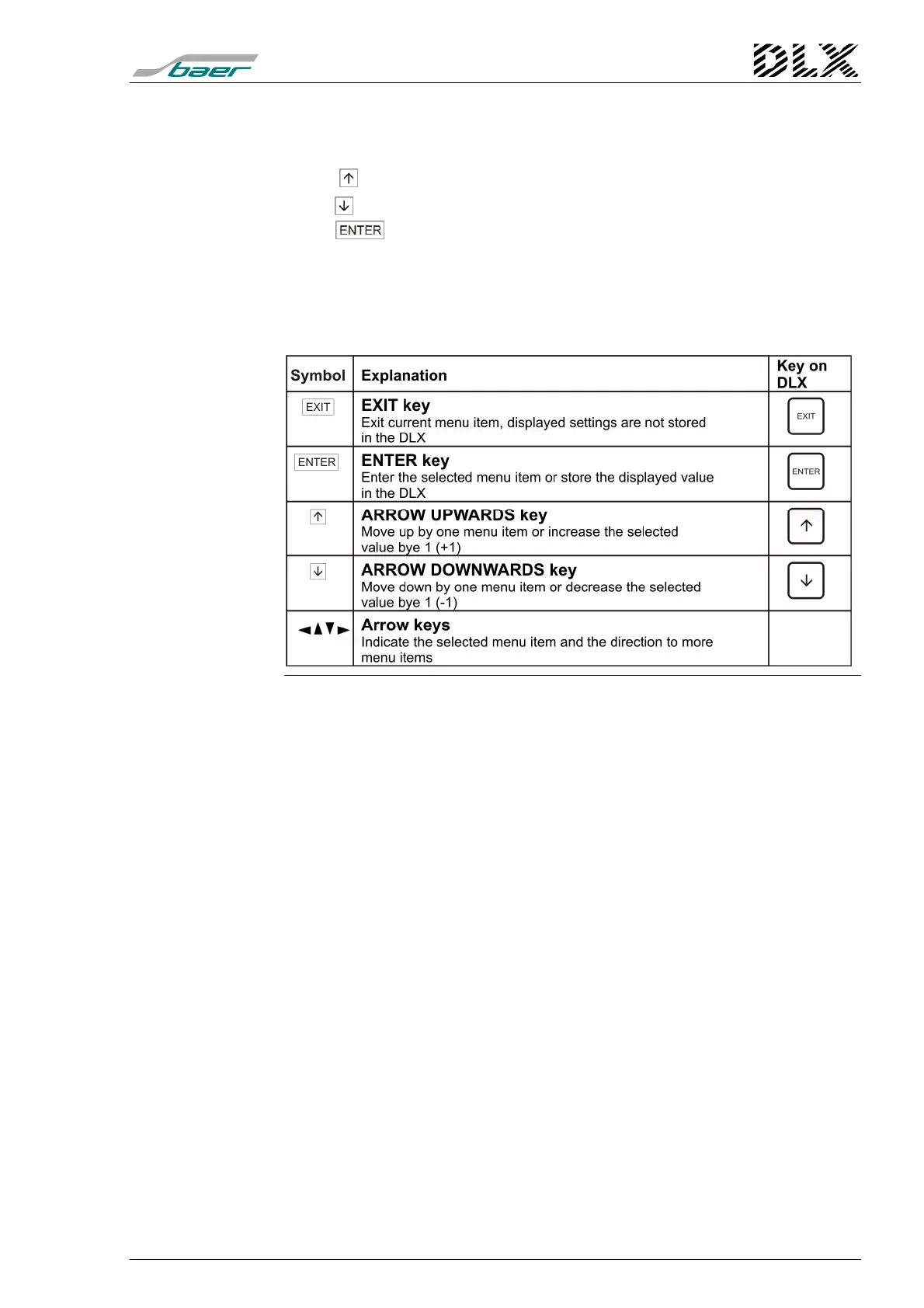
The following symbols will be used in the next section:
Figure 25, Legend of flow diagrams



 To Next Page