56
7.3 Password input
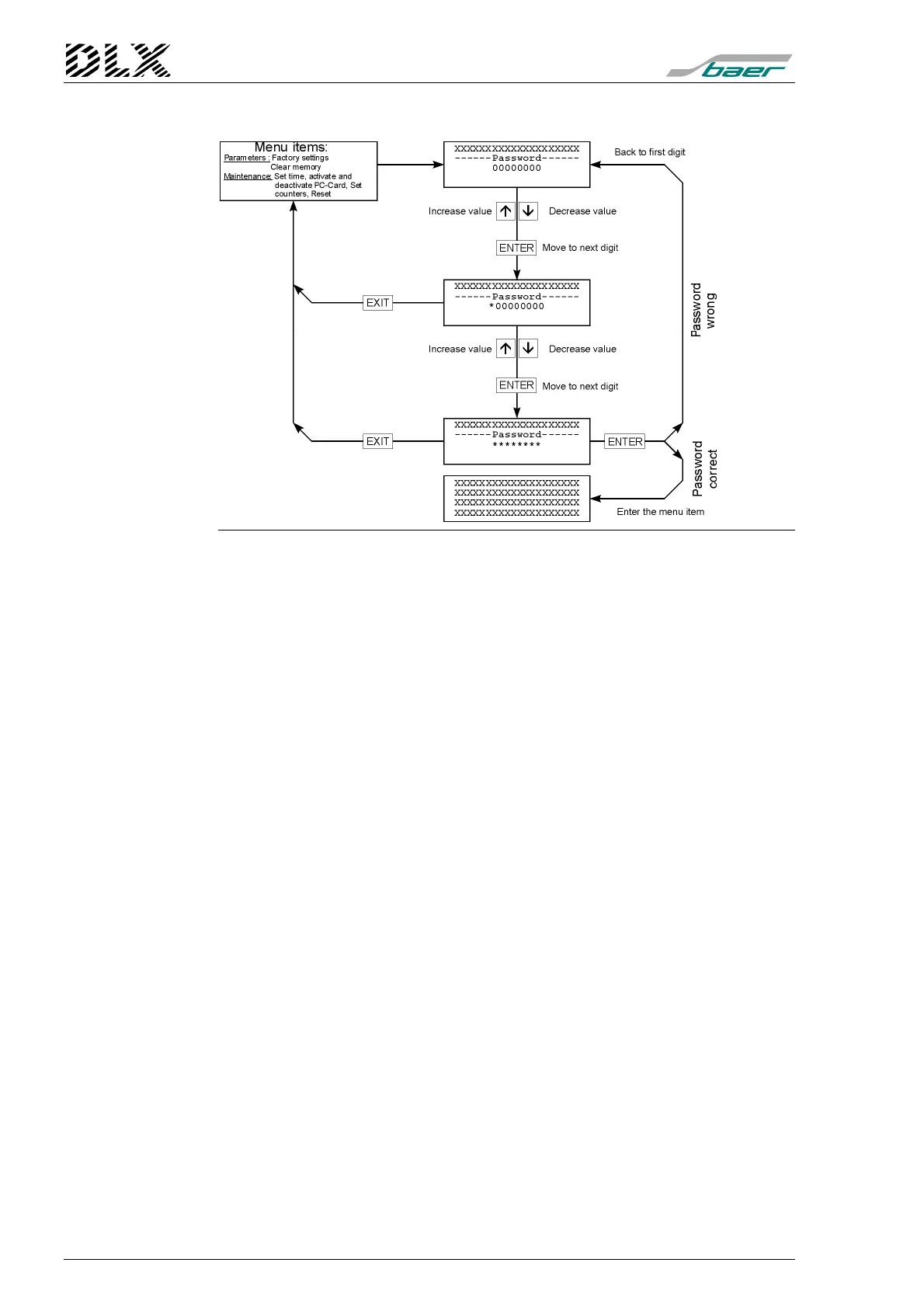
Figure 26, Flow diagram for password input
Several menu items (“Set Parameters“: “Factory Settings“ (unit restart) and
“Erase Memory“, as well as “Maintenance”: “Set Time“ ,“Activate PC-Card“,
“Deactivate PC-Card“, “Set Cumulative Counter“, “Initiate Max. Reset“) re-
quire a password for their activation.
The following passwords are supported:
•
PARAMETERS:
the default password is
00000001
For the protection of parameters (when programming via DLXPARA) and
for activation of other menu items in the menus „Maintenance“ and „Set Pa-
rameters“ except for a unit restart.
•
SET (Menu "Maintenance"):
the default password is
00000002
To protect the unit against unauthorized alterations of time and counter set-
tings.
•
PC-CARD (Menu "Maintenance"):
the default password is
00000003
In order to activate and deactivate a PC-Card.
•
FACT. SETTINGS (unit restart, Menu "Set Parameters"):
the default
password is
00000004
To clear the entire memory and load the factory default settings.
•
MAX. RESET (Menu "Maintenance"):
the default password is
00000005
To initiate a maximum demand reset via the keypad.
Note: Leading zeros can be ignored when using DLXPARA. The default pass-
words can only be modified using DLXPARA.



 To Next Page