57
How to enter a password
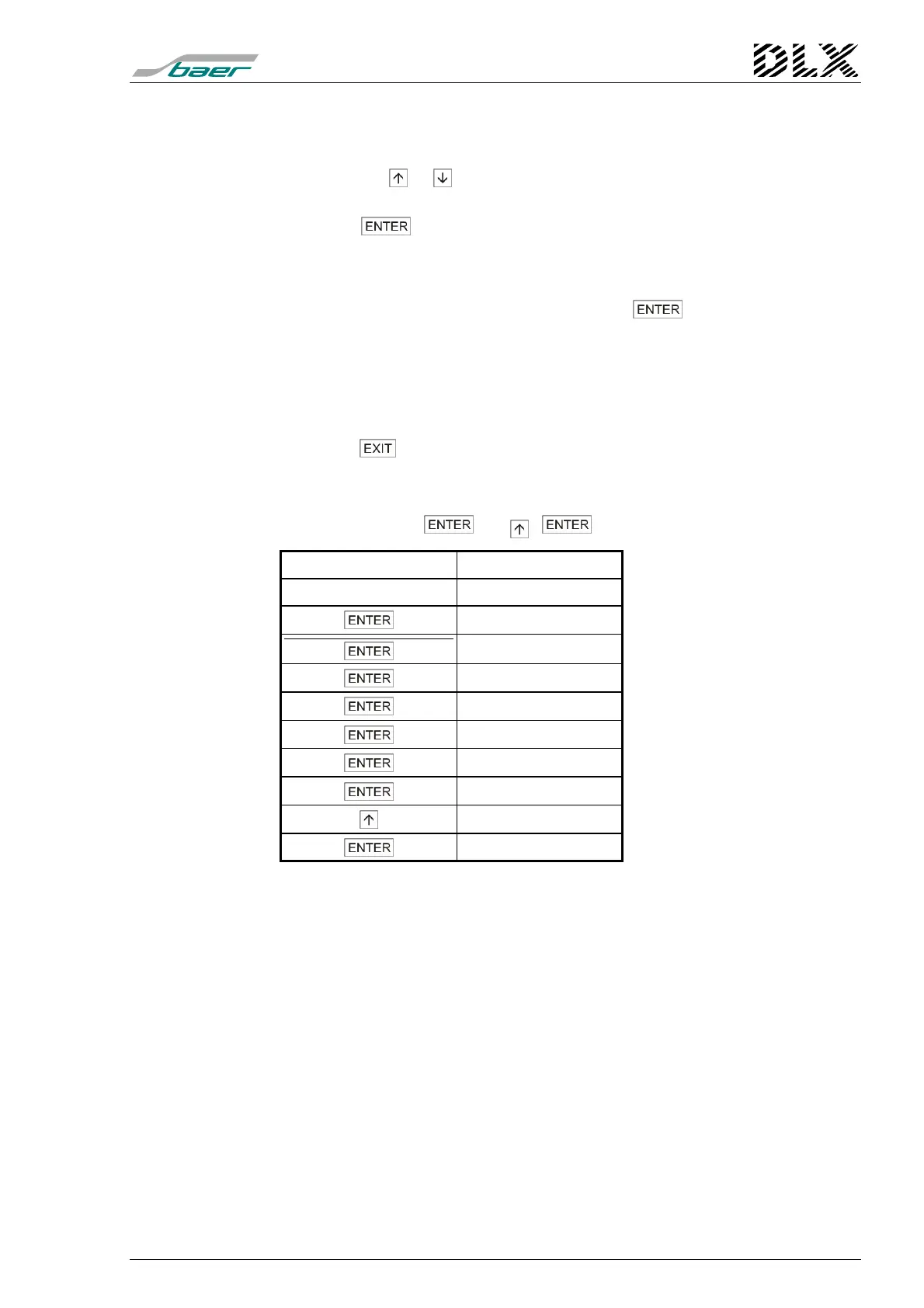
Proceed as follows to enter a password:
1. Use the keys or until the display shows the correct first digit (a number
between 0 and 9) of the password.
2. Press the key to confirm the digit. It will be replaced by an asterisk (
∗
)
and the next digit will be selected.
3. For the remaining digits proceed as described under 1) and 2).
4. Once the last digit has been selected and the key has been pressed,
the DLX checks the entered password.
5. If the password was entered correctly, the DLX will activate the relevant menu
item..
6. If the password was incorrect, input returns to the first digit of the password.
7. Press the key to cancel password input.
Example: Password: 00000001 (you can enter 1 only, if using DLXPARA)
Input: 7
×
, 1
×
,
Input / Key Display
Starting point 00000000
∗
0000000
∗∗
000000
∗∗∗
00000
∗∗∗∗
0000
∗∗∗∗∗
000
∗∗∗∗∗∗
00
∗∗∗∗∗∗∗
0
∗∗∗∗∗∗∗
1
Relevant menu



 To Next Page