63
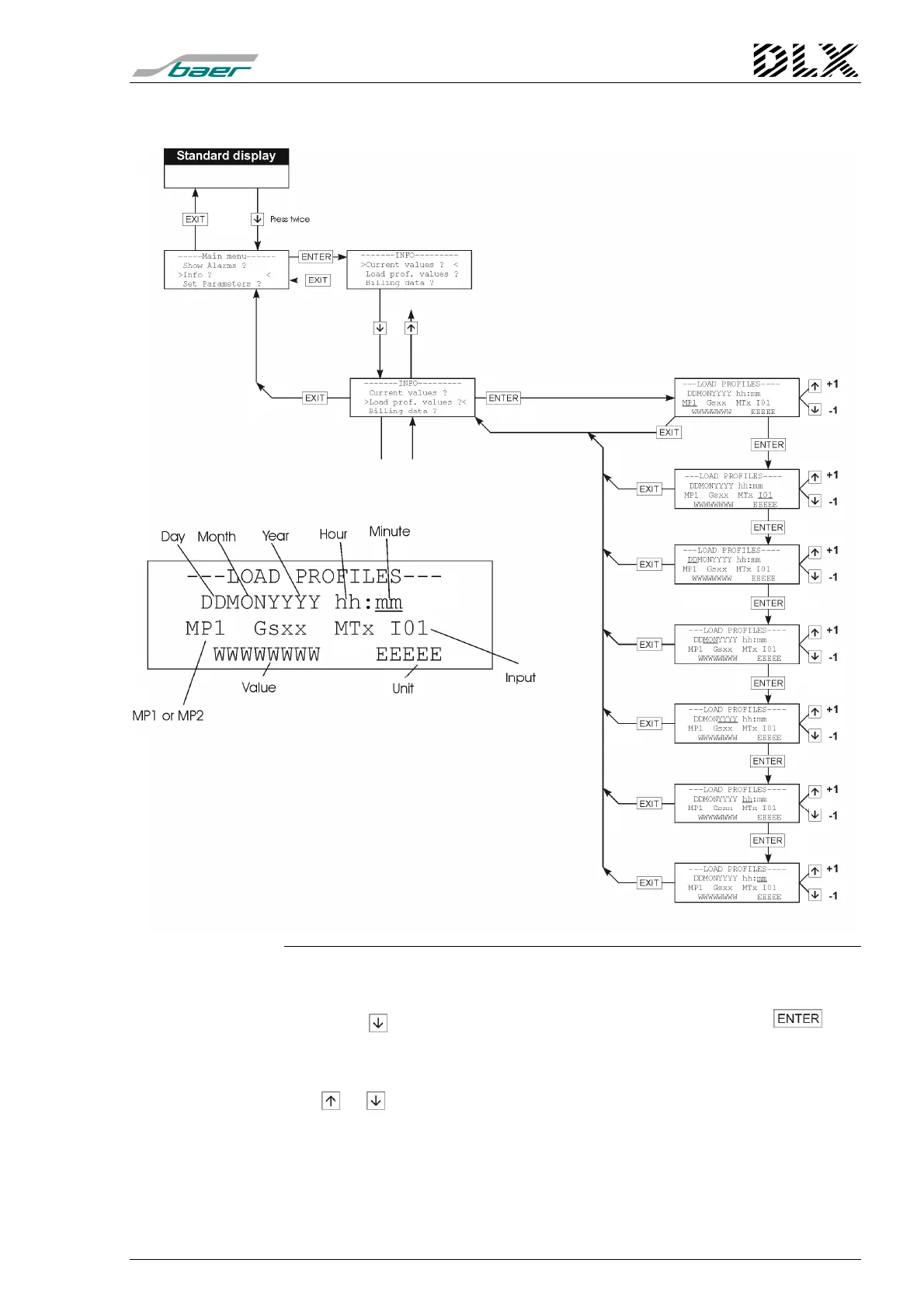
7.7.2 Load profiles values
Figure 32, Flow diagram for menu item “Info” (Load profiles values)
How to get there
Press the key once when in menu “Info” and then press the key.
The DLX enters the menu item selected.
Changing the parameters
The or keys can be used to select the registration period (Tm1/MP1
or Tm2/MP2), the input, the date and time and to select apparent energy or
cos(
ϕ
).



 To Next Page