Procedure
To run a performance check:
1. Select Cytometer > CST.
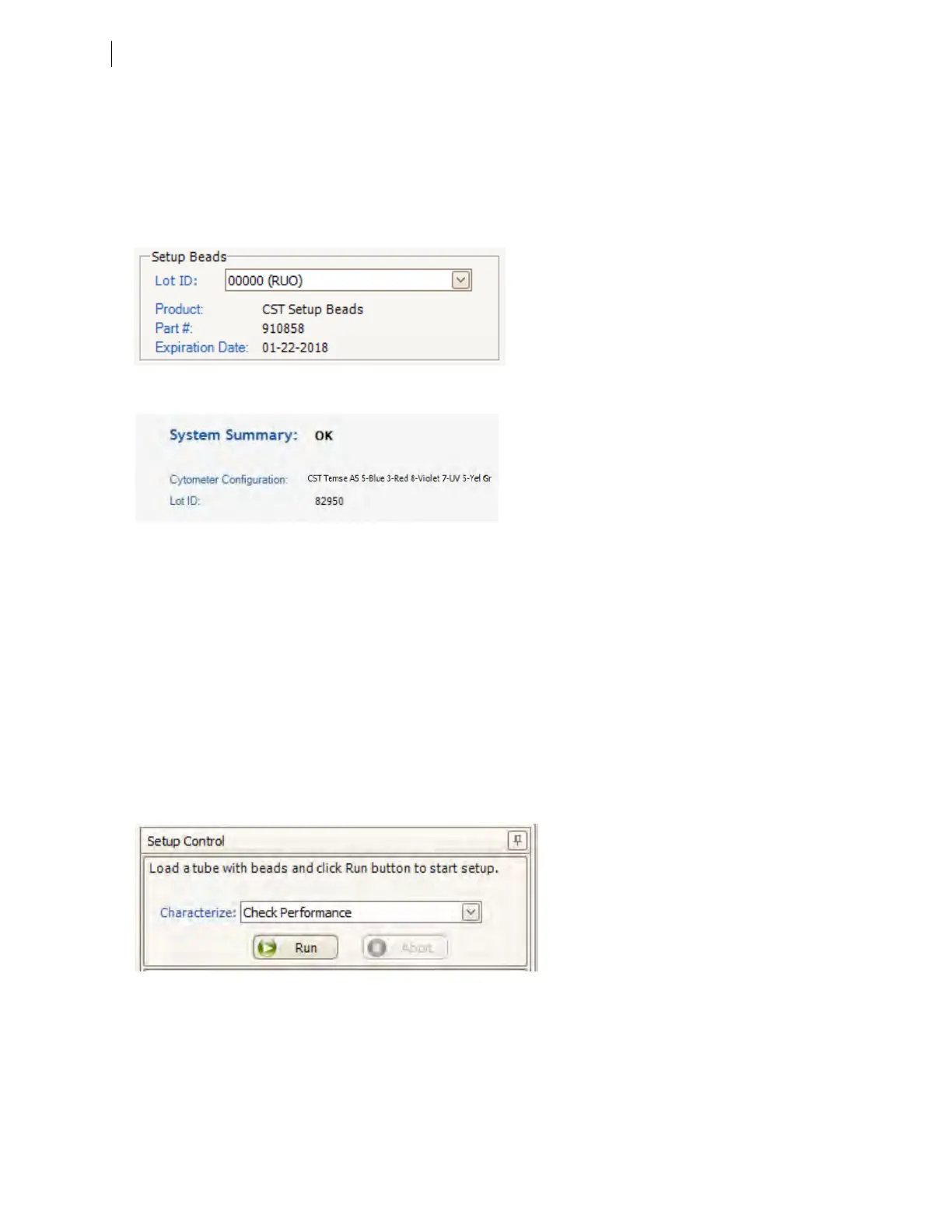
2. Verify that the bead lot information under Setup Beads matches the Cytometer Setup and Tracking bead
lot.
3. Verify that the cytometer configuration is correct for your experiment.
If the cytometer is not set to the correct configuration:
a. Click Select Configuration in the Setup Control window.
b. Select the correct configuration from the list.
c. Click Set Configuration and then click OK.
4. Verify that the current configuration has a valid baseline defined. If not, see the BD Cytometer Setup and
Tracking Application Guide for more information on defining a baseline.
5. Prepare the CS&T beads according to the technical data sheet provided with the beads or available on the
BDBiosciences website (bdbiosciences.com).
6. Install the bead tube onto the SIP.
7. In the Setup Control window, select Check Performance from the Characterize menu.
8. Click Run.
9. On the fluidics control panel, ensure that FINE Adj is set to 250, then press the RUN and LOW buttons.
Plots are displayed under the Setup tab and the performance check is run. The performance check takes
approximately 5 minutes to complete.
72 BD FACSymphony™ A5 SE User's Guide











 To Next Page