Creating compensation tubes
To create compensation control tubes:
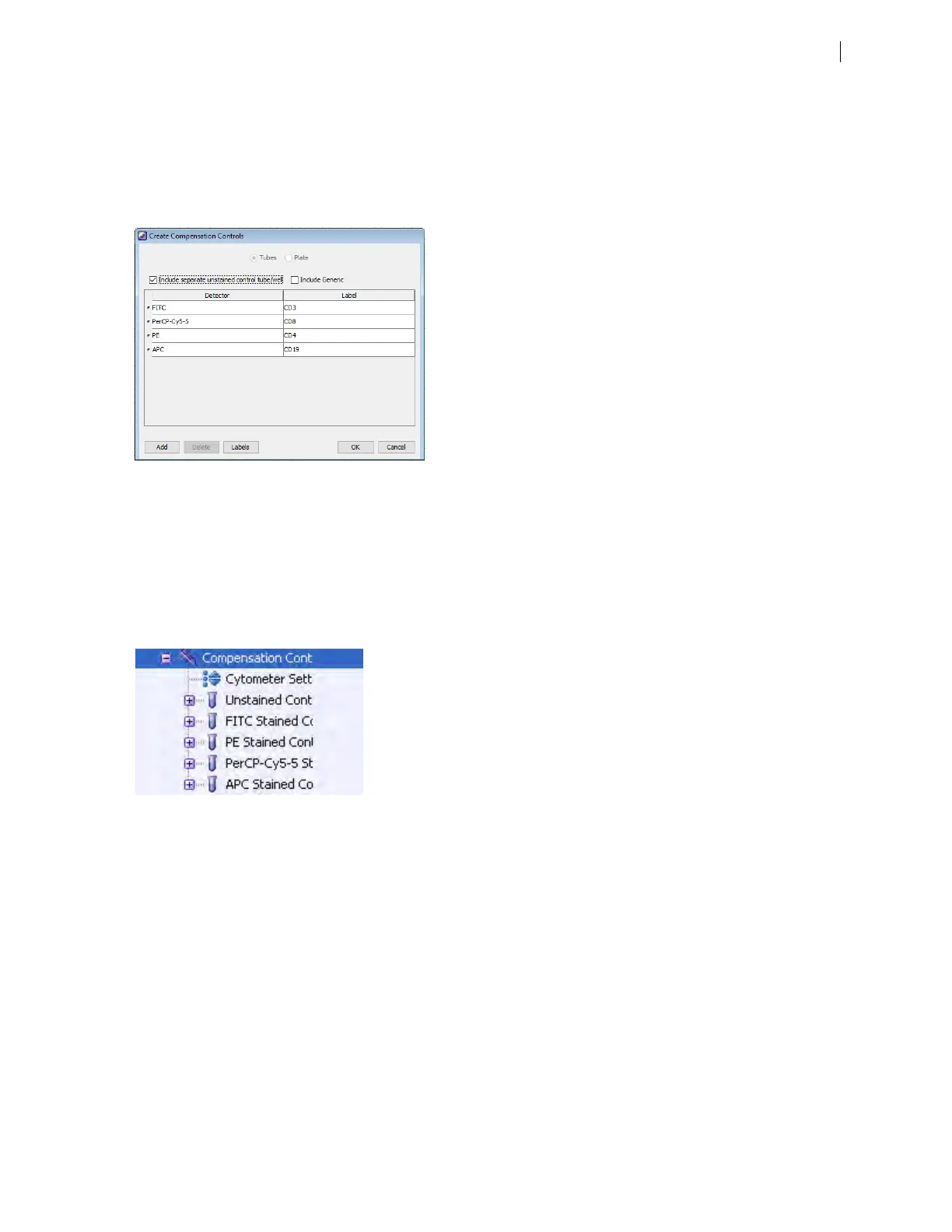
1. Select Experiment > Compensation Setup > CreateCompensation Controls.
The Create Compensation Controls dialog opens.
2. Set or clear the Include separate unstained control tube/well and/or Include Generic checkboxes as
needed. Select Include Generic when running generic controls (not label-specific compensation). Select
Include separate unstained control tube when preparing an unstained control in a separate tube (as
opposed to being in the same tube as the single-stained control).
3. Click OK.
Compensation control tubes are added to the experiment. Worksheets containing appropriate plots and
gates are added for each compensation tube.
Recording compensation settings
To record compensation settings:
1. Press RUN and HIGH on the cytometer fluid control panel.
2. Install the unstained control tube onto the SIP.
3. Expand the Compensation Controls specimen in the Browser.
4. Set the current tube pointer to the unstained control tube (it becomes green), then click Acquire Data in the
Acquisition Dashboard.
Chapter 6 Optimizing cytometer settings 79











 To Next Page