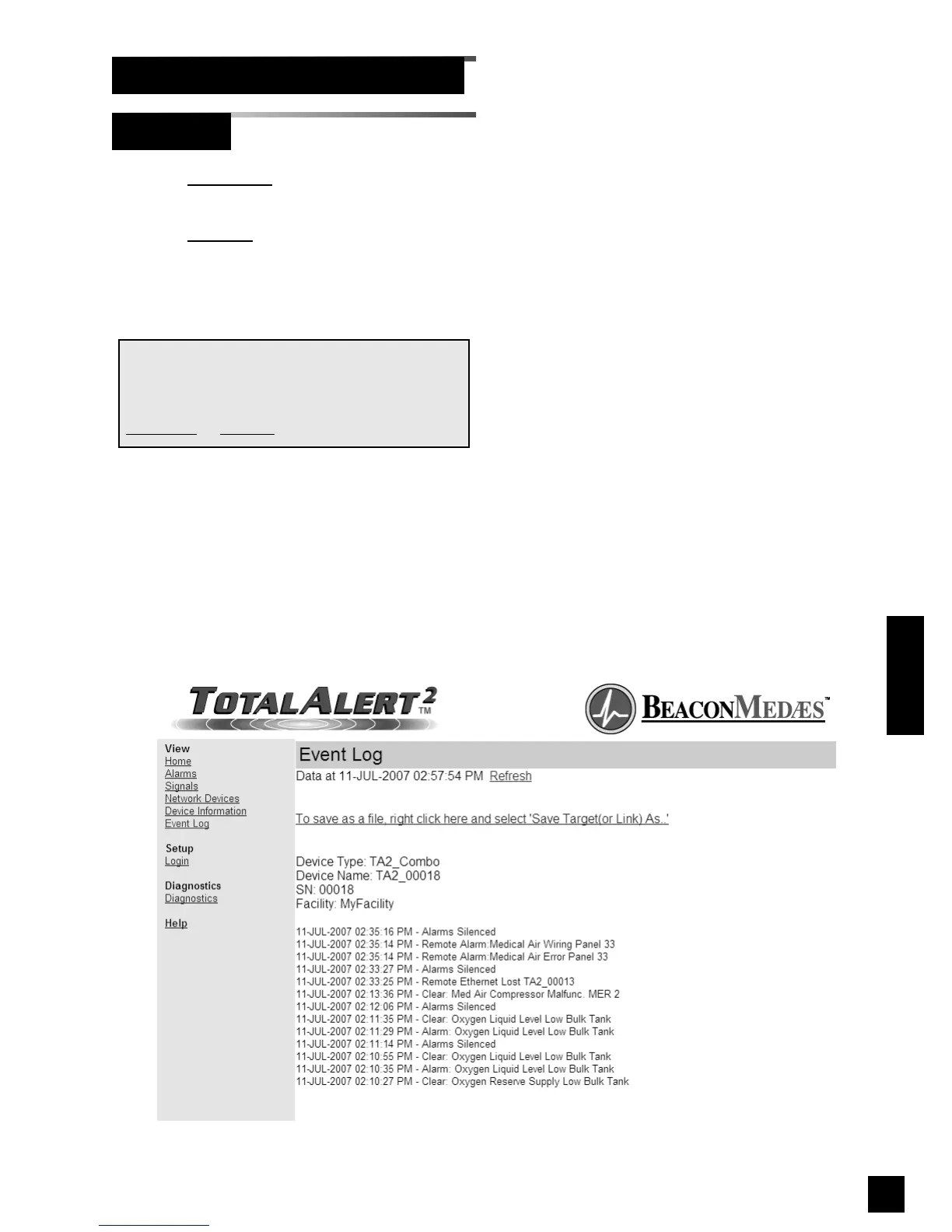
1. Click Event Log to view the Event Log
page (Figure 103).
2. Click Refresh to view the most recent
information.
3. Right click the link to save the event log
to a file.
NOTE:
The Event Log page provides a snapshot of the
event log. If a new event occurs th page is not
updated until the page is reloaded by clicking on
Event Log
or Refresh links.
109
6-847718-00 Rev. B00
Operation
Browsing Alarm Web Pages (Cont.)
Event Log
Figure 103: Event Log



 To Next Page