64
6-847718-00 Rev. B00
Operation
Set-Up Procedures (Cont.)
Digital display modules are shipped from
the factory with the following settings:
Gas/Vacuum Alarm Set Point
Service Low High
Pressure (50 psig) 40 psig 60 psig
Pressure (100 psig) 80 psig 120 psig
Nitrogen, Instr. Air 140 psig 190 psig
Vacuum/WAGD 12 in Hg. none
Changing units and alarm set points:
1. Loosen two screws on front of alarm
panel. Hinge open alarm panel’s front
cover.
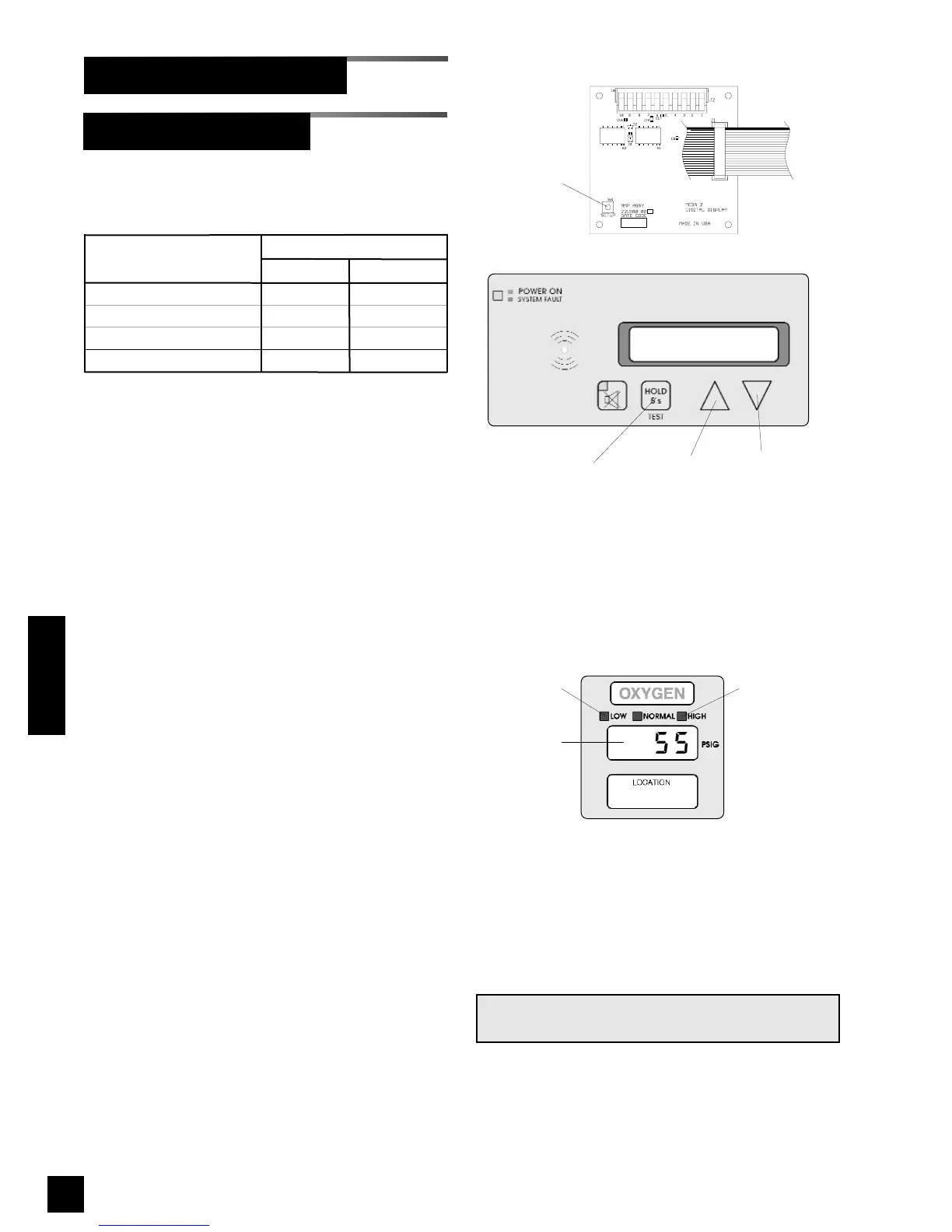
2. Locate SETUP button on circuit board
of digital display module to be adjust-
ed (Figure 46).
3. Press and release SETUP button.
Audible alarm will chirp and
SS EE TT 11
will
be displayed.
4. Press and release TEST button on
front of alarm panel. Current unit of
measure will be displayed. Select
desired unit of measure by pressing
either ! or " buttons. Available units
of measure are:
KK PP AA
(kPa)
PP SS II
(psig)
II NN KK 99
(in Hg)
NN NN KK 99
(mm Hg)
5. Press and release TEST button. The
LOW indicator will illuminate and
LL OO
will be displayed. After two seconds
current low alarm setting will be
displayed. Select desired low alarm
setting by pressing either ! or "
buttons. Low alarm setting ranges
are:
Digital Display Module Board
SETUP
button
TEST
button
Up and down
buttons
Low alarm
LED
High alarm
LED
Display
Digital Display Module
Figure 47: Digital Display Module
NOTE:
Audible alarm will chirp with each button push.
Figure 46: Digital Display Programming Buttons



 To Next Page