91
6-847718-00 Rev. B00
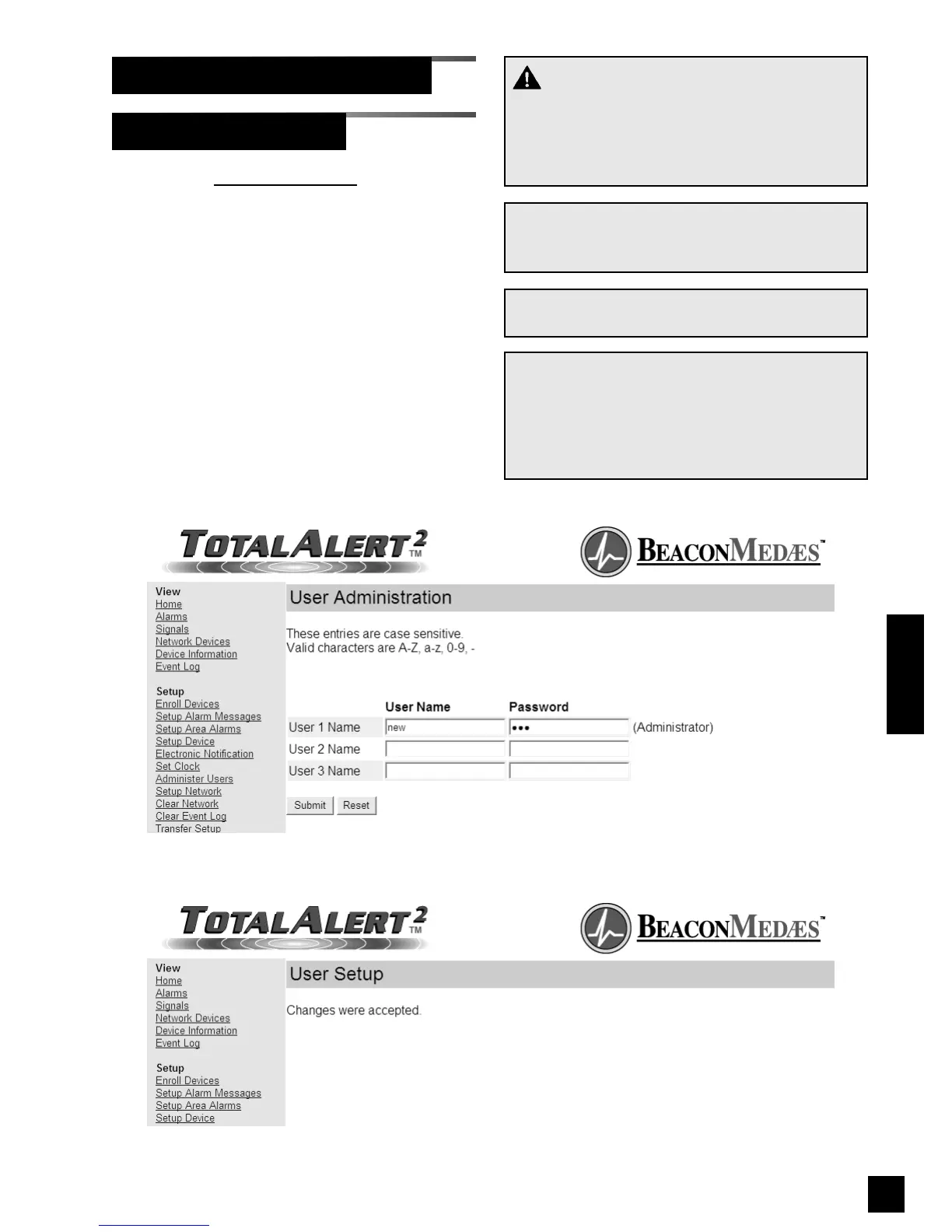
1. Click on Administer Users to access the
User Administration page (Figure 80).
2. Enter user names and passwords then
click Submit.
3. The User Setup Accepted page will be
displayed (Figure 81).
Administer Users
Set-Up Using Web Pages (Cont.)
WARNING:
Change the factory programmed password after
the first time you log in. Otherwise, inappropriate
personnel may change settings which could
endanger patient welfare.
NOTE:
For security reasons, only User 1 has access to
change user names and passwords.
NOTE:
User names and passwords are case sensitive.
NOTE:
If you forget your username or password, they
can be reset to factory defaults. For master and
combo alarms, refer to Reset Users on page 59.
For area alarms, refer to Reset Users and IP
Configuration on page 61.
Figure 81: User Setup Accepted
Operation
Figure 80: User Administration



 To Next Page