114
6-847718-00 Rev. B00
Periodic testing of alarm system is
recommended. Alarm modules have built-
in self-test modes.
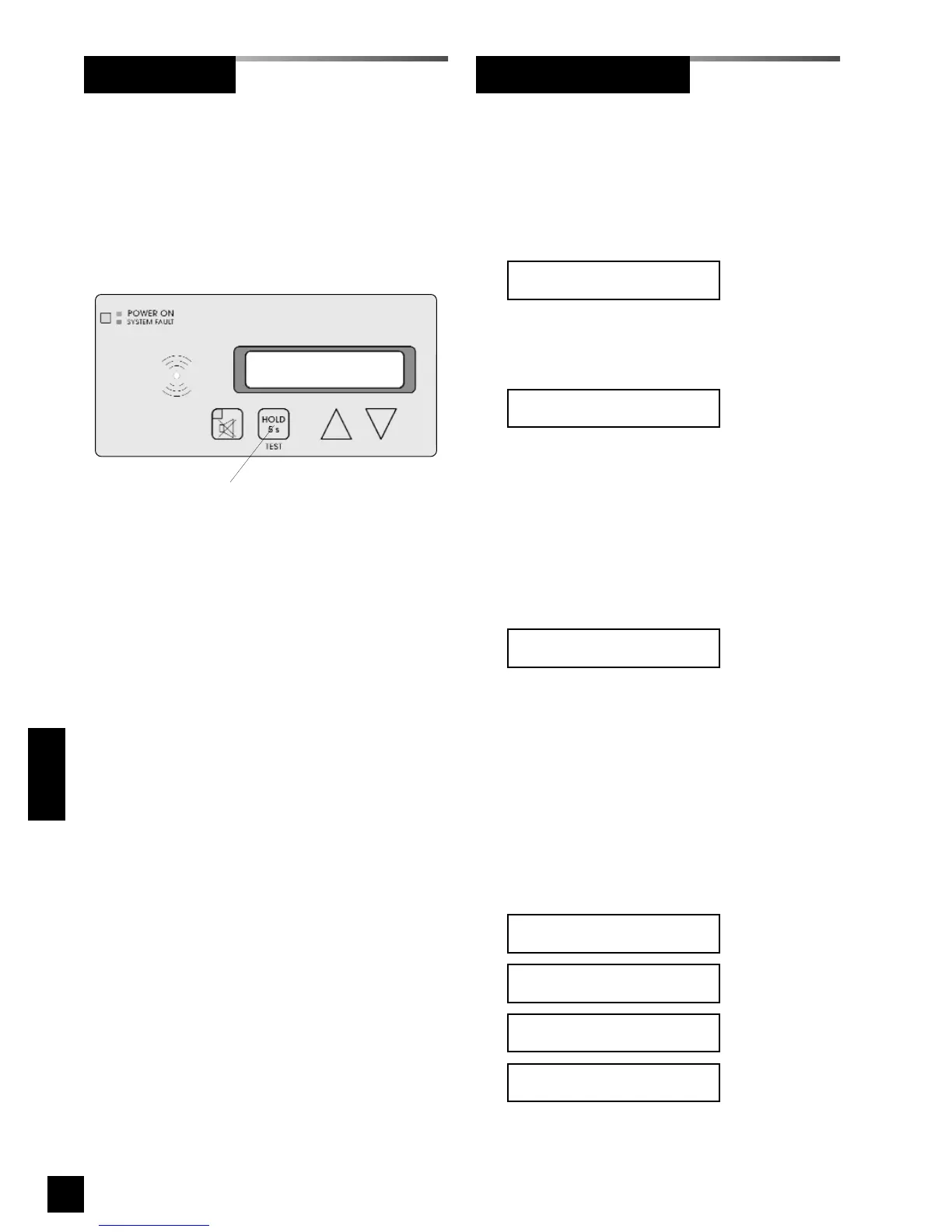
Front panel TEST button will initiate self-
test mode on all alarm panel modules at
same time.
Front panel
TEST button
Press and hold the front panel TEST but-
ton for 5 s to initiate the following
sequence:
• Audible Alarm Test
Audible alarm sounds and VFD
displays for 1 s.
• LED Test
VFD displays for 9 s while other
modules perform LED tests.
• VFD Test
VFD scrolls the following message on
both rows
Test ABCDEFGHIJKLMNOPQRSTUVWXYZ
Test ABCDEFGHIJKLMNOPQRSTUVWXYZ
• Checksum and IP Address Display
VFD displays checksum and device IP
address for 5 s.
C = 4 hex digit checksum
S = Ok if checksum is correct or
Bad if checksum is incorrect
X = IP Address
• Signal Display
VFD displays each signal parameter for
2 s.
If the gas type for the signal is
Unused
the input gas type is displayed for 0.5 s.
Input XXX
LED D
Input XXX Location
LLLLLLLLLL
Input XXX Message
MMMMMMMMMMMMMMMMMMMM
Input XXX Gas Type
GGGGGGGGGGGGGGG
Checksum: CCCC SSS
IP: XXX.XXX.XXX.XXX
LED Test
Audible Test
Annunciator ModuleAlarm System
Testing
Figure 108: Alarm Panel Test button



 To Next Page