90
6-847718-00 Rev. B00
Set Clock
Set-Up Using Web Pages (Cont.)
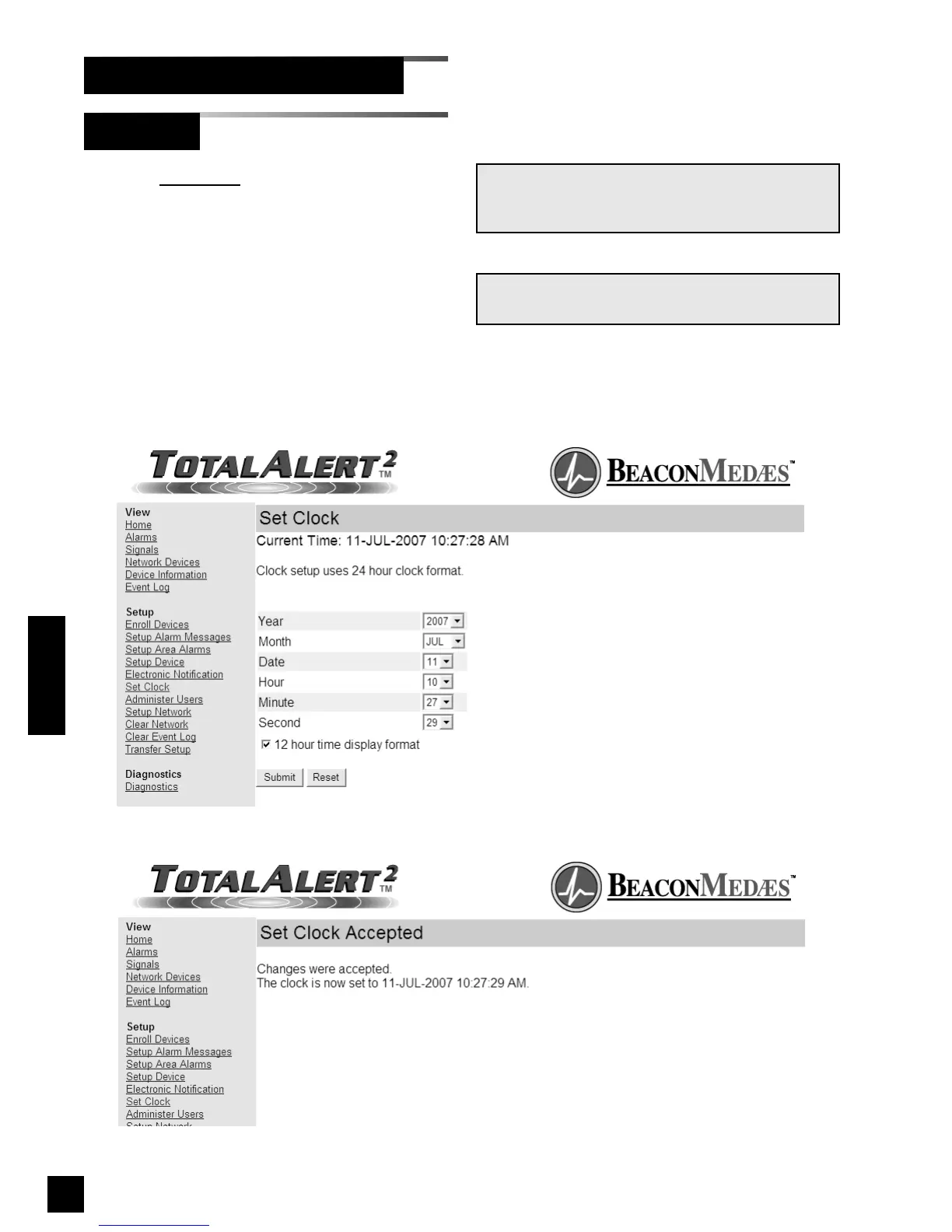
1. Click Set Clock to access the Set Clock
page (Figure 78).
2. Select the current time and date from
the drop-down menus.
3. Click the check box if time information
should be displayed in 12 hour format.
4. Click Submit.
5. The Set Clock Accepted page will be
displayed (Figure 79).
NOTE:
Clock setup uses 24 hour clock format.
Figure 79: Set Clock Accepted
NOTE:
The clock is used to date/time stamp web pages
and event log entries.
Operation
Figure 78: Set Clock



 To Next Page