88
6-847718-00 Rev. B00
Electronic Notification
Set-Up Using Web Pages (Cont.)
This setup page is used to configure elec-
tronic notification (email, pager, phone text
message). The device acts as an SMTP
client. An SMTP server is required for
electronic notification to function.
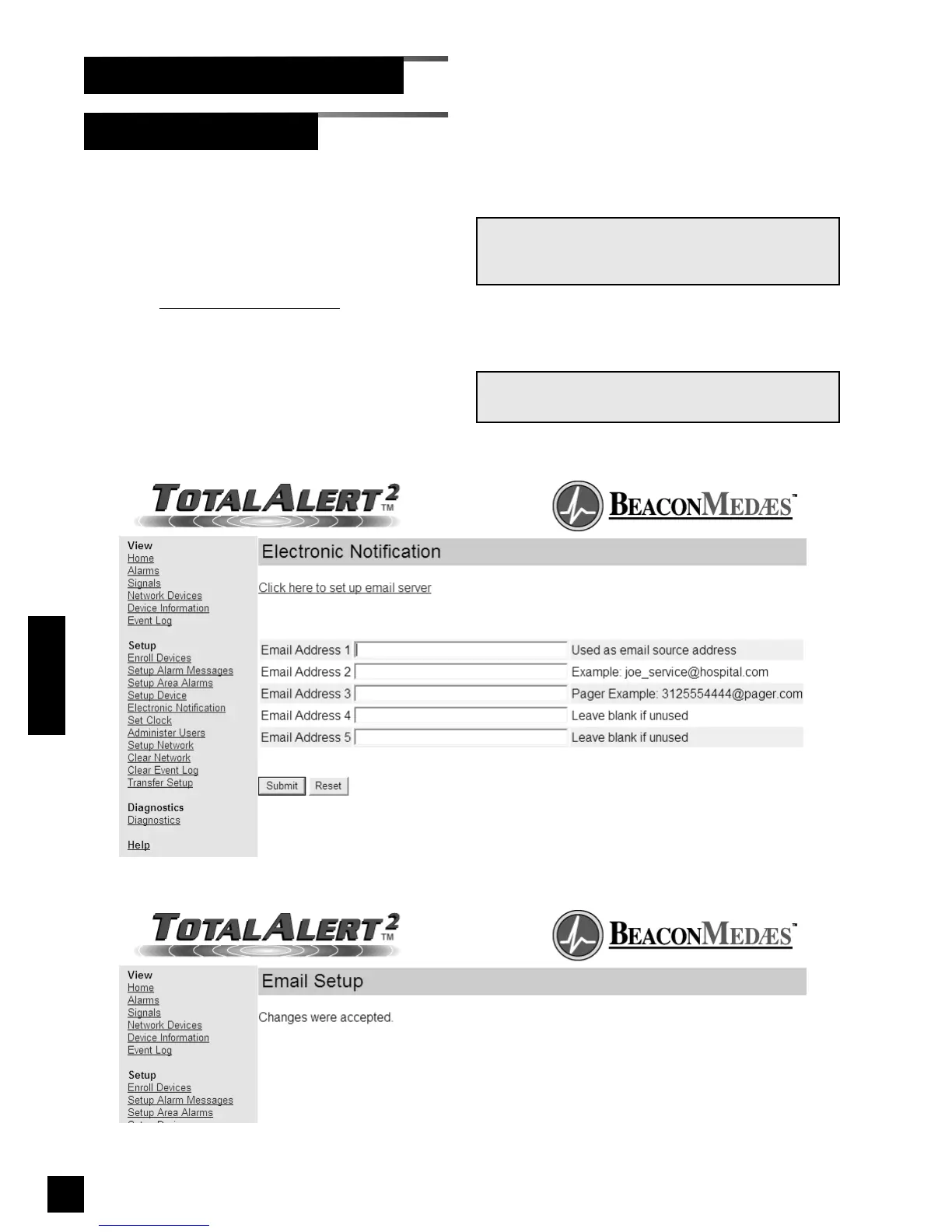
1. Click Electronic Notification
to access
the Electronic notification page
(Figure 74).
2. Enter up to five email addresses then
click Submit.
3. The Email Setup Accepted page will be
displayed (Figure 75).
NOTE:
Email address 1 is also used as the email sender.
NOTE:
Refer to your mobile device provider for text
message email address format.
Figure 75: Email Setup Accepted
Operation
Figure 74: Electronic Notification



 To Next Page