92
6-847718-00 Rev. B00
Setup Network
Set-Up Using Web Pages (Cont.)
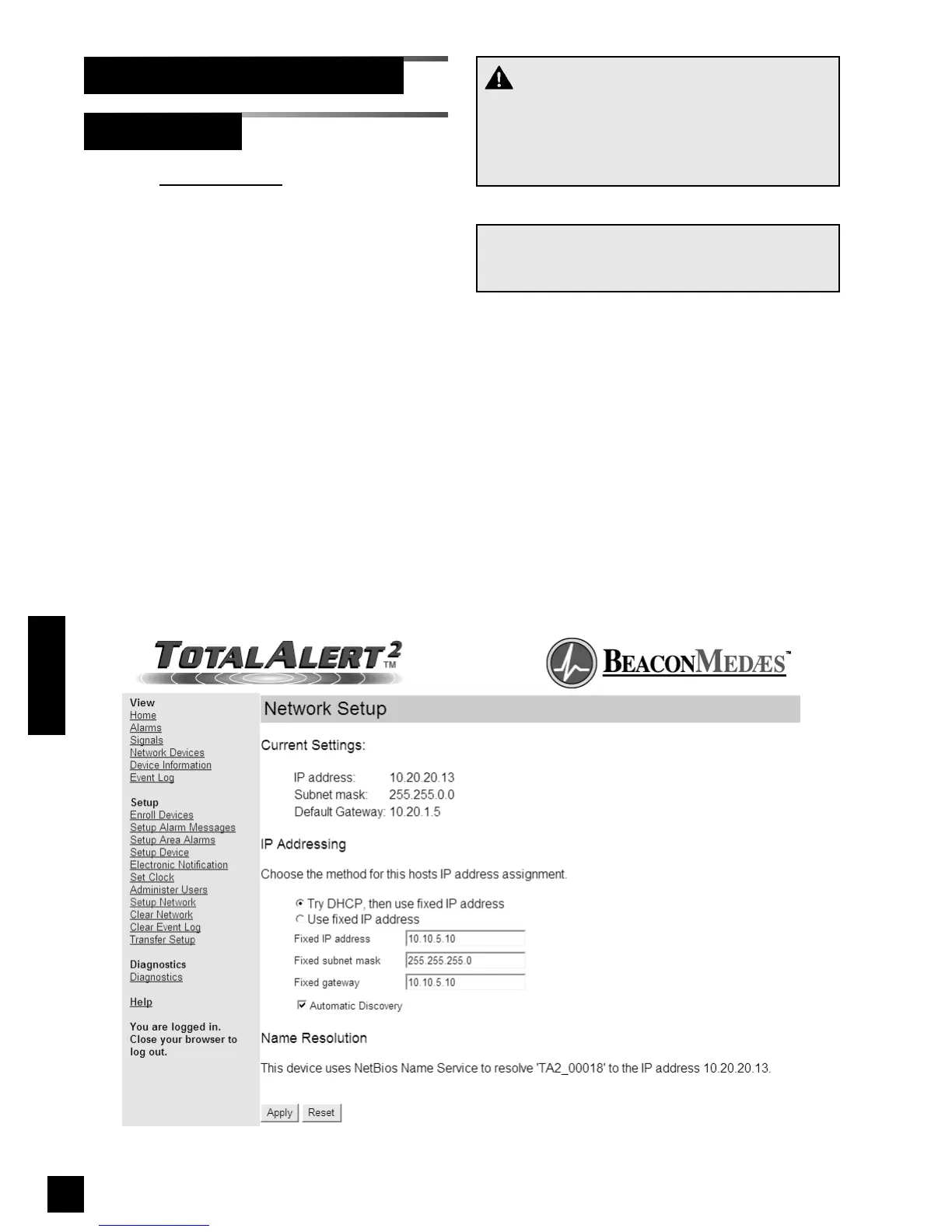
1. Click Setup Network to access the
Network Setup page (Figure 82).
The current IP configuration is shown
under Current Settings.
2. Select the IP Addressing mode.
3. If Use fixed IP address is selected,
enter the Fixed IP address, Fixed
subnet mask and Fixed gateway.
4. To disable automatic discovery
broadcasts, uncheck the Automatic
Discovery check box.
5. Click Apply to save the new settings.
6. The Network Setup Accepted page will
be displayed (Figure 83).
Figure 82: Network Setup
Operation
NOTE:
To learn more about the network settings, refer to
Set up Network Interface on page 72.
CAUTION:
The Information Systems personnel should be
notified before changing any of the network set-
tings. Changing the settings could keep the
equipment from working properly.



 To Next Page