Embroidering preparation
132
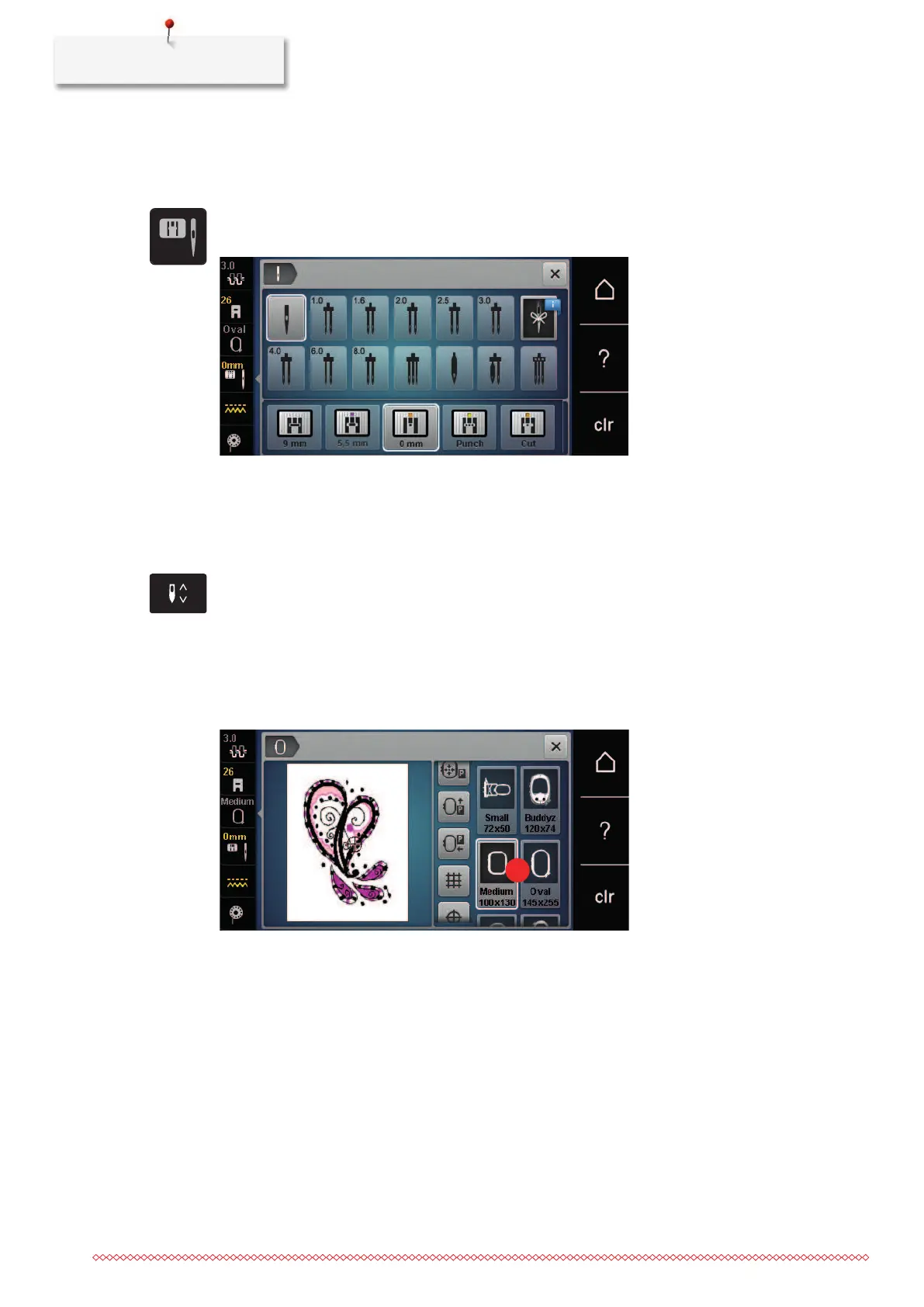
Selecting the stitch plate in the User Interface
After having replaced the stitch plate, it can be checked whether it can be used together with the selected
needle.
> Touch the icon «Stitch plates/Needle selection».
> Select the stitch plate CutWork/Straight (optional accessory).
Thread-up command
The machine must be ready for embroidery to bring up the bobbin thread.The bobbin thread can be brought
up in one step for a manual knotting. If no securing stitches are wanted, it is recommended to deactivate the
securing stitches in the Setup.
> Hold the upper thread.
> Press the button «Needle up/down».
– The bobbin thread is brought up automatically.
13.6 Embroidery hoop
Overview Embroidery hoop selection
1 Hoop selection
Selecting the embroidery hoop
The best embroidery result is achieved when the smallest possible embroidery hoop for the embroidery motif
is selected.
The embroidery motif has a pre-set size which is displayed.
Prerequisite:
• The embroidery motif is selected.



 To Next Page