Creative sewing
66
5 Creative sewing
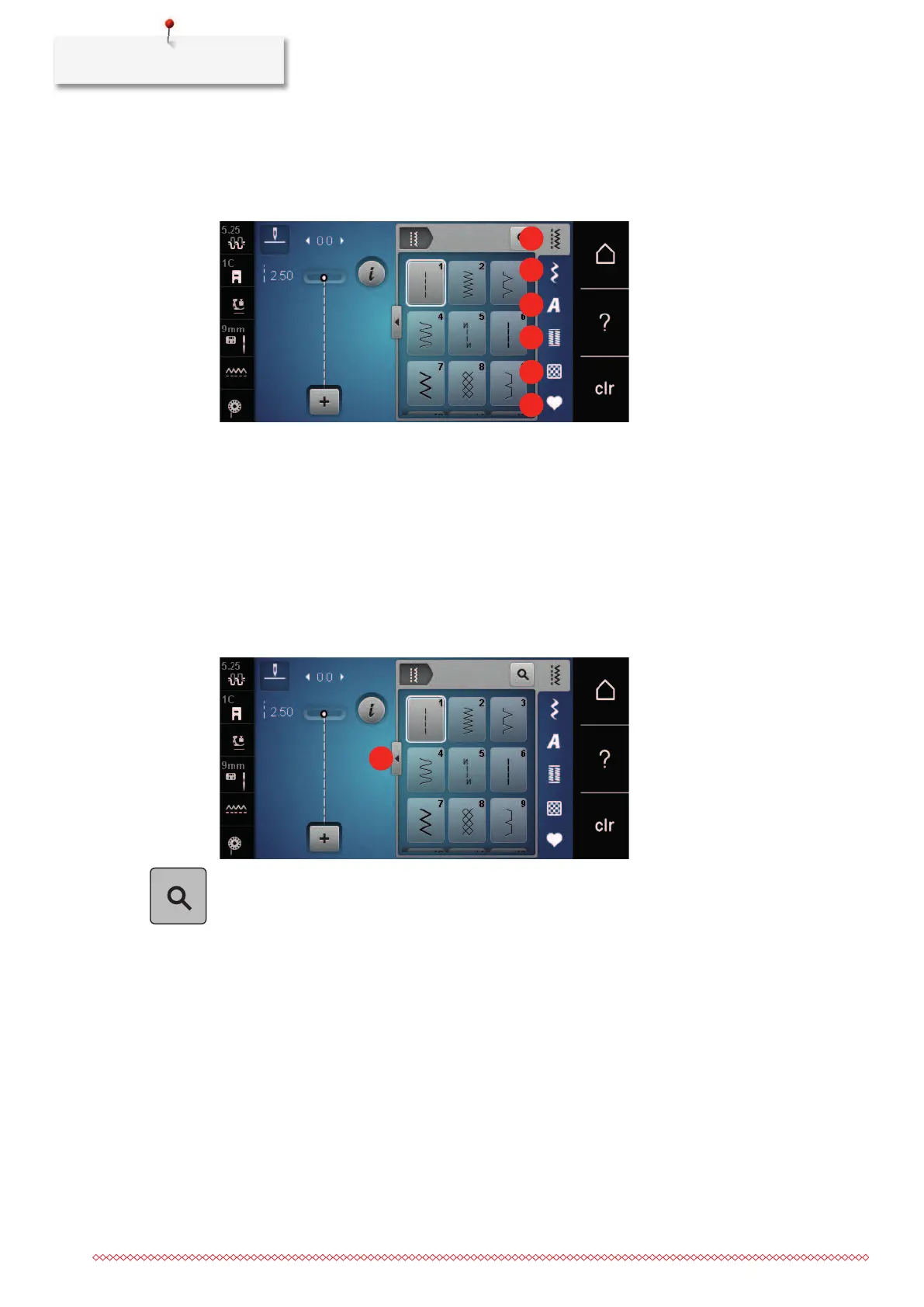
5.1 Overview selection menu sewing
1 Practical stitches 4 Buttonholes
2 Decorative stitches 5 Quilt stitches
3 Alphabets 6 Personal Memory
Selecting a stitch pattern
> Select a stitch pattern, alphabet or buttonhole.
> With the touchscreen pen/finger scroll up within the range of the practical stitches, alphabets or
buttonholes to have more stitch patterns displayed.
> Touch the icon «Display all the stitch patterns» (1) to scale up the view.
> Touch the icon «Display all the stitch patterns» (1) again to downsize the stitch pattern view.
> Touch the icon «Stitch pattern number entry» to select the stitch pattern via entering the stitch number.
5.2 Regulating the speed
The sewing speed can be adjusted infinitely variable with the slide.
> Move the slide to the left to reduce the sewing speed.
> Move the slide to the right to increase the sewing speed.
5.3 Adjusting the upper thread tension
The basic setting of the upper thread tension is provided automatically as soon as a stitch pattern or an
embroidery motif is selected.
The upper thread tension is set optimally at the BERNINA factory and the machine has been tested.
Metrosene-/Seralon thread size 100/2 (Company Mettler, Switzerland) is used for upper and bobbin thread.



 To Next Page