Setup Program
51
Calibrating the hoop
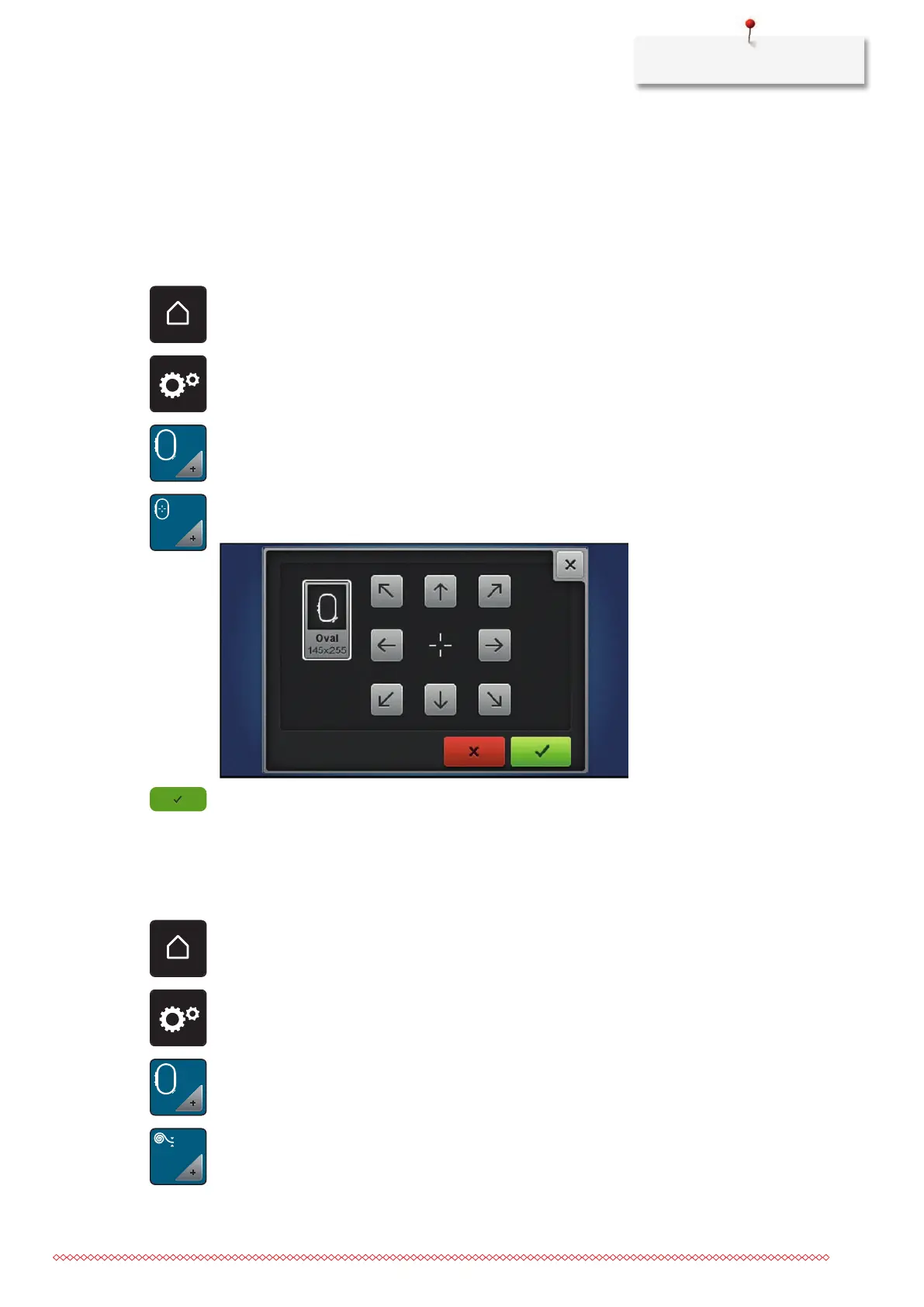
The calibration of the embroidery hoop is the coordination of the needle to the center of the embroidery
hoop.
Prerequisite:
• The embroidery module is connected.
• The hoop is fitted with the corresponding embroidery pattern.
> Touch the icon «Home».
> Touch the icon «Setup Program».
> Touch the icon «Embroidery settings».
> Touch the icon «Calibrating the hoop».
> Use the arrow icons on the display to move the needle precisely to the center of the pattern.
> Accept the needle position using the icon «Confirm».
Entering the fabric thickness
If the fabric thickness, as for e.g. toweling is more than 4 mm (0.15 inch) it is recommended to select 7.5
mm (0.29 inch) or 10 mm (0.39 inch). The thicker the fabric, the slower the embroidery speed of the
machine. When the machine is switched off, the alterations are reset to the default setting 4 mm (0.15 inch).
> Touch the icon «Home».
> Touch the icon «Setup Program».
> Touch the icon «Embroidery settings».
> Touch the icon «Select fabric thickness».
> Select fabric thickness.



 To Next Page