My BERNINA
23
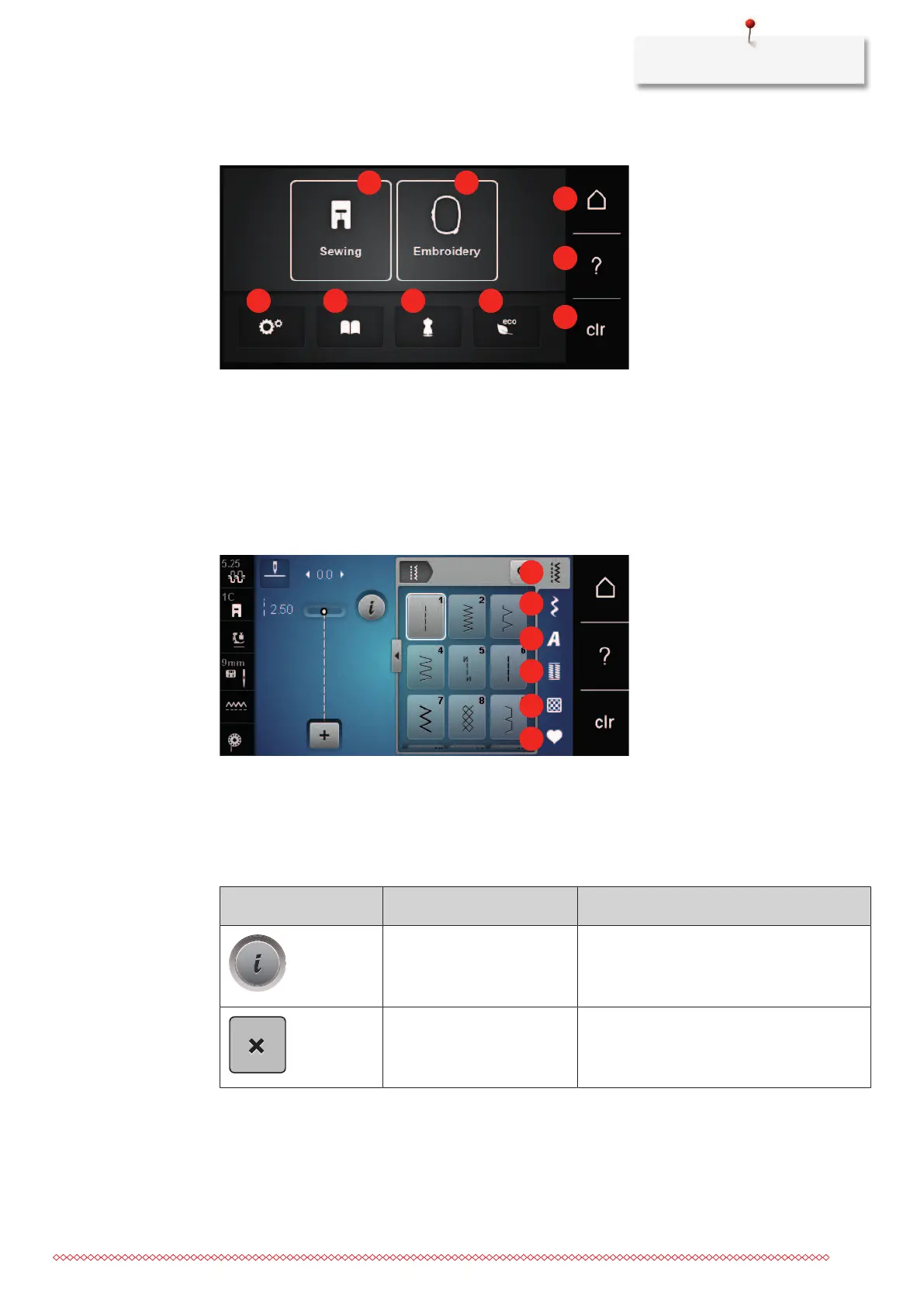
Overview System settings
1 Sewing mode 6 eco mode
2 Embroidery mode 7 Home
3 Setup Program 8 Help
4 Tutorial 9 Back to default setting
5 Creative Consultant
Overview selection menu sewing
1 Practical stitches 4 Buttonholes
2 Decorative stitches 5 Quilt stitches
3 Alphabets 6 Personal Memory
Overview Icons
Icon Name Purpose
i-Dialog Under the icon «i» dialog, you can find
different functions for editing patterns.
ESC The window is closed and the changes that
were previously set are implemented.



 To Next Page