Setup Program
55
3.4 Monitoring functions
Activating the upper thread indicator
> Touch the icon «Home».
> Touch the icon «Setup Program».
> Touch the icon «Monitoring settings».
> To switch off the upper thread indicator, move the switch to «0».
> To switch on the upper thread indicator, move the switch to «I».
3.5 Activating the audio signals
> Touch the icon «Home».
> Touch the icon «Setup Program».
> Touch the icon «Sound settings».
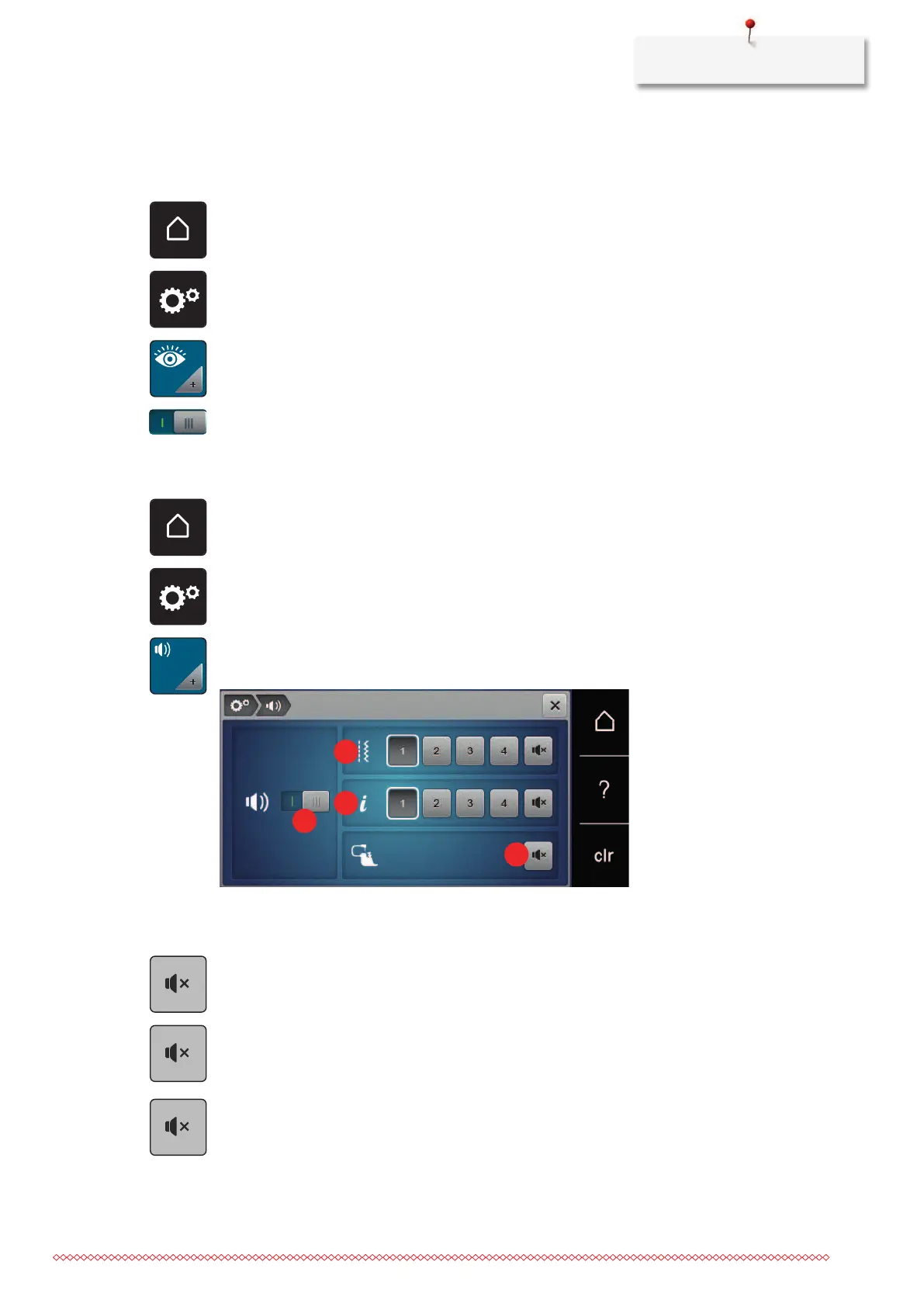
> To switch off sounds in general, move the switch (1) to «0».
> To switch on sounds in general, move the switch (1) to «I».
> To switch on one of four sounds when selecting a stitch pattern, touch the icons «1–4» in the area (2).
> To switch off the sound when selecting a stitch pattern, touch the icon «Speaker» in the area (2).
– The «Speaker» icon has a white frame.
> To switch on one of four sounds when selecting functions, touch the icons «1–4» in the area (3).
> To switch off the sound when selecting functions, touch the icon «Speaker» in the area (3).
– The «Speaker» icon has a white frame.
> To switch off the sound when using the BSR modes, touch the icon «Speaker» in the area (4).
– The icon «Speaker» has a white frame.
> To switch on the sound when using the BSR modes, touch the icon «Speaker» in the area (4).



 To Next Page