Setup Program
62
Recovering saved data
If personal data and settings after a software update are not available anymore, they can be transferred to
the machine again afterwards.
NOTICE
The BERNINA USB stick (optional accessory) has been removed too early
Saved data cannot be transferred and the machine cannot be used.
> Remove the BERNINA USB stick (optional accessory) only after the saved data has been transferred
successfully.
> Insert the BERNINA USB stick (optional accessory) providing the saved data and settings into the USB port
of the machine.
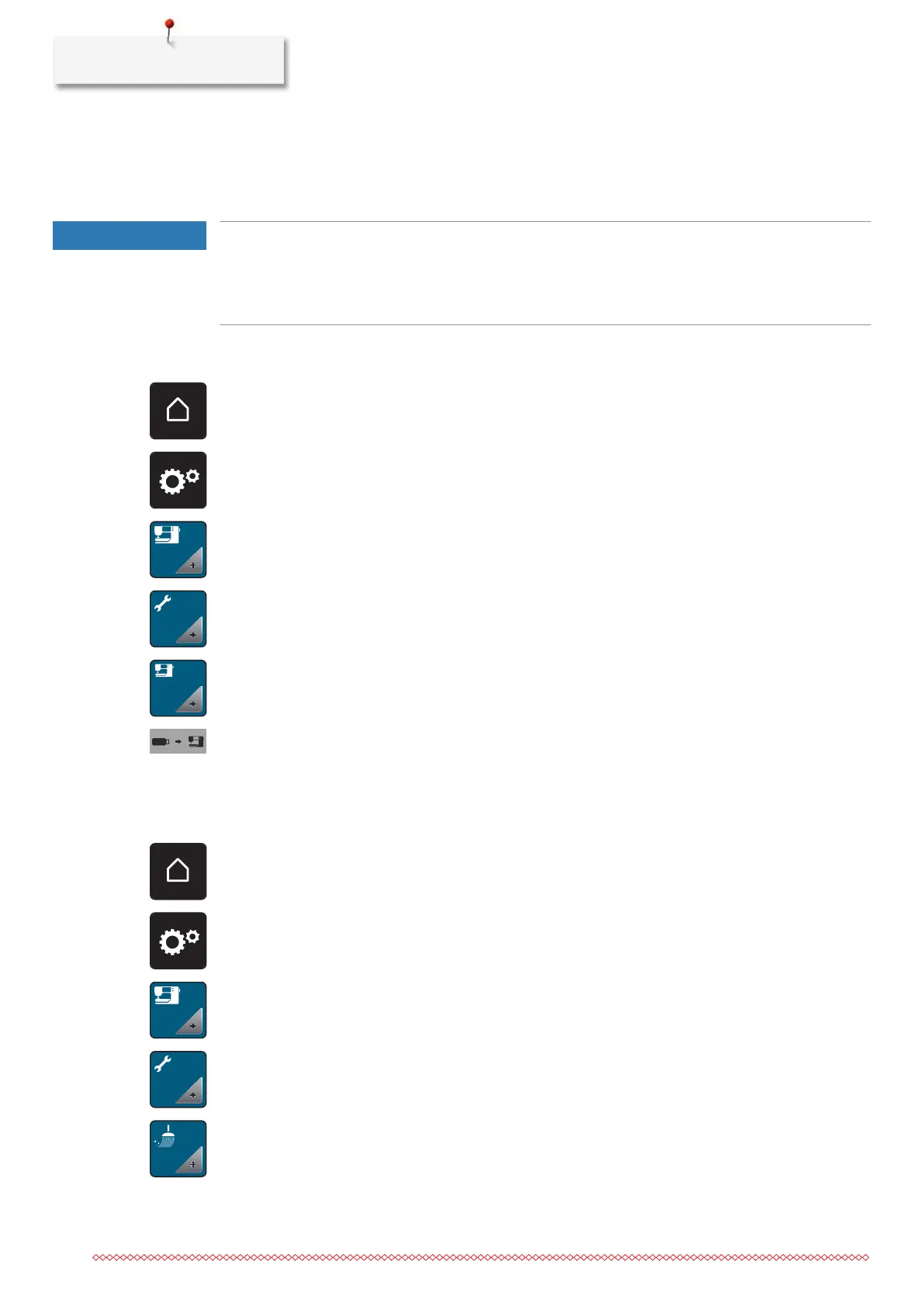
> Touch the icon «Home».
> Touch the icon «Setup Program».
> Touch the icon «Machine settings».
> Touch the icon «Maintenance/Update».
> Touch the icon «Update the machine».
> Touch the icon «Transfer saved data to machine».
– The icon is checkmarked in green.
Cleaning the thread catcher
The chapter «Maintenance and cleaning» provides additional illustrated step-by-step instructions for this.
> Touch the icon «Home».
> Touch the icon «Setup Program».
> Touch the icon «Machine settings».
> Touch the icon «Maintenance/Update».
> Touch the icon «Clean thread catcher».
> Clean the thread catcher according to the instructions on the display.



 To Next Page