Embroidering preparation
131
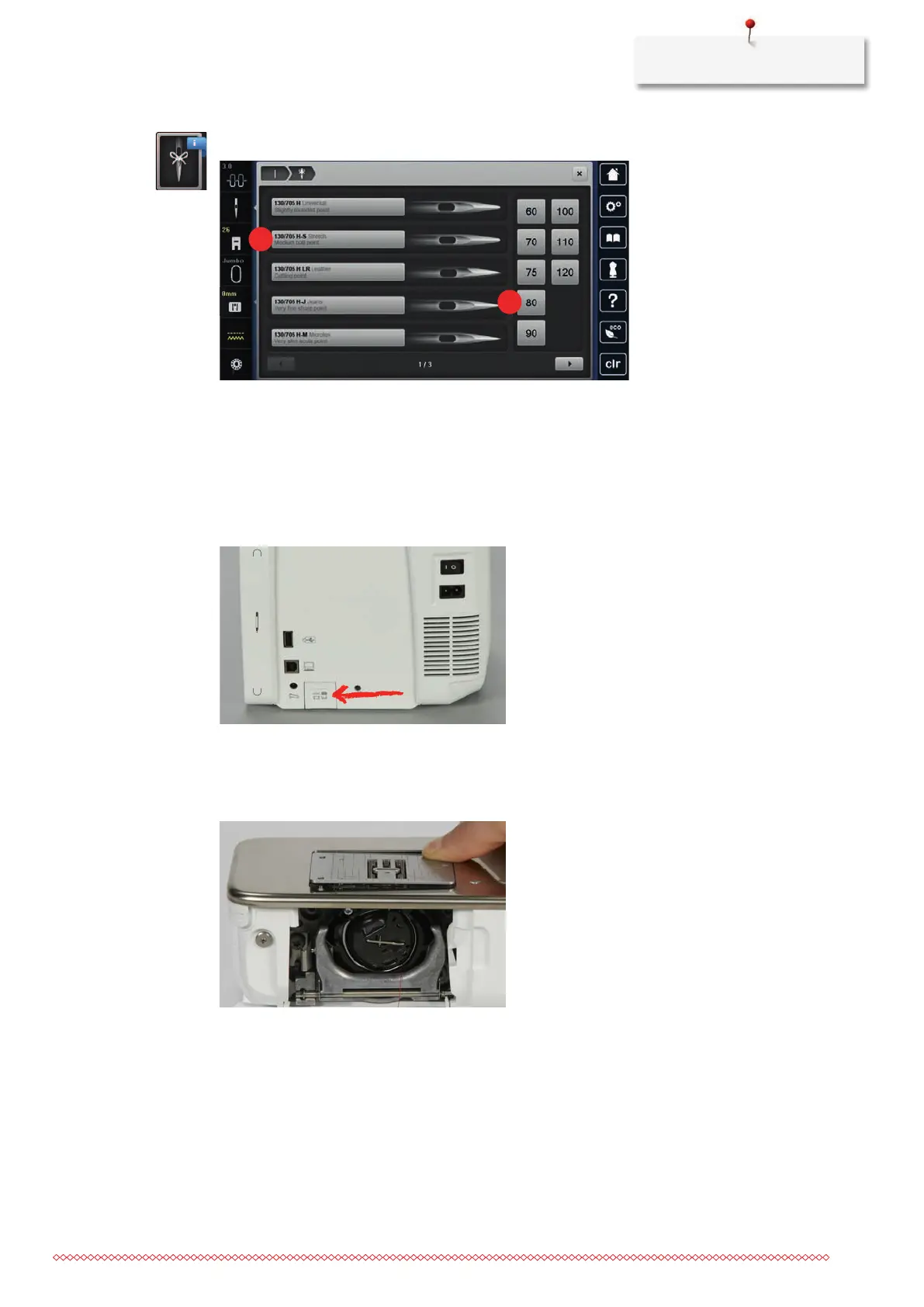
> Tap «Needle Information».
> Select the needle type (1) of the fitted needle.
> Select the needle type (2) of the fitted needle.
Attaching the stitch plate
The stitch plate (CutWork/Straight, supplied accessory) has a small needle hole in the needle insertion area.
The thread is pulled in and knotted optimally which results in an optimized stitching result.
> To lower the feed dog, push the button «Feed dog up/down».
> Switch off the machine and disconnect it from the power supply.
> Remove the needle.
> Remove the presser foot.
> At the marking on the rear of the stitch plate, push the stitch plate downwards until it tips.
> Remove the stitch plate.
> Place the opening of the stitch plate (CutWork/Straight stitch plate) above the corresponding guide pins
and press it down until it clicks into place.



 To Next Page