Sewing preparation
38
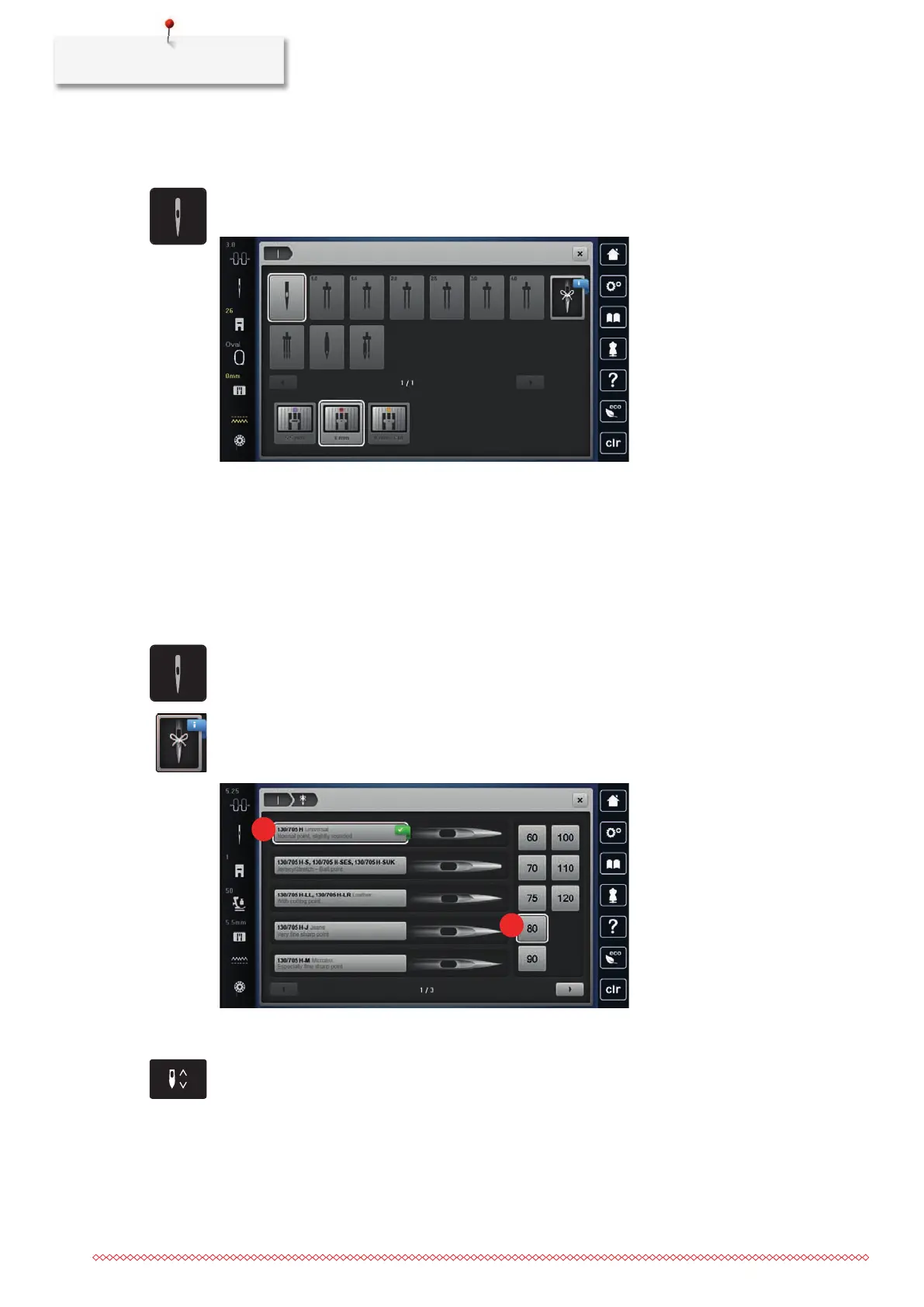
Selecting the needle in the User Interface
After changing the needle, you can check whether this can be used with the selected stitch plate.
> Tap «Needle Selection».
> Select the fitted needle.
– When the selected needle matches the selected presser foot, sewing can be started. If the selected
needle does not match the selected presser foot, there will be an error message when starting the
machine and the machine will not sew.
Selecting needle type and needle size
Convenient memory function: To prevent a loss of information, the needle type and the needle size can be
saved additionally on the machine. The saved needle type and the saved needle size can be checked at any
time.
> Tap «Needle Selection».
> Tap «Needle Information».
> Select the needle type (1) of the fitted needle.
> Select the needle type (2) of the fitted needle.
Adjusting the needle position up/down
> To lower the needle, push the button «Needle Up/Down».
> To raise the needle, push the button «Needle Up/Down» again.
Adjusting the needle position left/right
There is a total of 11 needle positions. The needle position is indicated by the needle position number in the
display.



 To Next Page