Creative embroidering
157
15.12 Administering embroidery motifs
Administering embroidery motifs
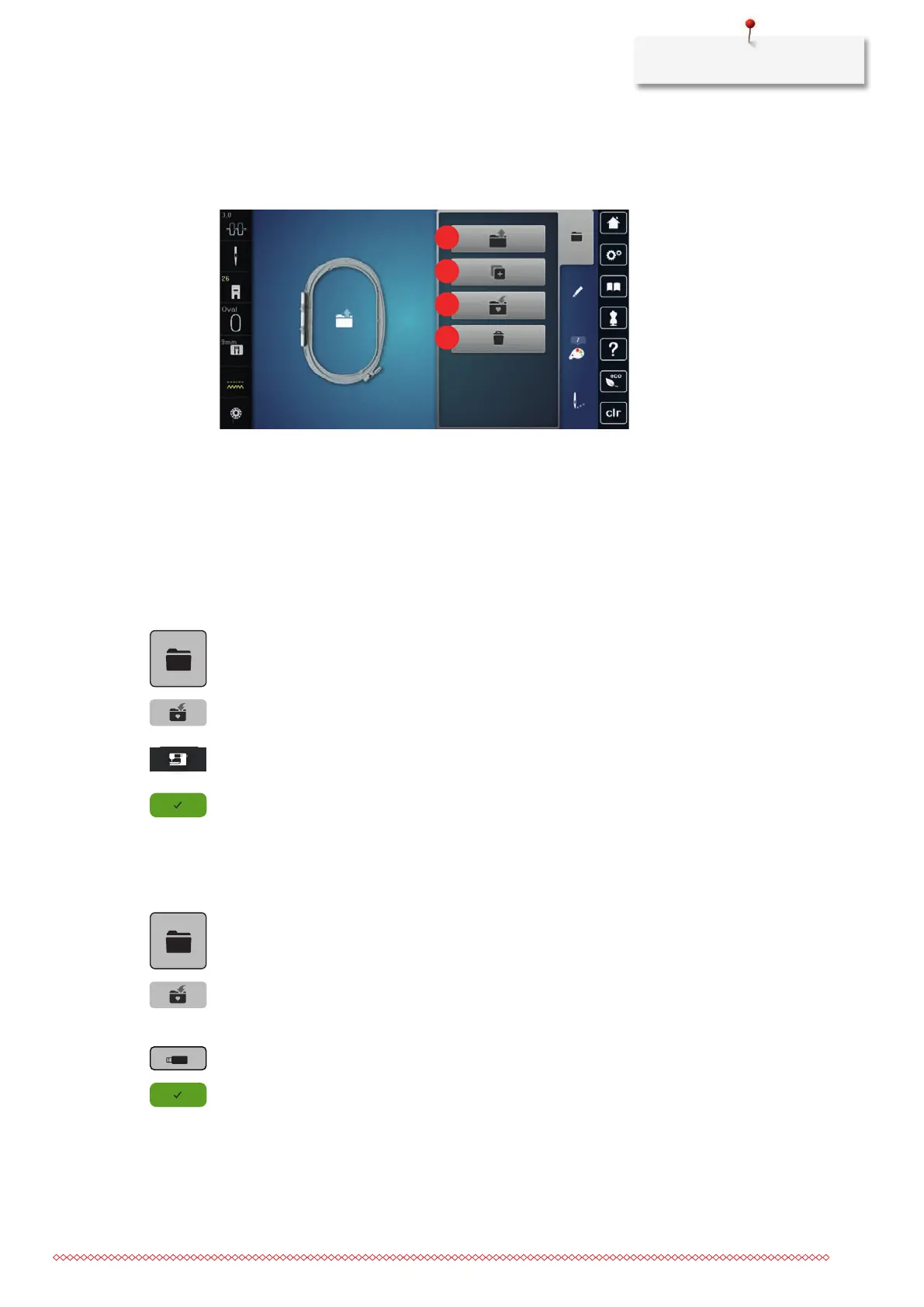
1 «Load Embroidery Motif» 3 «Save Embroidery Motif»
2 «Add Embroidery Motif» 4 «Delete Embroidery Motif»
Saving embroidery motifs in the personal memory
In the file «Save Embroidery Motifs» any embroidery motifs including individually edited embroidery motifs
can be saved.
> Select an embroidery motif.
> Edit the embroidery motif.
> Tap «Selection».
> Tap «Save Embroidery Motif».
– The embroidery motif to be saved is outlined in yellow.
– The «Embroidery machine» is activated.
> Tap «Confirm».
Saving the embroidery motif on the BERNINA USB stick
> Select an embroidery motif.
> Edit the embroidery motif.
> Tap «Selection».
> Tap «Save Embroidery Motif».
– The embroidery motif to be saved is outlined in yellow.
> Insert the BERNINA USB stick into the USB port of the machine.
> Tap «USB Stick».
> Tap «Confirm».



 To Next Page