Creative embroidering
154
15.10 Embroidering the embroidery motif
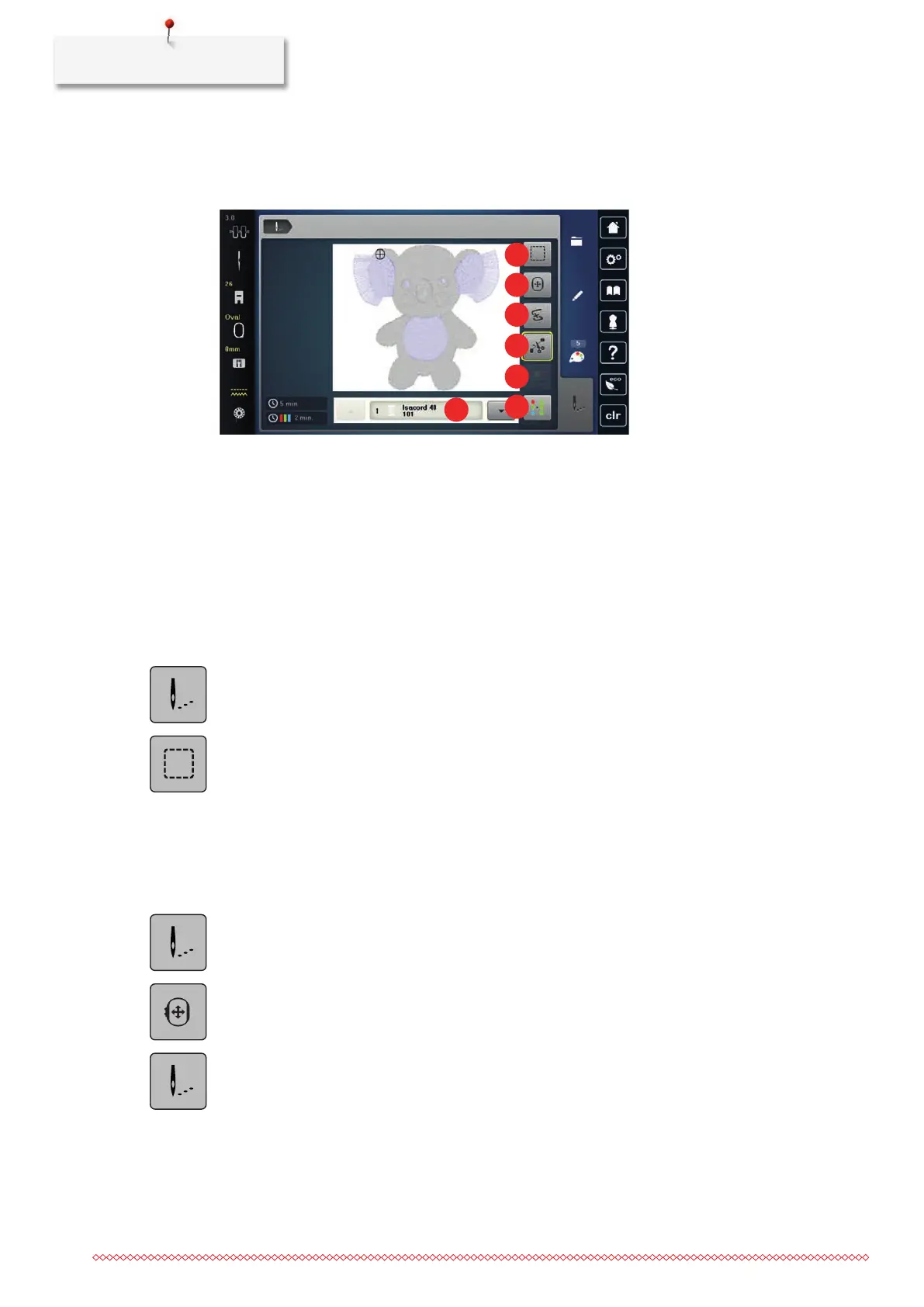
Overview Embroidery menu
1 «Basting» 5 «Reduce Color Changes»
2 «Move Hoop» 6 «Multi-colored Embroidery Motif On/Off»
3 «Embroidery Sequence Control» 7 «Color indication»
4 «Cut Connecting Stitches»
Adding basting stitches
The basting stitches can be embroidered along the embroidery motif. This gives the fabric and embroidery
stabilizer a better hold.
> Select an embroidery motif.
> Tap «Embroidery».
> To embroider the basting stitches along an embroidery motif, tap «Basting».
> To deactivate the basting stitches, tap «Basting» again.
Moving the hoop
If the embroidery motif is so big that repeated rehooping is necessary, the embroidered motif can be moved
again.
> Select an embroidery motif.
> Tap «Embroidery».
> Tap «Move Hoop».
> Turn the «Upper Multi-function knob» to move the embroidery motif horizontally.
> Turn the «Lower Multi-function knob» to move the embroidery motif vertically.
> To accept the settings, tap «Embroidery» in the Process Navigation.



 To Next Page