My BERNINA
24
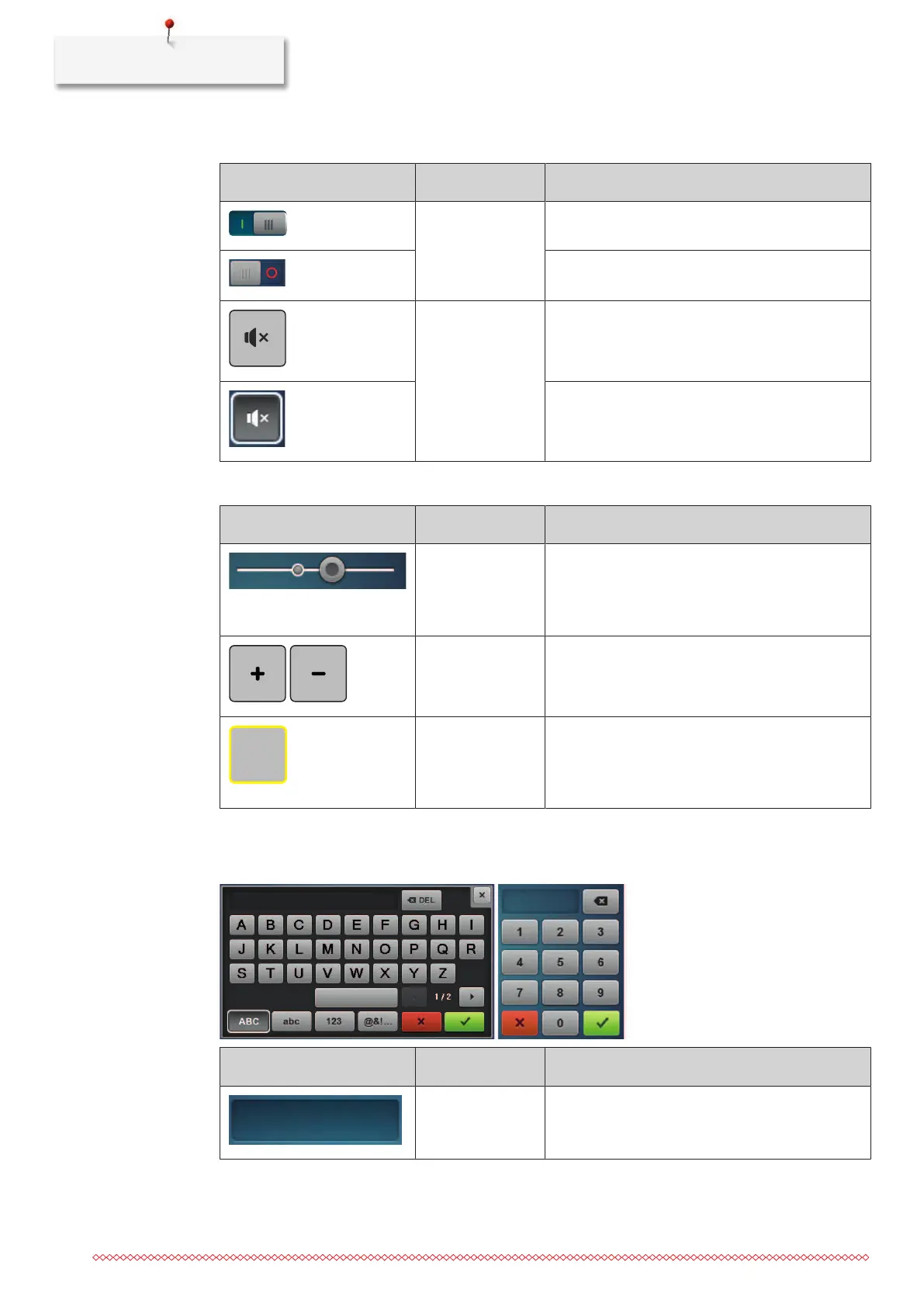
Activate/deactivate functions
Figure Element Status
Switch Function is activated.
Function is deactivated.
Icon Function ist deactivated.
Function ist activated.
Adjust values
Illustration Name Purpose
Slider control Set the value with the slider control.
Reset the value to the default value by tapping the
small bullet.
Field «Plus» /
«Minus»
«Plus» increase, «Minus» reduce the value.
Yellow frame Indication that the set value differs from the
default value.
Reset the value to the default value by tapping.
Enter text and numbers
To enter numerical values or text, a corresponding keyboard is shown.
Illustration Name Purpose
Entry field Display of the entry.
Delete all characters entered with a single tap.



 To Next Page